
No-Code AI Product Ideas You Can Build This Month
This comprehensive guide explores 15+ practical no-code AI product ideas that anyone can build without programming skills. We cover complete implementation strategies using platforms like Bubble, Zapier, Airtable, and Make, with step-by-step guidance for each product category. Learn how to create AI-powered chatbots, content generators, recommendation systems, and automation tools that solve real problems. We include detailed monetization strategies, platform comparisons, cost analysis, and common pitfalls to avoid. Whether you're looking to start a side hustle or automate business processes, this guide provides everything you need to build profitable AI products this month.


No-Code AI Product Ideas You Can Build This Month
Building AI products no longer requires years of programming experience or advanced technical skills. The rise of no-code platforms has democratized artificial intelligence, allowing entrepreneurs, creators, and business owners to develop sophisticated AI solutions without writing a single line of code. In this comprehensive guide, we'll explore practical no-code AI product ideas you can build this month, complete with implementation strategies, platform recommendations, and monetization approaches.
The no-code movement has transformed how we approach technology development. According to recent industry analysis, the no-code platform market is expected to grow from $13.2 billion in 2021 to $45.5 billion by 2026, with AI integration being the fastest-growing segment. This growth reflects the increasing accessibility of AI technology to non-technical users who want to solve problems and create value.
Understanding No-Code AI Development
Before diving into specific product ideas, let's clarify what no-code AI development actually means. No-code platforms provide visual interfaces, drag-and-drop functionality, and pre-built components that allow you to create applications by connecting different elements together. When combined with AI capabilities through API integrations or built-in AI features, these platforms enable you to build intelligent applications without traditional programming.
Key characteristics of no-code AI development include:
- Visual development interfaces instead of code editors
- Pre-built AI components and integrations
- Drag-and-drop workflow designers
- Template-based application structures
- Integrated testing and deployment tools
The beauty of no-code AI is that it allows you to focus on solving problems rather than learning complex programming languages. As we explore in our guide on how to start learning AI without a technical background, the barriers to entry have never been lower.
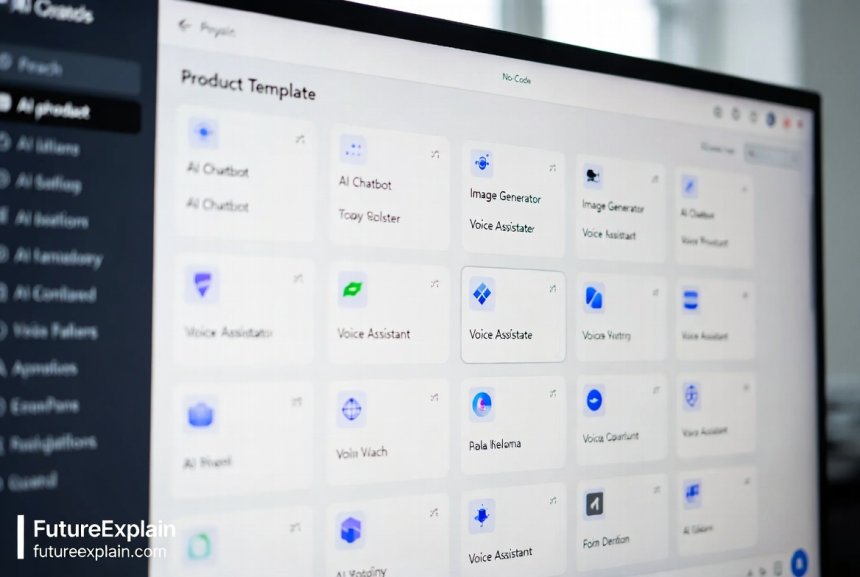
Essential No-Code Platforms for AI Products
Different no-code platforms excel at different types of AI products. Here's a comparison of the most popular platforms and what they're best suited for:
Bubble.io
Bubble is a comprehensive no-code platform that allows you to build complete web applications with AI integrations. It's ideal for creating:
- AI-powered marketplaces
- Custom SaaS applications
- Complex workflow automation tools
- Data processing applications
Bubble's strength lies in its flexibility and extensive plugin ecosystem, including AI plugins for OpenAI, Google AI, and other machine learning services.
Zapier and Make (formerly Integromat)
These automation platforms connect different applications and services. They're perfect for:
- AI-enhanced workflow automation
- Cross-platform AI integrations
- Simple AI-powered tools
- Business process automation
As discussed in our automation made easy guide, these platforms can dramatically simplify complex processes.
Airtable with AI Extensions
Airtable combines spreadsheet functionality with database capabilities and now includes AI features through extensions and integrations:
- AI-powered data analysis
- Smart database applications
- Content management systems with AI
- CRM systems with predictive analytics
Adalo
Adalo specializes in mobile app development with no-code. It's excellent for:
- AI-powered mobile applications
- Location-based AI services
- Mobile-first AI tools
- Consumer-facing AI apps
15+ No-Code AI Product Ideas
Now let's explore specific product ideas you can build. Each idea includes implementation overview, recommended platforms, and potential monetization strategies.
1. AI-Powered Content Calendar and Generator
This product combines content planning with AI-assisted content creation. Users can plan their content strategy while having AI generate draft content, headlines, and social media posts.
Implementation Strategy:
- Use Bubble or Glide to create the main application interface
- Integrate with OpenAI API for content generation
- Connect to social media APIs for scheduling
- Include analytics to track content performance
Monetization: Subscription model ($29-$99/month), tiered based on features and usage limits
Estimated Build Time: 2-3 weeks
Platform Cost: $50-$200/month (depending on scale)
2. Smart Email Response Assistant
An AI tool that helps businesses manage customer emails by suggesting responses, categorizing emails, and automating routine replies.
Implementation Strategy:
- Use Zapier or Make to connect Gmail/Outlook with AI services
- Implement sentiment analysis for email categorization
- Create response templates that AI can customize
- Add learning capabilities based on user corrections
Monetization: Per-user pricing ($15/user/month) or business tier pricing
Estimated Build Time: 1-2 weeks
3. AI-Powered Social Media Manager
This tool helps small businesses manage their social media presence by suggesting optimal posting times, generating post ideas, and even creating basic graphics.
Implementation Strategy:
- Use Airtable as the backend database
- Connect to social media APIs via Zapier
- Integrate with AI image generation (DALL-E, Midjourney API)
- Include analytics dashboard
Monetization: Monthly subscription with tiered features
Unique Feature: Competitor analysis using AI to track industry trends
4. Personalized Learning Recommendation Engine
A platform that recommends courses, articles, and learning resources based on user goals, current skills, and learning style.
Implementation Strategy:
- Build with Bubble for the user interface
- Implement recommendation algorithms using pre-built AI services
- Create user profiling system
- Integrate with learning platforms via API
Monetization: Affiliate commissions from course platforms or subscription fee
5. AI-Powered Resume Optimizer
Helps job seekers optimize their resumes for specific job descriptions using AI analysis of keywords, formatting, and content relevance.
Implementation Strategy:
- Use Adalo for mobile-friendly interface
- Integrate with OpenAI for content analysis
- Include ATS (Applicant Tracking System) compatibility checker
- Add job market analytics
Monetization: One-time fee per optimization or monthly subscription
Market Need: With increasing competition in job markets, this addresses a clear pain point
6. Smart Expense Tracker with Predictive Analytics
An expense tracking tool that not only records expenses but uses AI to predict future spending, suggest budgeting adjustments, and identify saving opportunities.
Implementation Strategy:
- Build with Glide for mobile-first experience
- Connect to banking APIs (via Plaid or similar)
- Implement machine learning for pattern recognition
- Create visualization dashboard
Monetization: Freemium model with advanced features in paid version
7. AI-Powered Meeting Summarizer
Records meetings, transcribes them, and provides AI-generated summaries, action items, and follow-up reminders.
Implementation Strategy:
- Use Make or Zapier to connect recording apps with transcription services
- Integrate with calendar apps
- Implement natural language processing for summary generation
- Add collaboration features for team use
Monetization: Per-meeting pricing or team subscription
Time Savings: Can save 1-2 hours per meeting in manual note-taking and follow-up
8. Personalized Fitness and Nutrition Planner
Creates customized workout and nutrition plans based on user goals, preferences, dietary restrictions, and progress tracking.
Implementation Strategy:
- Build with Bubble for complex logic
- Integrate with wearable device APIs
- Implement recommendation engine for exercises and recipes
- Add progress tracking and adjustment algorithms
Monetization: Subscription model with personalized coaching upsells
9. AI-Powered Customer Support Chatbot
A customizable chatbot for small businesses that can handle common customer queries, collect information, and route complex issues to humans.
Implementation Strategy:
- Use specialized chatbot platforms like Landbot or Chatfuel
- Integrate with knowledge bases and FAQs
- Implement sentiment analysis
- Add human handoff capabilities
Monetization: Monthly subscription based on conversation volume
This builds on concepts we explored in AI in customer support, making them accessible to non-technical users.
10. Smart Content Curation Platform
Aggregates and curates content from multiple sources based on user interests, using AI to filter and prioritize the most relevant material.
Implementation Strategy:
- Use Airtable for content database
- Implement web scraping (via no-code scrapers)
- Use AI for content categorization and relevance scoring
- Create personalized newsletters
Monetization: Subscription for premium curation or affiliate links
11. AI-Powered Real Estate Matchmaker
Matches potential home buyers or renters with properties based on preferences, commute times, neighborhood characteristics, and budget.
Implementation Strategy:
- Build with Bubble for complex filtering
- Integrate with real estate APIs
- Implement map-based interfaces
- Add predictive pricing algorithms
Monetization: Lead generation fees or premium features
12. Personalized Shopping Assistant
Helps users find products that match their style, budget, and needs across multiple online stores.
Implementation Strategy:
- Use Glide for mobile shopping experience
- Integrate with e-commerce APIs
- Implement visual search capabilities
- Add price tracking and alert system
Monetization: Affiliate commissions or subscription for premium features
13. AI-Powered Travel Planner
Creates personalized travel itineraries based on budget, interests, travel style, and current deals.
Implementation Strategy:
- Build with Adalo for travel-on-the-go functionality
- Integrate with travel booking APIs
- Implement recommendation engine for activities
- Add real-time updates and alerts
Monetization: Commission from bookings or premium planning services
14. Smart Event Matchmaking Platform
For conferences and networking events, uses AI to suggest relevant connections, sessions, and meetings based on profiles and goals.
Implementation Strategy:
- Use Bubble for attendee matching algorithms
- Implement profile analysis
- Add scheduling and meeting management
- Include post-event networking features
Monetization: Per-event pricing or annual subscription for event organizers
15. AI-Powered Legal Document Assistant
Helps small businesses create standard legal documents with AI guidance on customization and compliance.
Important Disclaimer: This should include clear disclaimers that it doesn't replace legal advice and users should consult attorneys for important matters.
Implementation Strategy:
- Use specialized no-code platforms with strong security
- Implement template-based document generation
- Add compliance checking against jurisdiction requirements
- Include legal disclaimer systems
Monetization: Per-document fee or subscription for document packs
Implementation Roadmap: From Idea to Launch
Now that we've explored specific ideas, let's create a practical roadmap for building your no-code AI product.
Week 1: Validation and Planning
Before building anything, validate your idea:
- Identify your target audience and their specific pain points
- Research existing solutions and identify gaps
- Create a simple landing page to gauge interest
- Define your minimum viable product (MVP) features
- Choose the right no-code platform based on your needs
As we discuss in launching an AI side project, starting small and validating is crucial.
Week 2: Platform Setup and Core Features
Begin building your MVP:
- Set up your chosen no-code platform account
- Design your user interface and experience
- Implement core functionality without AI features first
- Set up database structures and user management
- Create basic workflows and automations
Week 3: AI Integration and Testing
Add intelligence to your product:
- Integrate AI APIs (OpenAI, Google AI, etc.)
- Test AI responses and refine prompts
- Implement error handling for AI failures
- Create user feedback mechanisms
- Perform usability testing with real users
Week 4: Refinement and Launch Preparation
Polish and prepare for launch:
- Refine based on user feedback
- Optimize performance and loading times
- Set up analytics and monitoring
- Create user documentation and tutorials
- Plan your launch strategy and marketing
Cost Analysis and Budget Planning
Understanding costs is crucial for no-code AI products. Here's a breakdown of typical expenses:
Platform Costs
- No-code platform subscription: $29-$299/month
- AI API costs (OpenAI, etc.): $0.002-$0.02 per request
- Third-party service integrations: $10-$100/month
- Domain and hosting: $10-$50/month
Development Costs
- Template purchases: $0-$500 (one-time)
- Custom design elements: $0-$1000
- Testing tools and services: $0-$100/month
Ongoing Operational Costs
- Customer support tools: $20-$200/month
- Marketing and analytics: $50-$500/month
- Legal and compliance: $100-$500/month (scaling with revenue)
Total Monthly Cost Estimate for MVP: $100-$500/month
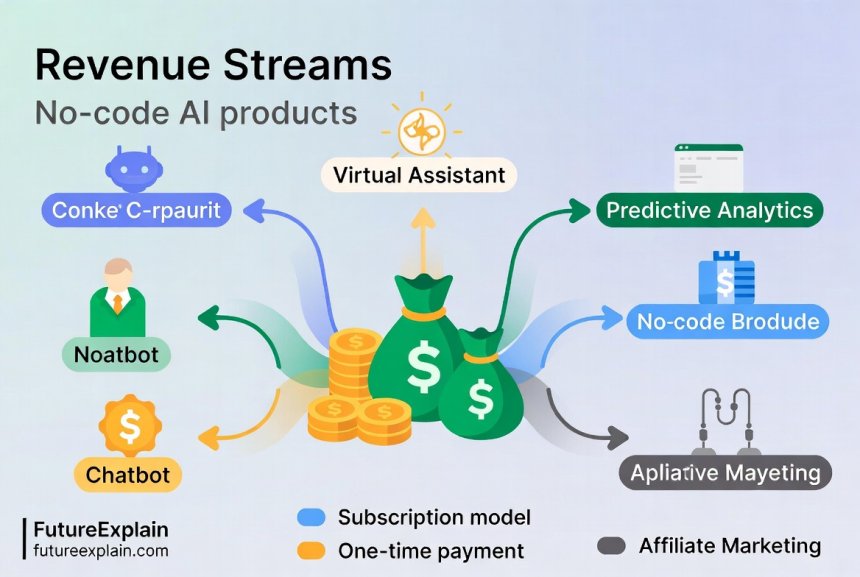
Monetization Strategies for No-Code AI Products
Choosing the right monetization model depends on your product type, target audience, and value proposition.
Subscription Models
Most suitable for: Tools with ongoing value and regular updates
- Freemium: Basic features free, premium features paid
- Tiered Pricing: Different feature sets at different price points
- Per-User Pricing: Charge per active user (ideal for team tools)
Transaction-Based Models
Most suitable for: Products that facilitate transactions or processes
- Percentage Commission: Take a percentage of each transaction
- Per-Use Fee: Charge for each use of the tool
- Credit Packages: Users buy credits that are consumed per use
Alternative Revenue Streams
- Affiliate Marketing: Earn commissions by referring users to other services
- White Labeling: License your product to other businesses
- Consulting Services: Offer customization and implementation services
- Data Insights: Anonymized aggregate data can have value
For more on monetization, see our guide on monetizing AI skills.
Common Pitfalls and How to Avoid Them
Based on analysis of failed no-code AI projects, here are the most common mistakes:
Technical Limitations
Problem: Trying to build something beyond no-code platform capabilities
Solution: Start simple, validate the core concept first, and scale gradually. Choose platforms known for handling your specific use case.
AI Hallucinations and Errors
Problem: AI generating incorrect or inappropriate responses
Solution: Implement robust error handling, user feedback loops, and human review systems for critical applications. Learn more in our article on mitigating hallucinations.
Scalability Issues
Problem: Product works with few users but fails under load
Solution: Test with simulated load, optimize database queries, and choose platforms with good scaling capabilities.
Legal and Compliance Risks
Problem: Violating data privacy laws or intellectual property rights
Solution: Consult legal experts, implement clear terms of service, and stay informed about regulations like GDPR and CCPA. Our AI regulation overview provides essential guidance.
Case Studies: Successful No-Code AI Products
Case Study 1: AI Content Optimization Tool
Product: SEO content optimizer for small businesses
Platform: Bubble.io with OpenAI integration
Build Time: 3 weeks
Revenue: $8,000/month after 6 months
Key Success Factor: Solved a specific pain point for a well-defined audience (small business owners doing their own SEO)
Case Study 2: Personalized Learning Platform
Product: Course recommendation engine for professionals
Platform: Glide with custom AI integration
Build Time: 4 weeks
Revenue: $15,000/month after 9 months
Key Success Factor: Strong affiliate partnerships with course providers and focused niche (tech professionals upskilling)
Case Study 3: Automated Social Media Manager
Product: AI-powered social media scheduling and analytics
Platform: Make (Integromat) with multiple API integrations
Build Time: 2 weeks
Revenue: $5,000/month after 4 months
Key Success Factor: Extremely simple user interface that solved one problem exceptionally well
Future Trends in No-Code AI Development
The no-code AI landscape is evolving rapidly. Here are trends to watch:
Increasing Specialization
Platforms are becoming more specialized for specific industries (healthcare, finance, education) with pre-built compliance features and industry-specific templates.
Improved AI Integration
More native AI features within no-code platforms, reducing the need for external API integrations and making AI more accessible.
Collaborative Development
Better tools for teams to collaborate on no-code AI projects, with version control and deployment pipelines becoming standard.
Mobile-First Development
As mobile usage continues to grow, no-code platforms are improving their mobile app development capabilities with AI features.
Getting Started: Your Action Plan
Ready to build your first no-code AI product? Follow this action plan:
- Choose Your Idea: Pick one from our list or adapt based on your expertise
- Validate Quickly: Create a simple landing page and gather feedback
- Select Your Platform: Based on your product type and technical requirements
- Build Your MVP: Focus on core functionality first
- Test Thoroughly: With real users in your target audience
- Launch and Iterate: Release, gather feedback, and improve
- Scale Gradually: Add features and marketing as you grow
Remember that the goal isn't perfection but progress. Every successful no-code AI product started as a simple solution to a real problem.
Further Learning Resources
To continue your no-code AI journey, explore these resources:
- No-Code Platforms Documentation: Official guides for Bubble, Glide, Adalo, etc.
- AI API Documentation: OpenAI, Google AI, Anthropic, and other AI service providers
- No-Code Communities: Online forums and groups where builders share knowledge
- Our related articles: building a simple AI chatbot without coding, automating workflows with low-code AI platforms, and no-code vs AI tools
Conclusion
Building no-code AI products has never been more accessible or practical. With the right idea, platform, and execution strategy, you can create valuable AI solutions without traditional programming skills. The key is to start small, focus on solving real problems, and iterate based on user feedback. Whether you're looking to create a side income, automate business processes, or explore the potential of AI, the opportunities are vast and growing.
The no-code AI revolution is here, and it's inviting everyone to participate. Your unique perspective and understanding of specific problems could lead to the next successful AI product. Start building this month – the tools and knowledge are waiting for you.
Share
What's Your Reaction?
 Like
324
Like
324
 Dislike
7
Dislike
7
 Love
156
Love
156
 Funny
42
Funny
42
 Angry
3
Angry
3
 Sad
2
Sad
2
 Wow
89
Wow
89

















I'd love to see a follow-up article on advanced no-code AI techniques once you've mastered the basics from this guide.
The future trends section is spot on. I'm already seeing more industry-specific no-code AI platforms emerging. The healthcare ones with HIPAA compliance built-in are particularly interesting.
How do you protect your no-code AI products from being copied since there's no proprietary code?
Excellent question, Kenneth! While you can't protect the implementation method, you can protect: 1) Your brand and trademark, 2) Unique data sets you develop, 3) Customer relationships and network effects, 4) Trade secrets in your prompt engineering and workflow design, and 5) Any proprietary content or templates. Focus on building a strong brand and user community that's harder to replicate than the technology.
As a UX designer, I appreciate how you emphasized user interface design even for no-code products. So many AI tools have terrible UX because developers think the AI magic is enough.
The section on common pitfalls saved me from making several expensive mistakes. Especially the scalability warning - I almost built on a platform that would have been terrible for growth.
This article inspired me to quit my job and focus on no-code AI products full time. Three months in and I'm already making 80% of my previous salary with just two products!