
Automating Workflows with Low-Code AI Platforms
This guide explains how low-code AI platforms are revolutionizing workflow automation, making powerful AI and automation accessible to everyone—not just developers. You'll learn what low-code AI truly is, how it differs from traditional automation and no-code tools, and explore its core benefits like incredible time savings, reduced errors, and easy scaling. We provide a clear comparison of leading platforms, a practical step-by-step guide to building your first automated workflow, and crucial advice on security, cost, and future trends. Whether you're a business owner, manager, or curious beginner, this article gives you the knowledge to start automating intelligently and efficiently today.



Automating Workflows with Low-Code AI Platforms
Imagine telling your computer, "Whenever we get a new customer sign-up, please add their details to our spreadsheet, send them a welcome email, and notify the sales team on Slack—and if the email bounces, try a second time tomorrow." A few years ago, making this happen required hiring a developer or learning to code yourself. Today, you can build this intelligent sequence in an afternoon using low-code AI platforms.
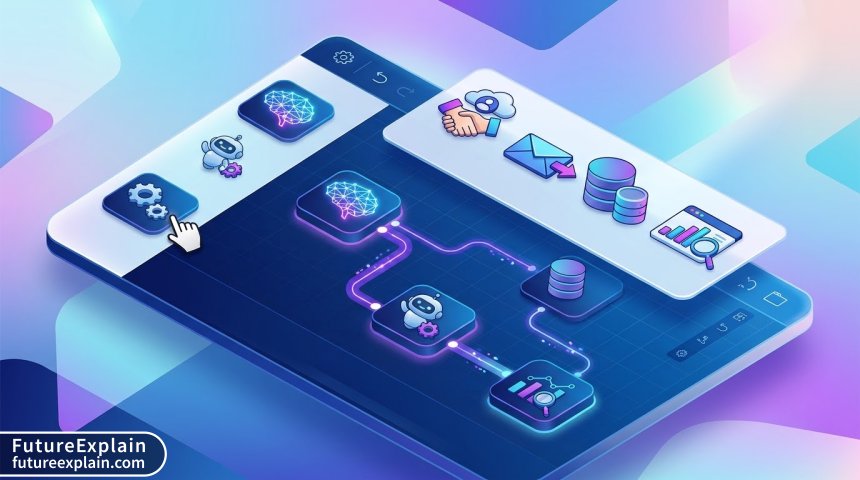
These platforms are transforming how businesses and individuals handle repetitive tasks. They combine the power of artificial intelligence with visual, drag-and-drop interfaces, allowing you to create sophisticated, automated workflows—often called business automation—without writing complex code. This guide will walk you through everything you need to know, from the basic concepts to building your first automated workflow.
We will explore what makes low-code AI different, the tangible benefits it offers, how to choose the right platform, and the practical steps to implement it. By the end, you'll see that automating your work isn't a distant future concept; it's a practical tool you can start using right now to save time, reduce errors, and focus on what truly matters.
What is Low-Code AI? Demystifying the Concept
Let's break down the term. Low-code refers to a development approach that minimizes the amount of hand-written code needed. Instead of typing lines of programming syntax, users work with visual models and graphical interfaces, connecting pre-built components like puzzle pieces. AI, or Artificial Intelligence, refers to systems that can perform tasks typically requiring human intelligence, like understanding language, recognizing patterns, or making predictions.
A Low-Code AI Platform, therefore, is a tool that lets you build applications or workflows that incorporate AI capabilities, using a primarily visual, drag-and-drop environment. It bridges the gap between powerful, code-heavy AI development and the growing need for no-code automation solutions.
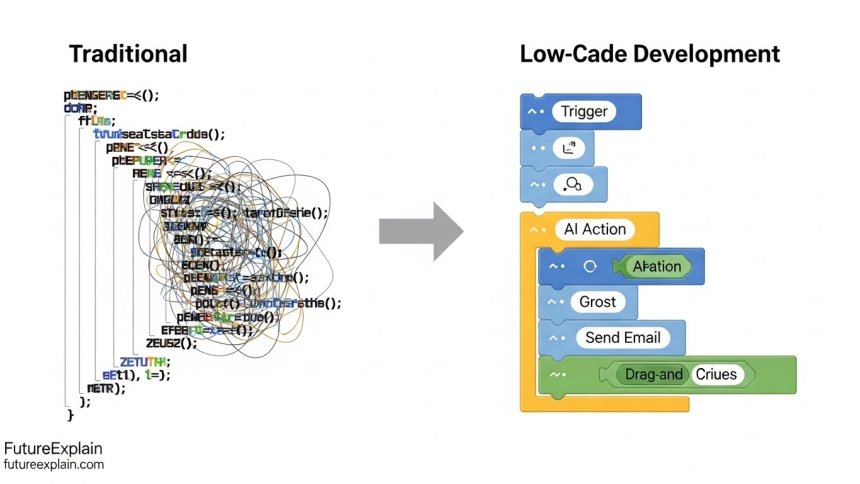
Low-Code vs. Traditional Development
Traditional software and automation development is like building a house from raw lumber, bricks, and pipes. It's powerful and customizable but requires skilled carpenters, masons, and plumbers (developers) and takes a long time.
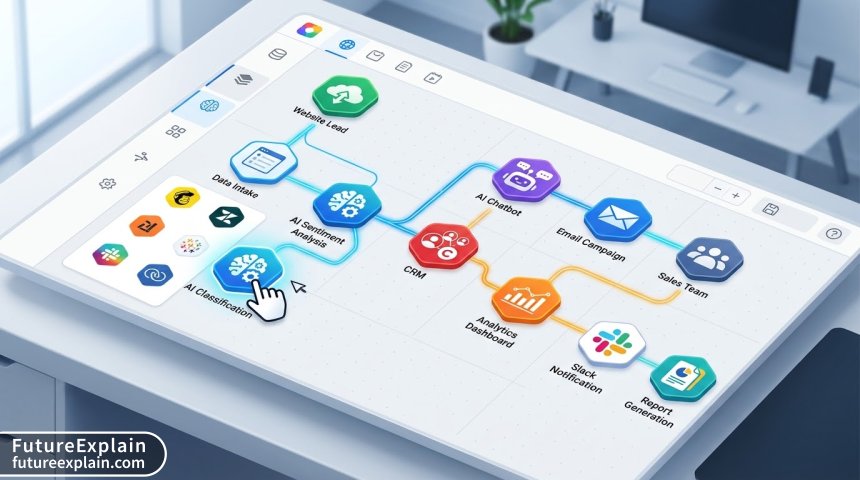
Low-code development is more like assembling a house using high-quality, pre-fabricated modules. The walls, windows, and roofing systems are already made. You focus on the design and layout, snapping them together quickly. The "pre-fab modules" in low-code AI are pre-built connectors (to tools like Gmail, Salesforce, or Slack), logic blocks (if-this-then-that), and AI components (sentiment analysis, data extraction).
Low-Code vs. No-Code
This is a common point of confusion. Think of it as a spectrum:
- No-Code: Designed for complete non-technical users (citizen developers). The interface is entirely visual, with zero code writing. Tools like Zapier or Airtell are classic examples. They are fantastic for simple, linear automations.
- Low-Code: Designed for a broader range, from business users to professional developers. It offers visual building but also allows users to "drop down" into writing custom code snippets when needed for advanced logic, custom calculations, or unique integrations. This makes it far more flexible and powerful for complex workflows.
Low-code AI platforms often sit in the middle-to-advanced end of this spectrum, as incorporating AI sometimes requires more nuanced control.
The Compelling Benefits: Why You Should Care
Adopting low-code AI for workflow automation isn't just a tech trend; it delivers real, measurable advantages.
1. Dramatically Faster Development and Implementation
The most obvious benefit is speed. What might take a software development team months to code, test, and deploy can often be prototyped in days and finalized in weeks by a small team using low-code. This rapid development cycle, often called citizen development, means you can solve business problems almost as quickly as you identify them.
2. Empowers Subject Matter Experts (Not Just IT)
The people who best understand a problem—like a marketing manager who knows the lead nurturing process—are often not programmers. Low-code AI platforms empower these experts to build their own solutions. They define the logic and workflow based on their deep knowledge, while the platform handles the underlying code. This reduces the IT backlog and leads to more effective tools.
3. Lower Costs and Higher ROI
You save on multiple fronts: less need for expensive, scarce senior developers, faster time-to-value, and reduced testing and maintenance overhead. The return on investment (ROI) for a successfully automated workflow—through hours saved, errors reduced, and opportunities captured—can be immense. For a deeper dive into managing the costs of new technology, see our guide on AI cost optimization.
4. Built-in Scalability and Flexibility
Cloud-based low-code platforms are designed to scale. If your automated workflow starts processing 10 customer requests a day and grows to 10,000, the platform can typically handle it without you re-architecting everything. The visual nature also makes workflows easy to modify as your business processes change.
5. Seamless Integration and Future-Proofing
These platforms come with hundreds of pre-built connectors for popular business apps (Google Workspace, Microsoft 365, CRM systems, databases). This creates a unified intelligent automation layer across your entire tech stack. As new AI capabilities emerge, platform vendors often add them as new modules, keeping your automations on the cutting edge.
Exploring the Landscape: Types of Low-Code AI Platforms
Not all low-code AI platforms are the same. They often specialize in different types of automation.
- Workflow Automation Platforms: Focus on orchestrating tasks across different apps. (e.g., Automate.io, Make). They excel at "If this happens in App A, then do that in App B" scenarios.
- Process Automation Platforms: Target more complex, multi-step business processes that involve decisions, approvals, and data manipulation. (e.g., Appian, Pega).
- AI-Centric Low-Code Platforms: Have AI/ML model building or advanced AI task execution as their core feature. (e.g., Google AI Platform, Azure Machine Learning with designer tools).
- Database-First Platforms: Start with building a data structure and then layer on logic and automation. (e.g., Airtable, Retool).
A Practical Comparison: Leading Low-Code AI Platforms
Here is a look at some of the key players in the market, simplified for beginners.
Make (formerly Integromat): A powerhouse for visual workflow automation. Its strength is in complex, multi-branch scenarios with powerful data transformation tools. It has a steeper learning curve but offers incredible depth.
Zapier: The king of simplicity and breadth. With thousands of app connections, it's ideal for straightforward, linear automations (Zaps). Its new interfaces feature is pushing it toward more app-like low-code builds.
Appian: A leader in the process automation space. It's designed for building serious enterprise applications that manage complex cases, data, and user roles, all with a low-code approach.
Microsoft Power Automate: Deeply integrated with the Microsoft 365/Azure ecosystem. Perfect for businesses heavily invested in Microsoft tools. It offers both cloud flows and desktop robotic process automation (RPA).
Outsystems and Mendix: These are heavy-duty, full-stack low-code platforms capable of building entire customer-facing or internal web and mobile applications, with AI components integrated.
The best choice depends entirely on your needs: complexity, budget, existing tech stack, and the technical comfort of your team.
Your Step-by-Step Guide to Building a Workflow
Let's make this tangible. We'll outline the universal steps to create your first automated workflow, using a simple example: Automatically saving email attachments to a cloud folder and notifying a team channel.
Step 1: Identify and Map Your Manual Process
First, write down every single step you currently do manually:
- Check email for messages with specific subject or from a specific client.
- Open the email.
- Download the attachment.
- Rename the file (maybe with date/client name).
- Navigate to Google Drive/Dropbox.
- Upload the file to the correct folder.
- Open Slack/Microsoft Teams.
- Type a message to the team that the file is uploaded.
This mapping is the most critical step. You can't automate what you don't understand.
Step 2: Choose Your Trigger
In automation, a trigger is the event that starts the workflow. In our case, the trigger is "New email arrives" in a specific inbox, with optional filters (from a certain sender, with a keyword). In your low-code platform, you would select the "Gmail" or "Outlook" connector and configure this trigger.
Step 3: Add AI-Enhanced Actions (If Needed)
For our example, AI might not be necessary. But imagine if the attachment could be an invoice, a contract, or a photo. An AI step could classify the document type and route it to different folders automatically. This is where you'd add a pre-trained AI module for document classification.
Step 4: Build the Core Actions
This is the "then" part. After the trigger, you add action modules:
- Get Attachment from the email.
- Rename File (using data from the email, like subject and date).
- Upload File to Google Drive (connector to Drive, specify folder path).
- Send Message to Slack (connector to Slack, format a message with a link to the file).
You visually connect these modules in a sequence on your platform's canvas.
Step 5: Add Error Handling and Logic
What if the email has no attachment? What if Google Drive is full? Good workflows have error handling. You can add a router after "Get Attachment": if successful, continue; if it fails, send an alert email to an admin. This is where low-code's visual logic (like "if/else" branches) shines.
Step 6: Test, Deploy, and Monitor
Always run tests! Use a test email account to trigger the workflow and watch it execute step-by-step. Most platforms have a monitoring/logging dashboard. Once confident, activate it. Monitor it for the first few days to ensure it runs smoothly. For more on ensuring your automated systems are robust, read about testing AI robustness.
Key Considerations Before You Start
Security and Compliance
Automation moves data between apps. You must consider:
- Data Privacy: Does the platform encrypt data? Where are its servers?
- Access Control: Who in your organization can build or modify automations? Use role-based permissions.
- Compliance: If you handle sensitive data (healthcare, finance), ensure the platform complies with regulations like GDPR or HIPAA.
Cost Structure
Low-code platforms typically charge per month based on:
- Number of workflows (bots/flows)
- Number of operations/tasks executed (e.g., per 1,000 steps run)
- Number of users/editors
- Advanced features or premium connectors
Start small, estimate your usage, and choose a plan that scales with your success.
Change Management
Introducing automation changes how people work. Communicate the "why": it's to remove drudgery, not to replace people. Involve teams in designing automations for their own work. Provide training and support. This human element is as important as the technology.
The Future of Low-Code AI Automation
The trajectory is clear: these platforms will become more powerful, more intuitive, and more integrated.
- More Advanced, Easier-to-Use AI: Expect one-click AI modules for complex tasks like predictive analytics, advanced natural language processing for content generation (as seen in AI writing tools), and computer vision.
- Hyperautomation: This is the combining of low-code, AI, RPA, and process mining to automate not just tasks, but entire business processes end-to-end, with continuous optimization.
- Democratization of Development: Low-code AI will become the default way most business software is built, drastically shrinking the gap between an idea and a live, functional application.
By starting your journey now, you're not just solving today's problems; you're building a foundation for the AI-driven future of your work.
Conclusion
Low-code AI platforms are a democratizing force in technology. They put the power to automate, integrate, and innovate directly into the hands of those who understand business problems best. The barrier to entry has never been lower, and the potential payoff has never been higher.
Start by identifying one repetitive, time-consuming, rule-based task in your day or your team's work. Map it out, pick a platform with a free trial, and follow the steps to build it. You'll likely be amazed at what you can create in a few hours. Remember, the goal of automation isn't to replace human thought and creativity, but to free it up for the work that truly requires it.
Further Reading
Share
What's Your Reaction?
 Like
1540
Like
1540
 Dislike
12
Dislike
12
 Love
320
Love
320
 Funny
45
Funny
45
 Angry
5
Angry
5
 Sad
2
Sad
2
 Wow
210
Wow
210















I'd love to see a 'day in the life' example of someone whose job was transformed by building their own automations.
That's a wonderful idea for a future article, Kylie. Following an operations manager, a marketer, or an HR coordinator to show the before/after in their daily tasks could be very inspiring. We'll explore that!
As a project manager, the time saved on administrative follow-ups (chasing approvals, updating status sheets) has let me focus on actual project risks and team coaching. Huge impact.
We evaluated low-code platforms last year. One major differentiator was the ability to create custom user interfaces for the workflows, not just backend processes. That swayed us toward Appian.
I manage a remote team. Automating status report collection and consolidation has been a game-changer for visibility without adding meeting overhead.
The link to 'intelligent automation' was helpful for understanding the bigger picture. These concepts build on each other nicely across your blog.
After reading this, I spent an afternoon mapping out three processes in my department that are perfect for automation. This is the catalyst we needed.