
No-Code vs AI Tools: What Should Beginners Choose?
A clear, beginner-friendly guide comparing no-code platforms and AI tools. Learn when to choose no-code, when AI adds value, practical examples, tool recommendations, and a simple decision framework to pick the right approach for your project.


No-Code vs AI Tools: What Should Beginners Choose?
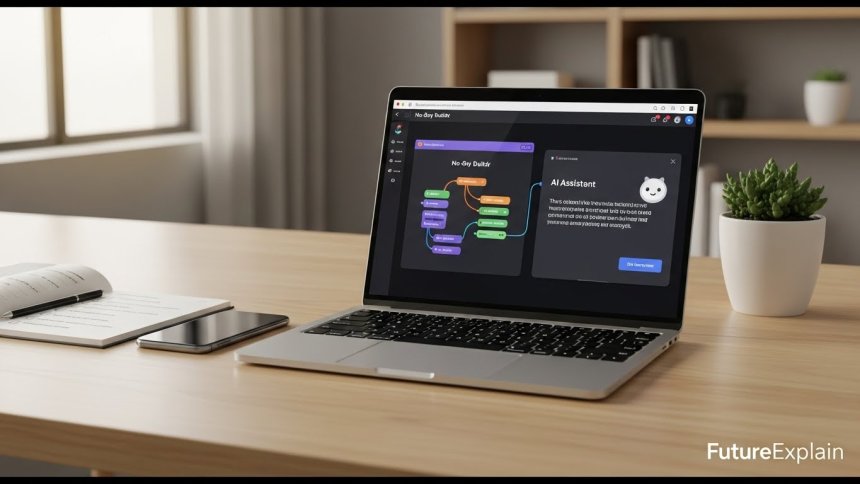
Overview — Choosing between no-code platforms and AI tools is a common decision for beginners who want to build automations, improve workflows, or add "smart" features to a project. This article explains the differences, shows practical examples, and offers a simple decision framework so you can choose the right approach for your goals without wasting time or money.
Why this question matters
Both no-code and AI promise to speed up work and lower barriers to building software. But they serve different problems. No-code tools make workflows, forms, dashboards, and integrations possible without code. AI tools add intelligence: classification, summarization, natural language understanding, or recommendations. Picking the wrong tool can cost time, introduce errors, and create maintenance burdens. This guide helps you match problem to tool.
Short definitions
- No-code tools: Platforms that let you build apps, automations, and integrations using visual builders, forms, and pre-built connectors (examples: Zapier, Make, Airtable, Glide).
- AI tools: Services or models that perform intelligent tasks like language understanding, text generation, image recognition, or predictions (examples: LLMs for chat, image models for classification).
Key differences at a glance
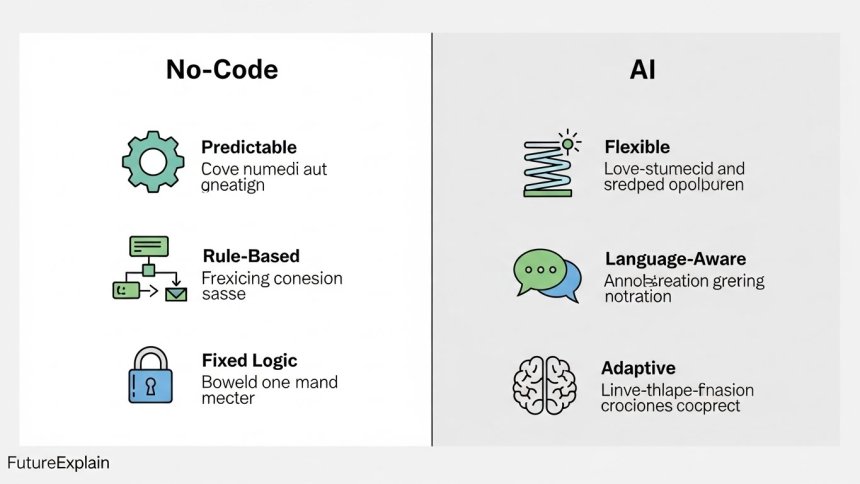
- Input: No-code uses explicit rules and connectors; AI accepts natural language or examples.
- Predictability: No-code is deterministic (same input → same output). AI can be probabilistic and vary by prompt.
- Complexity: No-code handles well-defined workflows; AI helps with fuzzy, ambiguous tasks.
- Control: No-code offers fine control; AI requires guardrails for safety and consistency.
- Skill required: No-code requires logic-thinking; AI requires prompt-design and evaluation skills.
When to choose no-code
Start with no-code in these situations:
- Clear rules exist: If the process can be described as "when X happens then do Y", no-code is usually ideal.
- Integration focus: You need to connect apps, move files, sync records, or send notifications.
- Quick MVP: You want a practical prototype or internal tool fast and without a developer.
- Low variability: Inputs and outputs are consistent (e.g., form fields, invoice PDFs).
- Cost predictability: No-code pricing is often based on tasks or runs, easier to estimate for simple workflows.
Examples where no-code shines:
- Save email attachments to cloud storage and log them in a spreadsheet.
- Route new form submissions to a CRM and notify a Slack channel.
- Publish blog posts and automatically queue social messages.
- Build a simple internal admin dashboard using Airtable or Glide.
When to choose AI tools
Use AI when tasks require understanding, summarization, or pattern detection beyond fixed rules:
- Naturally phrased input: When users submit free-text feedback or support requests that need classification.
- Language tasks: Summarizing meeting notes, translating text, or generating drafts.
- Complex decision support: Recommending content, routing ambiguous tickets, or analyzing trends.
- Image or audio interpretation: Recognizing objects in images or transcribing speech with context.
Examples where AI adds value:
- Automated summaries of long customer emails and suggested replies.
- Chatbot that understands natural questions and looks up support articles.
- Classifying incoming messages into categories with imperfect labels.
Common hybrid approach: no-code + AI
In most practical projects, the best approach is hybrid: use no-code platforms for orchestration and an AI service for intelligence. For example:
- Use Zapier to collect form responses and call an AI summarization API to create short summaries stored in Airtable.
- Use Make to route incoming support emails to an AI classifier; then forward to the right team based on the classifier result.
- Send transcripts from a meeting (collected via a no-code integration) to an AI for action item extraction.
Hybrid systems combine predictability (no-code flow control) with flexibility (AI understanding), giving a practical balance for beginners.
Decision framework: 6 simple questions
Answer the following to decide quickly:
- Is the task rule-based? If yes → no-code likely.
- Does input vary a lot or include free text? If yes → consider AI.
- Do you need 100% accuracy? If yes → avoid AI for critical steps or add human verification.
- How quickly do you need a prototype? No-code tends to be faster to launch.
- What is your budget? No-code costs are predictable; AI may introduce usage-based costs for model calls.
- Do you need long-term maintainability? Rule-based workflows are often easier to maintain for teams without ML expertise.
Practical scenarios and recommended approaches
Scenario A — Simple lead form to CRM
Problem: A website collects leads and you want them in your CRM and notify the sales team.
Recommendation: Use a no-code connector (Zapier/Make) to send form data to CRM and notify Slack. No AI needed.
Scenario B — Support ticket triage
Problem: Your inbox has varied customer queries; you want to route them to the right team and prioritize urgent ones.
Recommendation: Use AI to classify the intent and urgency, then a no-code workflow to route tickets. Example flow: Email → AI classifier → Add tag in support system → Notify team via Slack. For more on chatbots and customer support, read ai-in-customer-support-how-chatbots-really-work.
Scenario C — Weekly content digest and repurposing
Problem: Convert a published article into social posts, a newsletter snippet, and a short summary.
Recommendation: Use no-code to detect new posts and enqueue tasks. Use AI to generate the summary and suggested social captions. Combine both with a test-and-review loop.
Scenario D — Data quality and extraction
Problem: Extract structured fields from messy documents (e.g., invoices) with inconsistent formats.
Recommendation: Start with AI-assisted extraction (OCR + model) and add validation steps in a no-code workflow. If accuracy needs are high, add a human verification step.
Tool recommendations for beginners
Pick tools that match your needs and scale gradually.
- No-code: Zapier (simple connectors), Make (visual flows), Airtable (tables + automations), Glide (simple apps), Bubble (more feature-rich apps but steeper learning).
- AI services: Managed LLM APIs and specialized models for classification, summarization, or vision. Many platforms offer easy plugin-style connectors for no-code tools.
For a deep look at no-code tool options for non-technical users, see best-automation-tools-for-non-technical-users.
Simple starter recipe (no-code + AI)
Here is a 6-step recipe to add AI to a no-code workflow:
- Identify a repetitive task that includes free text (e.g., customer feedback).
- Choose a no-code platform to collect inputs (Google Forms, Typeform → Zapier/Make).
- Select an AI endpoint for the required capability (classification or summarization).
- Build a flow: trigger → send text to AI → receive result → store in Airtable or CRM.
- Add a validation step: if AI confidence is low, route to a human review queue.
- Monitor logs for a week and tune prompts or rules as needed.
Cost, risk, and governance considerations
When you introduce AI, consider:
- Data sensitivity: Avoid sending personal or confidential data to models unless you have appropriate agreements and controls.
- Audit and logging: Keep logs of automated decisions and AI outputs for review.
- Fallbacks: Always design human-in-the-loop options for critical tasks.
- Bias and fairness: Test AI outputs to avoid unintended behavior; see ethical-ai-explained-why-fairness-and-bias-matter for context.
Testing and measuring success
Track simple metrics to evaluate your approach:
- Accuracy: For AI, measure classification accuracy or error rate by sampling outputs.
- Time saved: Estimate how much manual time the automation removes.
- Error volume: Count failed runs or manual corrections required.
- User satisfaction: Survey staff or customers who interact with the automation.
When to hire a developer or data scientist
No-code and managed AI can cover many scenarios, but consider hiring when:
- You need custom integrations with private APIs or complex transformations.
- Scalability and reliability requirements exceed what no-code connectors can guarantee.
- There is a need for custom ML models trained on proprietary data.
For high-level strategy on combining AI and automation in larger systems, see intelligent-automation-explained-ai-and-automation.
Common beginner mistakes and how to avoid them
- Jumping to AI too early: If a rule-based solution works, start there — it''s easier to maintain.
- No monitoring: Monitor runs and errors from day one.
- No security: Don't expose sensitive data to unknown services without controls.
- Overengineering: Prototype simply and iterate based on real usage.
Real-world case study (compact)
A small nonprofit wanted to triage volunteer inquiries. They started with a no-code form and Zapier to collect responses. As volume grew and messages varied, they added an AI classification step (for intent and urgency). The final flow: Form → AI classifier → Tag in Airtable → Notify team for urgent cases, which saved time and improved response times while keeping accountability via logs.
Practical next steps for beginners
- List three repetitive tasks you do weekly and estimate time spent.
- Pick one task that is rule-based and automate it with a no-code tool this week.
- If any task involves free text or ambiguity, prototype adding an AI step and include a human review for low-confidence outputs.
- Track time saved and run errors for four weeks, then iterate.
Further reading in the FutureExplain series
These related articles will help you expand your knowledge:
- best-automation-tools-for-non-technical-users — tool suggestions and comparisons.
- how-automation-saves-time-in-daily-digital-life — practical automations that reclaim time.
- how-does-machine-learning-work-explained-simply — foundational knowledge about ML that powers AI tools.
- ai-in-customer-support-how-chatbots-really-work — an example area where AI and no-code meet.
Conclusion
No-code and AI are complementary. Begin with clear rules using no-code to capture quick wins, and add AI where tasks benefit from understanding or prediction. Use hybrid flows to get the best of both worlds: reliable orchestration with intelligent augmentation. Start small, monitor closely, and scale responsibly.
Quick checklist to decide
- If the task is rule-based → try no-code first.
- If the task involves free text, ambiguity, or contextual decisions → consider adding AI.
- If the task is high-risk or critical → add human verification and logging.
- Prototype, measure, and iterate.
Share
What's Your Reaction?
 Like
1300
Like
1300
 Dislike
10
Dislike
10
 Love
300
Love
300
 Funny
40
Funny
40
 Angry
2
Angry
2
 Sad
1
Sad
1
 Wow
220
Wow
220

















Question: What is the simplest way for small teams to log automation errors?
A shared Google Sheet or Airtable base is often enough at the start. Upgrade as complexity grows.
The checklist sets realistic expectations, which many AI articles miss.
Would love to read about real-world AI failures to learn what to avoid.
That is an important topic. We plan a follow-up article covering common AI pitfalls and mitigation strategies.
Sharing this with colleagues — very accessible and well structured.
Question: How often should AI outputs be reviewed once an automation is live?
Daily reviews initially, then weekly once performance stabilizes. Critical workflows should always keep audits.
The hybrid examples are very realistic and easy to follow.