
Code Writing with AI: Copilots, Assistants, and Tools Compared
This comprehensive guide explores the world of AI-powered code writing tools, comparing the top assistants including GitHub Copilot, Amazon CodeWhisperer, Tabnine, Codeium, and others. Designed for beginners and experienced developers alike, we break down how these tools work, their key features, pricing models, and ideal use cases. Learn practical tips for integrating AI coding assistants into your workflow, understand the ethical considerations around AI-generated code, and discover how to choose the right tool based on your programming language, skill level, and budget. Whether you're a complete beginner or seasoned professional, this guide will help you leverage AI to write better code faster.



Code Writing with AI: Copilots, Assistants, and Tools Compared
Artificial intelligence is transforming how we write code, making programming more accessible and efficient than ever before. AI coding assistants—often called "copilots" or "pair programmers"—are tools that suggest code completions, generate entire functions from comments, help debug errors, and even explain complex code. In this comprehensive guide, we'll compare the major AI code writing tools available in 2024, helping you understand which one might be right for your needs, whether you're a complete beginner or an experienced developer.
The rise of AI in programming represents one of the most significant shifts in software development since the invention of high-level programming languages. These tools don't just save time—they can help you learn programming concepts, discover new approaches to problems, and reduce common errors. But with so many options available, from GitHub Copilot to Amazon CodeWhisperer and beyond, choosing the right tool can be overwhelming.
We'll start by explaining exactly how AI coding assistants work, then dive into detailed comparisons of the top tools. We'll cover pricing, features, ideal use cases, and practical tips for getting the most out of these powerful assistants. By the end of this guide, you'll have a clear understanding of the AI coding landscape and be equipped to make an informed decision about which tool to try first.
How AI Coding Assistants Actually Work
Before comparing specific tools, it's important to understand what's happening behind the scenes when an AI helps you write code. These tools are built on large language models (LLMs) specifically trained on vast amounts of code from public repositories, documentation, and programming resources. When you type a comment or start writing a function, the AI analyzes the context and predicts what code should come next.
The technology powering most AI coding assistants is similar to what drives tools like ChatGPT, but with crucial differences. These models are trained specifically on code rather than general text, giving them a deep understanding of programming syntax, patterns, and best practices. They've seen millions of examples of how experienced developers solve problems, which allows them to suggest similar solutions in your own work.
There are two main approaches AI coding tools use: autocomplete and conversational generation. Autocomplete tools work like supercharged versions of your IDE's existing suggestions—they predict the next few lines of code as you type. Conversational tools allow you to describe what you want in plain English (or other natural languages) and generate complete functions or even entire programs based on your description.
Most modern AI coding assistants combine both approaches. For example, GitHub Copilot primarily works as an autocomplete tool but also includes a chat interface for conversational code generation. Understanding this distinction will help you evaluate which tools match your preferred workflow.
Key Features to Look For in AI Coding Tools
When comparing AI coding assistants, several key features separate basic tools from powerful productivity boosters. Here are the most important capabilities to consider:
1. Code Completion and Generation
The core function of any AI coding assistant is suggesting code as you type. However, the quality and accuracy of these suggestions vary significantly between tools. Look for tools that understand context beyond just the current line—they should consider your entire file, related files, and project structure to provide relevant suggestions.
2. Multi-Language Support
Different tools excel with different programming languages. While most support popular languages like Python, JavaScript, and Java, their performance can vary dramatically with less common languages or specialized domains. If you work with niche languages or frameworks, check specifically for support in those areas.
3. Integration with Your Development Environment
The best AI coding tool is useless if it doesn't work seamlessly with your preferred editor or IDE. Most major tools offer extensions for Visual Studio Code, JetBrains IDEs, and other popular editors, but support for less common environments varies.
4. Code Explanation and Documentation
Some tools go beyond code generation to help you understand existing code. This is particularly valuable for beginners or when working with unfamiliar codebases. Features like "explain this code" or automatic documentation generation can save hours of confusion.
5. Security and Best Practices
Advanced tools include security scanning to identify potential vulnerabilities in generated code and suggestions that follow industry best practices. This is crucial for professional development where security and maintainability are priorities.
6. Customization and Fine-Tuning
Some tools allow you to fine-tune their suggestions based on your codebase or personal coding style. This can significantly improve relevance over time as the tool learns your preferences and project patterns.
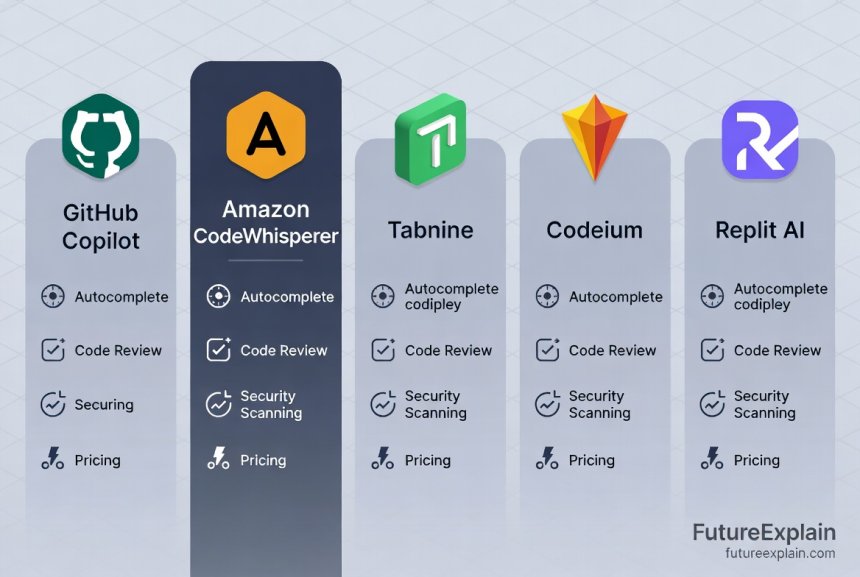
GitHub Copilot: The Industry Leader
GitHub Copilot, developed by GitHub in collaboration with OpenAI, is arguably the most well-known AI coding assistant. Launched in 2021 and powered by OpenAI's Codex model, Copilot has set the standard for what AI pair programming can achieve.
Key Features
GitHub Copilot's primary strength is its intelligent code completion. As you type, it suggests entire lines or blocks of code, often anticipating what you need before you finish typing. It recently added Copilot Chat—a conversational interface that allows you to ask questions about your code, request refactoring, or generate code from natural language descriptions.
One of Copilot's most impressive features is its understanding of context. It doesn't just look at the current file; it considers your entire project, including other open files, to provide relevant suggestions. This contextual awareness makes its suggestions remarkably accurate for complex tasks.
Pricing and Plans
GitHub Copilot offers several pricing tiers. For individual developers, it costs $10 per month or $100 per year. Students and maintainers of popular open-source projects can get free access. For businesses, GitHub Copilot for Business costs $19 per user per month and includes additional features like organization-wide policy management.
Ideal Use Cases
GitHub Copilot shines for developers working in popular languages and frameworks, especially those already using GitHub extensively. It's particularly effective for:
- Rapid prototyping and boilerplate code generation
- Learning new languages or frameworks
- Converting comments/documentation into working code
- Writing tests and documentation
However, it's worth noting that some developers have raised concerns about Copilot occasionally suggesting code that matches copyrighted material from its training data. GitHub has implemented filters to reduce this risk, but it remains an important consideration.
Amazon CodeWhisperer: The AWS Integration Specialist
Amazon CodeWhisperer is Amazon's entry into the AI coding assistant space, with a particular focus on integration with AWS services and security. It's designed to be especially helpful for developers working within the Amazon ecosystem.
Key Features
CodeWhisperer's standout feature is its deep integration with AWS APIs and services. If you're building applications on AWS, it can suggest complete, properly formatted calls to AWS services—often with the correct authentication and error handling already included.
Security is another major focus. CodeWhisperer includes built-in security scanning that identifies vulnerabilities like hardcoded credentials, SQL injection risks, and other common security issues. It can also flag suggestions that might include problematic code from its training data.
Like Copilot, CodeWhisperer offers both inline suggestions and a conversational chat interface. However, its chat functionality is particularly tuned for AWS-related questions and code generation.
Pricing and Plans
Amazon offers CodeWhisperer in two tiers. The Individual tier is completely free, including most features. The Professional tier, aimed at organizations, costs $19 per user per month and adds additional security features, organizational management, and AWS integration capabilities.
Ideal Use Cases
CodeWhisperer is an excellent choice for:
- Developers building applications on AWS
- Teams with strong security requirements
- Organizations already invested in the Amazon ecosystem
- Projects where AWS best practices and security are priorities
Its free tier makes it particularly accessible for individual developers and students who want to experiment with AI coding assistance without financial commitment.
Tabnine: The Veteran AI Assistant
Tabnine is one of the oldest AI coding assistants, originally launched in 2018. While it was somewhat overshadowed by GitHub Copilot's high-profile launch, Tabnine has continued to evolve and offers some unique features, particularly around privacy and customization.
Key Features
Tabnine distinguishes itself with strong privacy features. It offers a completely local mode where the AI model runs on your machine, ensuring your code never leaves your environment. This is crucial for developers working with sensitive codebases or in regulated industries.
Another Tabnine strength is its customization options. You can train Tabnine on your specific codebase, allowing it to learn your team's patterns, naming conventions, and architectural preferences. This results in highly relevant suggestions that match your existing code style.
Tabnine supports an impressive range of languages and IDEs, including some less common editors that other tools don't support. Its suggestions tend to be more conservative but highly accurate, making it less likely to generate problematic or irrelevant code.
Pricing and Plans
Tabnine offers a free plan with basic completions, a Pro plan at $12 per month with advanced features, and an Enterprise plan with full customization and deployment options. The local mode is available in higher-tier plans.
Ideal Use Cases
Tabnine is particularly well-suited for:
- Teams working with sensitive or proprietary code
- Organizations with strict data privacy requirements
- Developers who value highly accurate, conservative suggestions
- Teams wanting to train the AI on their specific codebase
If privacy is your primary concern or you work in an environment where code cannot leave your infrastructure, Tabnine's local mode is a significant advantage.
Codeium: The Free, Open Alternative
Codeium has gained attention as a powerful, completely free alternative to paid AI coding assistants. It offers many of the same core features as its competitors without the subscription fee, making it particularly appealing for students, hobbyists, and developers on tight budgets.
Key Features
Despite being free, Codeium offers surprisingly comprehensive features. It includes both autocomplete functionality and a chat interface for conversational code generation. The quality of its suggestions is competitive with paid tools, especially for popular languages and common programming tasks.
Codeium supports over 70 programming languages and integrates with more than 40 IDEs and editors. It also includes some unique features like the ability to search your codebase using natural language—you can ask "where do we handle user authentication?" and get direct links to relevant code.
One limitation is that Codeium doesn't offer the same level of context awareness as some paid tools. It primarily considers the current file rather than your entire project, which can sometimes result in less relevant suggestions for complex, multi-file projects.
Pricing and Plans
Codeium is completely free for individual use, with no plans to introduce pricing for core features. They offer enterprise plans for organizations needing additional features like SSO, advanced security, and dedicated support, but the individual version remains free.
Ideal Use Cases
Codeium is an excellent choice for:
- Students and hobbyists on limited budgets
- Developers who want to try AI coding assistance without financial commitment
- Projects using common languages and patterns where context limitations are less impactful
- Teams or individuals prioritizing cost over advanced features
For many developers, Codeium offers 80-90% of the value of paid tools at zero cost, making it hard to beat for basic AI coding assistance.
Other Notable Tools Worth Considering
Beyond the major players, several other AI coding tools offer unique approaches or specialize in particular areas:
Replit AI
Built into the Replit online IDE, Replit AI is designed specifically for the beginner-friendly, browser-based development environment. It's particularly good at helping new programmers learn by explaining errors, suggesting fixes, and generating code from simple descriptions. If you're learning to code or prefer cloud-based development, Replit AI is worth exploring.
Sourcegraph Cody
Cody distinguishes itself by having deep integration with your entire codebase. It can answer questions about your specific project, generate code that follows your existing patterns, and help navigate complex codebases. If you work on large, established projects, Cody's context awareness can be invaluable.
JetBrains AI Assistant
Built directly into JetBrains IDEs (IntelliJ IDEA, PyCharm, etc.), this tool offers seamless integration for developers already using JetBrains products. It understands JetBrains-specific features and workflows, making it particularly efficient within that ecosystem.
Google's Studio Bot (for Android Development)
Currently in early testing, Studio Bot is Google's AI assistant specifically for Android development in Android Studio. It's tuned for Kotlin, Java, and Android APIs, making it potentially valuable for mobile developers once fully released.
How to Choose the Right AI Coding Assistant for You
With so many options available, choosing the right AI coding assistant depends on several factors. Here's a decision framework to help you select the best tool for your specific situation:
Consider Your Experience Level
Beginners: Start with free tools like Codeium or the free tier of Amazon CodeWhisperer. These allow you to experiment without financial commitment. Tools with good explanation features (like explaining what code does) are particularly valuable for learning.
Intermediate Developers: Consider GitHub Copilot or Tabnine Pro. These tools offer more advanced features that can significantly boost productivity as you tackle more complex projects.
Experienced Professionals: Choose based on your specific needs. GitHub Copilot for general development, Amazon CodeWhisperer for AWS work, Tabnine for privacy-sensitive projects, or specialized tools for your specific stack.
Evaluate Your Budget
If budget is a primary concern, Codeium offers remarkable value for free. Amazon CodeWhisperer's free tier is also excellent. For teams or professionals where productivity gains justify the cost, GitHub Copilot or Tabnine Pro are worth the investment.
Assess Your Privacy Requirements
If you work with sensitive code (proprietary algorithms, financial systems, healthcare data, etc.), privacy becomes crucial. Tabnine's local mode or GitHub Copilot's business tier with data protection features might be necessary. For open-source or less sensitive projects, this is less of a concern.
Match Tools to Your Tech Stack
Different tools excel with different languages and frameworks. Research which tools have the best support for your primary programming languages. For example, if you work extensively with AWS, CodeWhisperer has clear advantages. For Python data science, GitHub Copilot has particularly strong training.
Try Before You Commit
Most paid tools offer free trials. Take advantage of these to test how well each tool works with your specific workflow, codebase, and thinking style. What works beautifully for one developer might feel disruptive to another.
Practical Tips for Using AI Coding Assistants Effectively
Simply installing an AI coding assistant won't automatically make you more productive. To get the most value from these tools, you need to use them strategically:
1. Start with Clear Comments and Descriptive Names
AI tools work best when they understand your intent. Writing clear comments and using descriptive variable/function names gives the AI better context to generate relevant code. Instead of writing process_data(input), write calculate_monthly_revenue_from_csv(file_path).
2. Learn the Tool's Shortcuts and Features
Each tool has keyboard shortcuts and special commands. GitHub Copilot, for example, has specific ways to accept suggestions, cycle through alternatives, and trigger generation from comments. Learning these will dramatically speed up your workflow.
3. Review Generated Code Carefully
AI-generated code isn't always perfect. Always review suggestions before accepting them, especially for complex logic or security-sensitive operations. Look for potential bugs, inefficiencies, or security issues. Remember: you're responsible for the code you ship, whether you wrote it or the AI suggested it.
4. Use AI for Repetitive Tasks, Not Creative Problem-Solving
AI excels at boilerplate code, common patterns, and repetitive tasks. Use it to generate CRUD operations, API clients, data transformations, and tests. For novel algorithms or complex business logic, you'll still need to do most of the thinking yourself.
5. Combine Multiple Tools for Different Tasks
You're not limited to one tool. Many developers use GitHub Copilot for general coding combined with specialized tools for specific tasks. For example, you might use Copilot for everyday development and a dedicated AI tool for security scanning or documentation generation.
Ethical Considerations and Limitations
As with any powerful technology, AI coding assistants come with ethical considerations and limitations you should understand:
Copyright and Licensing Issues
AI models are trained on publicly available code, which includes both open-source and potentially proprietary code. There have been cases where tools suggested code that closely matched copyrighted material. Most tools now include filters to reduce this risk, but it's important to be aware of the issue, especially when working on commercial projects.
Over-Reliance and Skill Erosion
There's concern that overusing AI coding tools might prevent developers from developing deep understanding of certain concepts. It's important to use these tools as assistants rather than replacements for your own knowledge. Make sure you understand the code you're shipping, even if the AI helped generate it.
Bias in Training Data
AI models can inherit biases from their training data. If the training data contains poorly written, insecure, or outdated code patterns, the AI might suggest similar patterns. Most tools work to filter these issues, but it's another reason to review AI suggestions carefully.
Environmental Impact
Training and running large AI models requires significant computational resources, which has environmental implications. Some tools are working to reduce their carbon footprint through efficient models and renewable energy usage.
The Future of AI in Code Writing
The field of AI coding assistants is evolving rapidly. Here are some trends to watch in the coming years:
More Specialized Tools
We're seeing the emergence of AI tools specialized for specific domains like data science, web development, or mobile app development. These domain-specific tools can offer more relevant suggestions for particular types of work.
Better Understanding of Project Context
Future tools will have deeper understanding of entire codebases, including architecture, dependencies, and team conventions. This will lead to more relevant suggestions that align with your specific project structure.
Integration with Development Workflows
AI will increasingly integrate with other parts of the development process beyond just code writing—project planning, code review, deployment, and monitoring. We're already seeing early examples of AI-assisted code review and debugging tools.
Personalization and Learning
Tools will get better at learning individual developer styles and preferences, offering increasingly personalized suggestions. This could include adapting to your preferred libraries, coding patterns, and even thinking style.
Getting Started: Your First Week with an AI Coding Assistant
If you're ready to try an AI coding assistant, here's a practical plan for your first week:
Day 1-2: Install your chosen tool and spend time exploring its basic features. Try it on simple, familiar tasks to get comfortable with how it works.
Day 3-4: Start using it for real work but in a low-stakes context. Use it to write tests, documentation, or simple utility functions before trusting it with critical business logic.
Day 5-7: Integrate it into your regular workflow. Pay attention to when it's helpful versus when it distracts. Develop personal guidelines for when to use it versus when to code manually.
Remember that there's a learning curve with any new tool. Don't expect to be perfectly efficient immediately. Give yourself time to adjust to this new way of working.
Conclusion
AI coding assistants represent a fundamental shift in how we write software, offering the potential to make programming more accessible, efficient, and enjoyable. Whether you choose GitHub Copilot, Amazon CodeWhisperer, Tabnine, Codeium, or another tool, the key is finding the assistant that matches your needs, workflow, and values.
These tools are most powerful when used thoughtfully—as collaborators that enhance your abilities rather than replacements for your skills. By understanding their strengths and limitations, you can leverage AI to write better code faster while continuing to grow as a developer.
The landscape of AI coding tools will continue to evolve rapidly, with new features, improved models, and changing pricing models. The best approach is to stay informed, be willing to experiment, and choose tools that align with both your immediate needs and long-term growth as a programmer.
Further Reading
Share
What's Your Reaction?
 Like
1240
Like
1240
 Dislike
12
Dislike
12
 Love
320
Love
320
 Funny
45
Funny
45
 Angry
8
Angry
8
 Sad
3
Sad
3
 Wow
210
Wow
210

















What's the best tool for pair programming with a junior dev? Something that explains code well would be ideal for teaching moments.
For pair programming with juniors, tools with strong explanatory capabilities are key, Mackenzie. GitHub Copilot Chat and Codeium's natural language features both excel at explaining code. Replit AI is specifically designed for learning and might be ideal for teaching contexts. The key is choosing a tool that doesn't just generate code but can also articulate why certain approaches work. This turns coding sessions into teaching opportunities rather than just productivity boosts.
After 3 months with Copilot, my biggest tip: learn to write better prompts/comments. The AI is only as good as the context you give it.
The ethical section should be required reading for every developer using these tools. We need to think about the broader implications of our tool choices.
I teach high school computer science. Are any of these tools appropriate for students, or do they risk becoming crutches?
What about open source alternatives? Are there any self-hosted AI coding tools for teams that want complete control?
Good question about open source, Colton. There are emerging open-source options, though they're less polished than commercial tools. CodeGen and StarCoder are open-source models that can be self-hosted. Tabnine offers an on-premises version for enterprises. For teams wanting complete control, the open-source route requires more technical setup but offers maximum flexibility. However, you'll need significant computational resources to run these models locally. This is an area of rapid development, so expect more options in the coming year.
The "try before you commit" advice is wise. I tried three tools before settling on Copilot. Each had strengths, but Copilot fit my brain best.