
Cost Optimization for AI: Managing API and Inference Costs
This comprehensive guide demystifies AI cost optimization for beginners and businesses. We explain the real costs behind AI APIs and model inference, breaking down pricing structures from major providers like OpenAI, AWS, and Google Cloud. Learn practical strategies to reduce expenses by up to 70% through smart caching, batch processing, model selection, and free tier utilization. We provide step-by-step guidance on setting up cost monitoring dashboards, choosing between cloud and edge deployment, and integrating cost optimization into your automation workflows. Whether you're a startup using AI tools or a business scaling automation, this guide offers actionable tips to maintain performance while controlling expenses, complete with real budget examples and decision frameworks.


Understanding the Real Cost of AI: Beyond the Hype
Artificial intelligence promises incredible capabilities, but few discuss the real costs involved in production use. As AI moves from experimentation to integration in business workflows, understanding and managing these expenses becomes critical. This guide breaks down AI cost optimization in simple terms, helping you make informed decisions whether you're using pre-built AI tools or building custom solutions.
AI costs typically fall into three main categories: API call expenses, inference computation costs, and the hidden operational overhead. Many beginners are surprised when their initial $20 credit runs out in days, or when a seemingly simple chatbot implementation generates monthly bills in the thousands. The key isn't to avoid AI but to use it intelligently, maximizing value while minimizing waste.
How AI Pricing Models Work: Decoding the Jargon
Before optimizing costs, you need to understand how AI services charge for their capabilities. Most providers use one or more of these pricing models:
- Pay-per-token: Charged based on the amount of text processed (input + output tokens). Common for language models like GPT-4 and Claude
- Pay-per-image: Charged per image generated or processed, often with different rates for resolution and features
- Compute time: Charged by the second or minute of GPU/CPU usage, common for custom model hosting
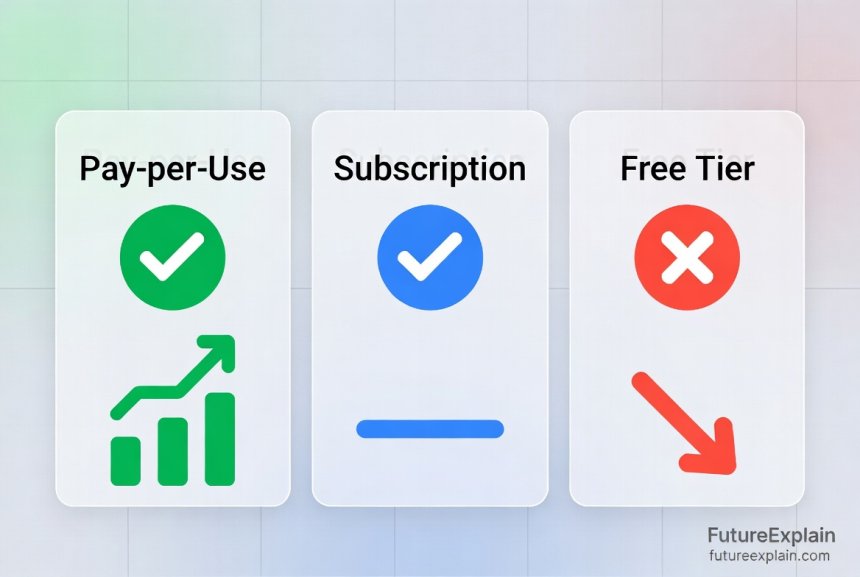
- Monthly subscriptions: Flat fees for access to certain capabilities or usage limits
- Hybrid models: Combination of subscription plus overage charges
Tokens can be confusing for beginners. Think of them as word fragments - approximately 750 words equals 1000 tokens. When you send a prompt to ChatGPT or similar services, you're paying for both your question and the AI's response. This means longer conversations cost more, and inefficient prompting wastes money.
Major Provider Pricing Comparison (Mid-2024)
Here's how the major AI service providers compare in pricing as of mid-2024:
- OpenAI GPT-4: ~$0.03/1K input tokens, ~$0.06/1K output tokens for most capable model
- Anthropic Claude 3: Varies by model from $0.80 to $15 per million tokens depending on capability tier
- Google Gemini Pro: $0.000125 to $0.01 per 1K characters depending on features
- Azure OpenAI: Similar to OpenAI direct pricing plus Azure infrastructure costs
- AWS Bedrock: Pay-per-token with different rates for 40+ foundation models
- Hugging Face Inference: $0.06-$0.12 per hour for dedicated endpoints, plus pay-as-you-go options
The most expensive option isn't always the best. Many tasks can be handled by smaller, cheaper models with minimal quality difference for specific use cases. We'll explore how to match models to tasks later in this guide.
Where Your AI Budget Actually Goes: The Cost Breakdown
Understanding cost distribution helps identify optimization opportunities. For a typical AI implementation, costs might break down like this:
- API Calls (40-60%): Direct charges for using AI services
- Data Processing (15-25%): Preparing and moving data to/from AI systems
- Storage (5-15%): Storing model weights, training data, outputs
- Development & Testing (10-20%): Experimentation, A/B testing different approaches
- Monitoring & Maintenance (5-10%): Ensuring systems work correctly, updating integrations
Many organizations focus only on API costs, missing significant savings in other areas. For example, inefficient data pipelines can double your effective cost per AI transaction. Similarly, poor error handling leading to retries can silently inflate expenses.
The Inference Cost Multiplier
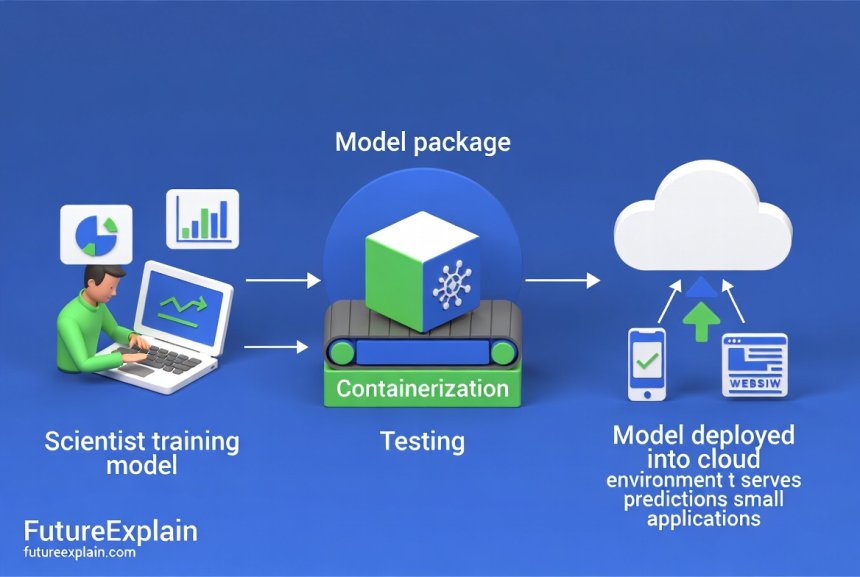
Inference - running trained models to make predictions - represents the ongoing operational cost. Unlike training (usually a one-time or occasional expense), inference happens continuously in production. Key factors affecting inference costs include:
- Model size: Larger models need more memory and compute
- Request patterns: Steady traffic vs. unpredictable spikes
- Latency requirements: Faster responses often cost more
- Batch processing capability: Grouping requests reduces overhead
A critical insight: the same AI task can cost 10x more or less depending on implementation choices. For instance, real-time individual requests to a large model are expensive, while batched periodic processing of similar tasks using a smaller optimized model can be remarkably cheap.
Practical Cost Optimization Strategies That Work
1. Implement Smart Caching Systems
Caching stores frequent or repetitive AI responses to avoid redundant API calls. Effective caching can reduce costs by 30-70% for many applications. Consider these caching approaches:
- Exact-match caching: Store identical prompt-response pairs
- Semantic caching: Store similar prompts with same responses (more advanced)
- Time-based expiration: Clear cache when information becomes stale
- User-specific caching: Personal responses that don't change frequently
For example, customer service chatbots often receive identical questions. Caching the first response and serving it to subsequent users with the same question eliminates repeat API calls. Learn more about implementing automation basics that include caching strategies.
2. Master Batch Processing
Instead of processing items one-by-one, collect them and process in batches. Many AI services offer batch APIs with significant discounts (40-80% cheaper per item). Suitable use cases include:
- Processing overnight reports or analytics
- Content moderation at scheduled intervals
- Bulk document processing
- Training data preparation
Batch processing does increase latency (items wait until the batch runs), but for non-real-time tasks, the savings justify the delay. Many business automation workflows naturally fit batch patterns.
3. Right-Size Your Model Selection
Not every task needs GPT-4. Model selection follows the "good enough" principle:
- Tiny tasks: Rule-based systems or very small models (free or nearly free)
- Simple classification: Smaller specialized models (10-100x cheaper than large LLMs)
- General conversation: Mid-sized models for most interactions
- Complex reasoning: Largest models only when truly needed
Create a tiered system that routes requests to appropriate models based on complexity. This "model router" approach is similar to how companies route customer service queries - simple questions to chatbots, complex issues to human agents. For understanding different AI types, see our guide on types of artificial intelligence.
4. Optimize Token Usage
Since most language models charge by the token, efficient token usage directly reduces costs:
- Shorter prompts: Remove unnecessary context and verbosity
- Structured outputs: Request concise, structured responses (JSON instead of paragraphs)
- Context window management: Don't send entire conversations if only recent messages matter
- Compression techniques: Summarize long context before sending
Token optimization requires balancing brevity with sufficient context for good results. A well-crafted prompt using 500 tokens often outperforms a rambling 2000-token prompt while costing 75% less. Learn prompt engineering best practices for better outputs at lower cost.
5. Leverage Free Tiers and Credits
Most AI platforms offer free tiers or initial credits:
- OpenAI: $5 free credit for new users (as of mid-2024)
- Google Cloud: $300 free credit for new customers
- AWS
- Hugging Face: Free inference for public models with rate limits
Many startups: Generous free tiers to attract users
Strategically using free tiers for development, testing, and low-volume production can eliminate costs entirely for small projects. Combine multiple free tiers for different aspects of your workflow. However, always monitor usage to avoid unexpected charges when exceeding limits.
Setting Up Cost Monitoring and Alerts
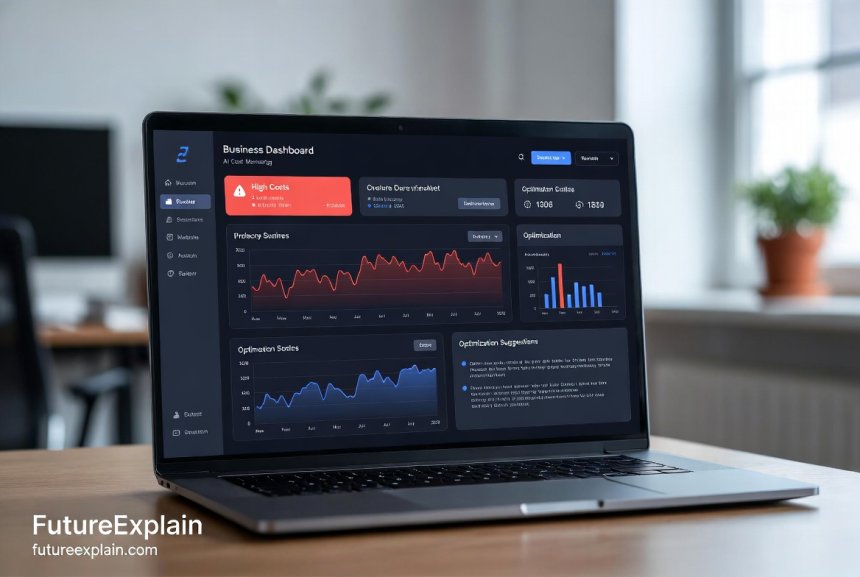
You can't optimize what you don't measure. A proper monitoring system includes:
- Real-time dashboards: Show current spend, projections, cost per request
- Anomaly detection: Alert on unusual spending patterns
- Cost attribution: Track expenses by project, team, or use case
- Forecasting: Predict future costs based on current trends
Most cloud providers offer native cost monitoring tools. For multi-cloud or hybrid setups, consider open-source options like OpenCost or commercial solutions. The key is setting meaningful alerts - not just for total spend, but for cost spikes, inefficient usage patterns, or budget milestones (50%, 80%, 100% of budget).
Building a Simple Cost Dashboard
Even without technical expertise, you can create basic cost monitoring:
- Use provider billing exports (CSV files)
- Import into spreadsheet software or simple dashboard tools
- Set up weekly review meetings to analyze trends
- Create simple "traffic light" indicators (green = on track, yellow = watch, red = over budget)
For more sophisticated monitoring, explore MLOps guides that include cost tracking as part of model management.
Cloud vs. Edge: Where to Run Your AI Workloads
The location where AI models run significantly impacts costs and performance:
| Consideration | Cloud Inference | Edge/On-Device Inference |
|---|---|---|
| Initial Cost | Low (pay-as-you-go) | Higher (hardware investment) |
| Ongoing Cost | Scales with usage | Mostly fixed after purchase |
| Latency | Higher (network dependent) | Very low (local processing) |
| Data Privacy | Data leaves device | Data stays local |
| Scalability | Automatic and unlimited | Limited by device capability |
Hybrid approaches often work best: edge devices handle common tasks locally, while cloud handles complex or infrequent requests. This balances cost, performance, and capability. For privacy-sensitive applications, edge computing eliminates data transfer concerns entirely. Learn more about TinyML and edge AI for running models on devices.
Real-World Cost Scenarios and Solutions
Scenario 1: Small E-commerce Store ($200/month budget)
Challenge: Product description generation, customer Q&A, review analysis
Naive approach: GPT-4 for all tasks = $800+/month
Optimized approach:
- Product descriptions: Fine-tuned smaller model ($50/month)
- Customer Q&A: Cached responses + free tier for unique questions ($30/month)
- Review analysis: Batch process weekly with mid-tier model ($40/month)
- Total: $120/month (85% savings)
Scenario 2: Medium Business Automation ($2,000/month budget)
Challenge: Document processing, meeting summaries, internal chatbot
Optimization strategies:
- Implement caching for frequent document types
- Use batch API for non-urgent document processing
- Deploy smaller specialized models for specific tasks
- Negotiate enterprise rates with volume commitment
- Expected savings: 40-60%
For businesses exploring AI implementation, see our guide on AI for small businesses with practical use cases.
Advanced Techniques for Scaling Organizations
Model Quantization and Compression
Quantization reduces model precision (e.g., from 32-bit to 8-bit numbers), decreasing memory and compute requirements with minimal accuracy loss. Benefits include:
- 2-4x reduction in model size
- 2-3x faster inference
- Proportional cost reduction on compute resources
Most major frameworks (TensorFlow, PyTorch) include quantization tools. The trade-off is slightly reduced accuracy, but for many applications, this is acceptable given the cost savings.
Request Consolidation and Deduplication
At scale, identical or similar requests from different users can be consolidated:
- Identify duplicate requests across user base
- Process once, distribute results to all requesters
- Particularly effective for trending topics or common queries
This requires tracking request patterns and implementing a deduplication layer before the AI service. The savings compound with user count - 10,000 users asking the same question processed individually costs 10,000x more than processing once.
Predictive Scaling and Scheduling
Match resource allocation to predicted demand patterns:
- Scale down during off-hours (nights, weekends)
- Pre-warm resources before expected peaks
- Use spot/opportunistic instances for non-critical batch jobs
Cloud providers offer auto-scaling, but basic rules often miss optimization opportunities. Analyzing your specific usage patterns reveals custom scaling rules that can save 20-40% compared to generic auto-scaling.
Regulatory and Compliance Cost Considerations
AI cost optimization isn't just about technical efficiency. Regulatory requirements can significantly impact costs:
- Data residency requirements: Processing data in specific regions may cost more
- Audit trails: Maintaining detailed logs for compliance adds storage costs
- Model explainability: Techniques to explain AI decisions add computational overhead
- Privacy-preserving techniques: Methods like federated learning or differential privacy increase complexity and cost
Factor these requirements into cost planning from the beginning. Retroactively adding compliance features often costs more than building them in initially. For more on responsible AI, see our guide on ethical AI explained.
Building a Cost-Optimization Culture
Technical solutions only work with organizational support:
- Educate teams: Make cost implications of AI choices visible
- Implement guardrails: Set budgets, approval processes for expensive models
- Reward efficiency: Recognize teams that deliver value at lower cost
- Regular reviews: Monthly cost analysis meetings with actionable insights
Start small with one team or project, demonstrate savings, then expand successful practices organization-wide. Remember that the goal isn't minimizing cost at any expense, but maximizing value per dollar spent.
The Future of AI Costs: Trends to Watch
Several trends will impact AI cost structures in coming years:
- Specialized hardware: AI-specific chips (TPUs, NPUs) continue improving price-performance
- Open source advancements: Community models approaching proprietary quality at lower cost
- Efficiency research: New techniques constantly improve performance per compute dollar
- Market competition: More providers entering reduces prices through competition
While costs per capability will likely decrease, total spending may increase as organizations find more valuable applications. The key is staying informed about new optimization techniques and cost structures. Follow our AI future trends category for ongoing updates.
Getting Started: Your 30-Day Cost Optimization Plan
- Week 1: Assessment
- Audit current AI spending across all projects
- Identify highest-cost applications
- Set up basic monitoring and alerts
- Week 2: Quick Wins
- Implement caching for repetitive requests
- Switch to batch processing where possible
- Right-size models for each task type
- Week 3: Process Improvement
- Optimize prompts to reduce token usage
- Establish cost review procedures
- Train team on cost-efficient practices
- Week 4: Planning
- Develop long-term optimization roadmap
- Evaluate cloud vs. edge strategies
- Set quarterly cost reduction targets
Even following just the first week's steps typically reveals 20-30% savings opportunities with minimal effort. The key is starting somewhere rather than waiting for perfect solutions.
Common Pitfalls to Avoid
- Over-optimizing too early: Don't spend $10,000 engineering time to save $100 in API costs
- Sacrificing user experience: Cost cuts that degrade service quality hurt business value
- Ignoring hidden costs: Development, maintenance, and integration costs matter too
- Failing to monitor: Without tracking, you can't measure improvement or catch regressions
- Copying others' solutions: Optimal strategies depend on your specific use patterns
Conclusion: Sustainable AI Cost Management
AI cost optimization is an ongoing process, not a one-time fix. As your usage evolves and technology advances, continuously reevaluate your approach. The most successful organizations treat AI costs like any other business expense - managed deliberately, measured accurately, and optimized consistently.
Remember that the goal isn't necessarily minimizing absolute cost, but maximizing return on AI investment. Sometimes spending more on the right AI capability generates disproportionate business value. The key is making informed, deliberate choices rather than accepting default cost structures.
By implementing the strategies in this guide, you can typically reduce AI costs by 30-70% while maintaining or even improving performance. Start with one high-impact area, demonstrate success, and expand from there. The savings you achieve can fund additional AI initiatives, creating a virtuous cycle of value creation.
Further Reading
Share
What's Your Reaction?
 Like
1250
Like
1250
 Dislike
8
Dislike
8
 Love
320
Love
320
 Funny
45
Funny
45
 Angry
3
Angry
3
 Sad
2
Sad
2
 Wow
210
Wow
210

















The future trends section gives us confidence to invest in AI. Knowing costs will continue to drop helps with long-term planning. Thank you for this comprehensive guide!
As a bootstrapped startup, every dollar counts. This guide helped us optimize from day one. We're handling 10x more users than competitors at same cost.
The cost attribution by project transformed our budgeting. Now we know exactly which features are profitable vs cost centers.
Model quantization for our recommendation engine: 3x faster, 60% cheaper cloud costs, accuracy drop <0.5%. Best optimization we've done.
The free tier for education is a game-changer. Our university can now teach AI courses without budget constraints. Students get hands-on with real APIs.
Batch processing for email analysis transformed our workflow. Processing all customer emails overnight instead of real-time: costs down 75%, better insights with full context.