
AI Model Versioning and Rollback Strategies
This comprehensive guide explains AI model versioning and rollback strategies for reliable machine learning deployments. Learn why proper version control is essential for AI systems, discover different versioning approaches, and understand how to implement safe rollback procedures. We cover practical tools, best practices for experiment tracking, automated testing strategies, and real-world implementation patterns. Whether you're managing a single model or enterprise AI deployments, this guide provides clear, actionable strategies to ensure your AI systems remain stable, reproducible, and maintainable throughout their lifecycle.

AI Model Versioning and Rollback Strategies: A Complete Guide
As artificial intelligence systems become integral to business operations, managing different versions of AI models has emerged as a critical challenge. Unlike traditional software where code changes are relatively predictable, AI models involve complex interdependencies between code, data, training parameters, and resulting performance characteristics. This comprehensive guide will walk you through everything you need to know about AI model versioning and rollback strategies, explained in simple, beginner-friendly language.
Imagine you've deployed a machine learning model that helps your e-commerce platform recommend products to customers. The model works well initially, but after a few weeks, you notice a gradual decline in performance. Perhaps customer preferences shifted, or maybe new products entered your catalog that the model doesn't understand. You develop an improved version, but when you deploy it, something unexpected happens—performance actually gets worse for certain customer segments. Without proper versioning and rollback capabilities, you're stuck with a problematic model until you can fix it. With the right strategies, you can quickly revert to the previous working version while you investigate the issue.
This guide will help you understand why AI model versioning differs from traditional software versioning, what approaches work best in practice, and how to implement reliable rollback mechanisms that protect your business from model failures. We'll cover everything from basic concepts to advanced implementation patterns, with plenty of practical examples along the way.
Why AI Model Versioning Is Different and More Critical
Traditional software versioning tracks changes to source code files. When something goes wrong, you can examine the code changes, identify the problem, and either fix it or revert to a previous version. AI model versioning is fundamentally more complex because you need to track multiple interconnected components:
- Model architecture code: The neural network design or algorithm implementation
- Training data versions: Which datasets were used for training
- Hyperparameters: Configuration settings that control the training process
- Training environment: Software libraries, hardware configurations, and dependencies
- Trained model weights: The actual learned parameters (often very large files)
- Preprocessing code: How input data is transformed before feeding to the model
- Postprocessing logic: How model outputs are interpreted and formatted
Each of these components can change independently, creating a combinatorial explosion of possible configurations. A model that performs well with one combination might fail with another, even if the core algorithm remains unchanged.
Consider this real-world example: A financial institution deployed a credit scoring model that worked perfectly during testing. After deployment, they updated their data preprocessing pipeline to handle new types of customer information. The model code remained unchanged, but suddenly, approval rates for certain demographics shifted unexpectedly. Without proper versioning that linked the model to its specific preprocessing requirements, diagnosing this issue took weeks of investigation.
The Four Pillars of Effective AI Model Versioning
Successful AI model versioning rests on four fundamental pillars that work together to create a reliable system:
1. Reproducibility: The Foundation of Trust
Reproducibility means you can recreate any previous model version exactly, producing identical results. This requires tracking not just the model file itself, but all the components that contributed to its creation. Modern MLOps tools like MLflow, DVC (Data Version Control), and Weights & Biases help automate this tracking by capturing metadata automatically during training experiments.
A reproducible system answers these questions for any model version: What code version created it? What data was used? What hyperparameters were applied? What was the exact training environment? With proper reproducibility, you can confidently compare different model versions, knowing that any performance differences come from intentional changes rather than hidden variables.
2. Traceability: Understanding Model Lineage
Traceability extends beyond reproducibility to include the entire lifecycle of a model. It tracks not just how a model was created, but how it evolved over time, who made changes, why decisions were made, and how the model performed in different contexts. Good traceability creates an audit trail that's invaluable for debugging, compliance, and knowledge sharing within teams.
Traceability becomes especially important in regulated industries where you need to demonstrate why a model made specific decisions. For example, if a loan application is rejected by an AI system, regulators may require you to explain which model version was used, what data it was trained on, and how that version differs from previous ones.
3. Accessibility: Making Versions Available When Needed
Versioned models are only useful if they're accessible when needed. This means having efficient storage systems that can handle large model files (often gigabytes each) while providing quick retrieval. Accessibility also involves clear organization—knowing which versions are production-ready, which are experimental, and which are deprecated.
Many organizations implement a model registry, which acts as a centralized catalog of available models with metadata about each version. When you need to deploy or rollback a model, the registry helps you quickly find the right version and understand its characteristics.
4. Governance: Controlling Model Changes
Governance establishes rules and processes for how models can be created, modified, and deployed. It includes approval workflows, quality gates, and access controls that ensure only properly vetted models reach production. Good governance prevents the chaos that can arise when multiple team members experiment with different approaches without coordination.
Governance becomes increasingly important as organizations scale their AI initiatives. With dozens or hundreds of models in production, you need systematic ways to manage updates, retirements, and dependencies between models.
Common Versioning Approaches and Their Trade-offs
Different organizations adopt different versioning strategies based on their specific needs and constraints. Here are the most common approaches:
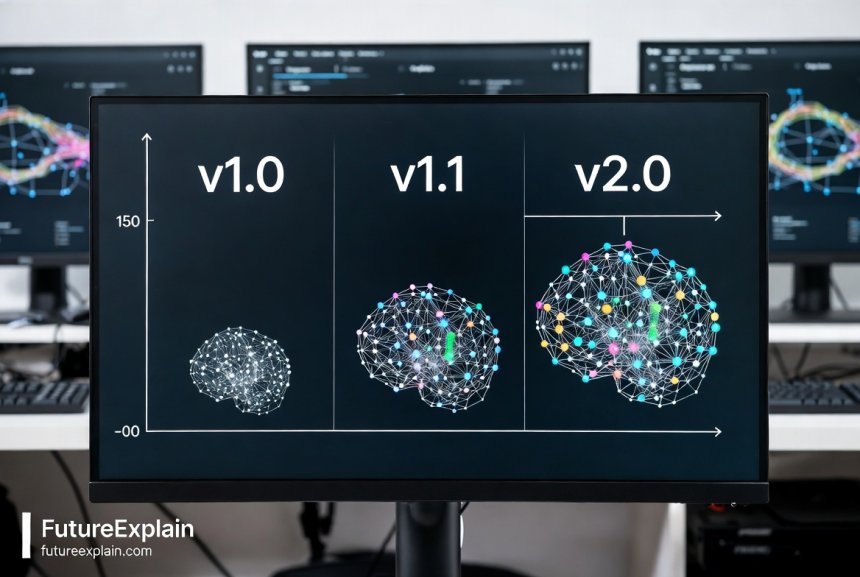
Sequential Versioning (v1.0, v1.1, v2.0)
This familiar approach assigns incrementing version numbers to models, typically following semantic versioning principles where major versions indicate breaking changes, minor versions add functionality while maintaining compatibility, and patch versions fix bugs. Sequential versioning works well for stable, infrequently updated models where changes follow a predictable linear progression.
Pros: Simple to understand, easy to implement, clear progression over time.
Cons: Doesn't capture complex branching scenarios well, can become confusing with parallel experimentation.
Best for: Small teams, simple use cases, or models with long development cycles.
Hash-Based Versioning (Git-Style)
Inspired by Git's approach to version control, hash-based versioning generates unique identifiers (hashes) based on the model's content and metadata. Each version gets a seemingly random string like "a1b2c3d4" that uniquely identifies that specific configuration. Tools like DVC use this approach, where the hash changes if any component changes, ensuring perfect identification of differences.
Pros: Uniquely identifies each version, automatically detects changes, excellent for reproducibility.
Cons: Not human-readable, requires tooling to map hashes to meaningful information.
Best for: Research environments, complex models with many dependencies, teams needing strong reproducibility guarantees.
Timestamp Versioning (2024-11-02-10-30-model)
Some systems use creation timestamps as version identifiers, often supplemented with additional metadata. This approach naturally orders versions chronologically and provides immediate context about when a model was created.
Pros: Intuitive chronological ordering, easy to implement, provides temporal context.
Cons: Can have collisions if multiple models created simultaneously, doesn't convey semantic meaning.
Best for: Rapid experimentation phases, time-series models where creation time is particularly relevant.
Descriptive Versioning (customer-churn-predictor-v2-improved-features)
This approach uses meaningful names that describe what changed in each version. While often used in conjunction with other versioning schemes, descriptive elements help team members quickly understand a version's characteristics without checking detailed documentation.
Pros: Human-readable, provides immediate context, supports natural communication.
Cons: Subjective, can become inconsistent across teams, doesn't scale to automated systems.
Best for: Small teams, models with business-facing stakeholders, educational contexts.
Most organizations use hybrid approaches that combine multiple methods. For example, you might have sequential version numbers for external communication while internally using hash-based identifiers for precise tracking. The key is choosing an approach that balances human understanding with machine precision for your specific use case.
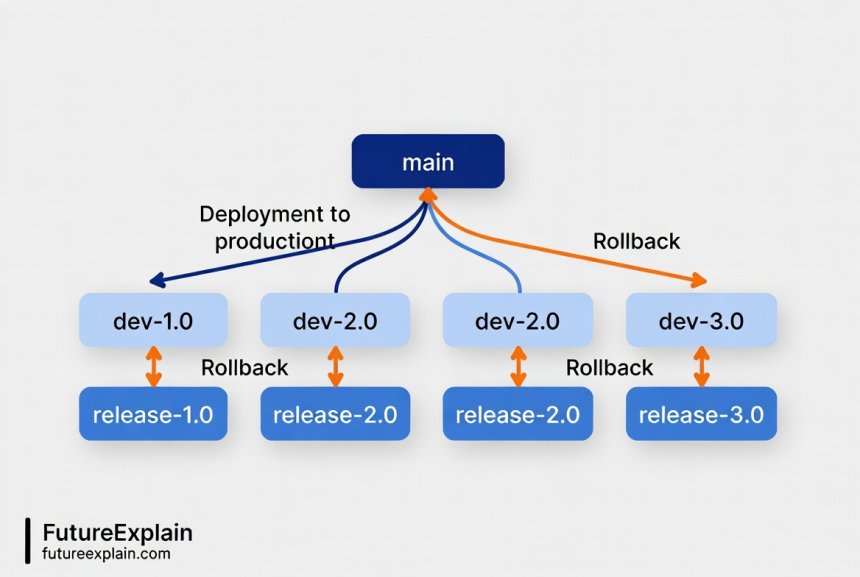
Implementing a Version Control System for AI Models
Now that we understand the different approaches, let's explore how to implement a practical version control system. The implementation varies based on your organization's size and needs, but certain patterns work well across different scenarios.
Basic Implementation for Small Teams
If you're just starting with AI model versioning, here's a simple yet effective approach using existing tools:
- Use Git for code versioning: Store all model-related code (architecture, training scripts, preprocessing) in a Git repository with proper branching strategies.
- Add DVC for data and model versioning: Data Version Control extends Git to handle large files like datasets and trained models. It creates pointers in Git while storing the actual files elsewhere (cloud storage, network drive).
- Create a model registry spreadsheet: A simple Google Sheet or Excel file can serve as a basic model registry. Include columns for version ID, creation date, performance metrics, deployment status, and location of model files.
- Establish naming conventions: Decide on consistent naming for model files and versions. For example: model-name-YYYYMMDD-performanceMetric.pt
- Document each version: Create a README or changelog entry for significant versions explaining what changed and why.
This basic approach gives you reproducibility and traceability with minimal tooling overhead. As your needs grow, you can evolve this system into more sophisticated solutions.
Intermediate Implementation with Specialized Tools
As your model portfolio grows, consider adopting specialized MLOps tools that handle versioning automatically:
- MLflow: An open-source platform that tracks experiments, packages code, and serves models. Its Model Registry component provides a centralized model store with versioning, stage transitions (staging, production, archived), and annotations.
- Weights & Biases: Focuses on experiment tracking with excellent visualization and collaboration features. While primarily for experimentation, it includes model versioning capabilities.
- Kubeflow: A Kubernetes-native platform for end-to-end ML workflows. Includes Pipelines for orchestrating workflows and Metadata for tracking artifacts and executions.
- DVC Studio: The commercial version of DVC with enhanced collaboration features, experiment tracking, and model registry capabilities.
These tools automatically capture metadata during training runs, eliminating manual tracking and reducing human error. They typically integrate with cloud storage for large files and provide APIs for programmatic access to versioned models.
Enterprise Implementation with Full Governance
Large organizations with regulatory requirements or complex AI portfolios need more comprehensive solutions:
- Dedicated model registry platforms: Tools like SageMaker Model Registry, Azure ML Model Registry, or Vertex AI Model Registry offer enterprise-grade features including approval workflows, access controls, and compliance reporting.
- Custom metadata databases: Some organizations build custom solutions using databases like PostgreSQL with JSON fields to store rich metadata about each model version.
- Integration with existing systems: Enterprise implementations often integrate model versioning with existing IT systems like ServiceNow for change management, Jira for tracking development tasks, and monitoring tools like Datadog or New Relic.
- Automated compliance checks: Rules engines that automatically validate models against organizational policies before allowing promotion to production.
The enterprise approach emphasizes governance, security, and integration over simplicity. While more complex to implement, it provides the controls needed for mission-critical AI systems in regulated industries.
Rollback Strategies: Preparing for the Inevitable
No matter how thoroughly you test a new model version, sometimes deployments fail in production. A robust rollback strategy ensures you can quickly recover when things go wrong. Let's explore different rollback approaches and when to use each.
Immediate Rollback (Hot Swap)
The simplest rollback strategy involves immediately replacing a problematic model with a previous version. This works well when:
- You detect problems quickly (through automated monitoring)
- The previous version is known to be stable
- The rollback process is fast and automated
Implementation typically involves having multiple model versions loaded in memory or quickly accessible from storage, with a configuration switch that determines which version receives production traffic. When you need to rollback, you update the configuration and the system begins using the previous version.
Challenge: This approach requires keeping previous versions readily available, which consumes memory and storage resources. It also assumes the previous version remains compatible with current data formats and business logic.
Canary Rollback with Traffic Shifting
More sophisticated deployments use canary releases where new models gradually receive increasing percentages of traffic. If problems appear, you can rollback by simply shifting traffic back to the previous version. This approach offers several advantages:
- Gradual risk exposure: Problems affect only a subset of users initially
- Real-world comparison: You can compare new and old versions on live traffic
- Smooth transitions: No abrupt changes for users
Implementing canary rollbacks requires infrastructure that can route requests to different model versions based on percentages or user segments. Cloud platforms like AWS SageMaker, Azure ML, and Google Vertex AI provide built-in capabilities for this pattern.
Blue-Green Deployment with Rollback
In blue-green deployments, you maintain two identical production environments: one running the current version (blue) and one running the new version (green). All traffic goes to blue initially. When you're ready to deploy an update, you route traffic to green. If problems appear, you simply route traffic back to blue.
This approach provides the cleanest rollback capability because the previous version remains fully operational throughout the deployment. The trade-off is doubled infrastructure costs during deployments. For AI models, this might mean maintaining duplicate serving infrastructure or using techniques like model shadowing where the new version processes requests without affecting responses until you're confident in its performance.
Feature Flag Controlled Rollback
Feature flags (or feature toggles) provide another rollback mechanism by controlling which model version is active through configuration. Unlike immediate rollbacks that might require code deployment, feature flags can be changed at runtime, often through configuration files or administrative dashboards.
This approach separates deployment from release—you can deploy a new model version to production but keep it disabled until you're ready to activate it. If problems appear after activation, you can disable it without deploying new code.
Automated Rollback Triggers and Monitoring
The most effective rollback strategies combine multiple monitoring approaches with automated responses. Here are key metrics to monitor and potential triggers for automated rollbacks:
Performance Metrics Monitoring
Track model performance in production and compare it to expected baselines:
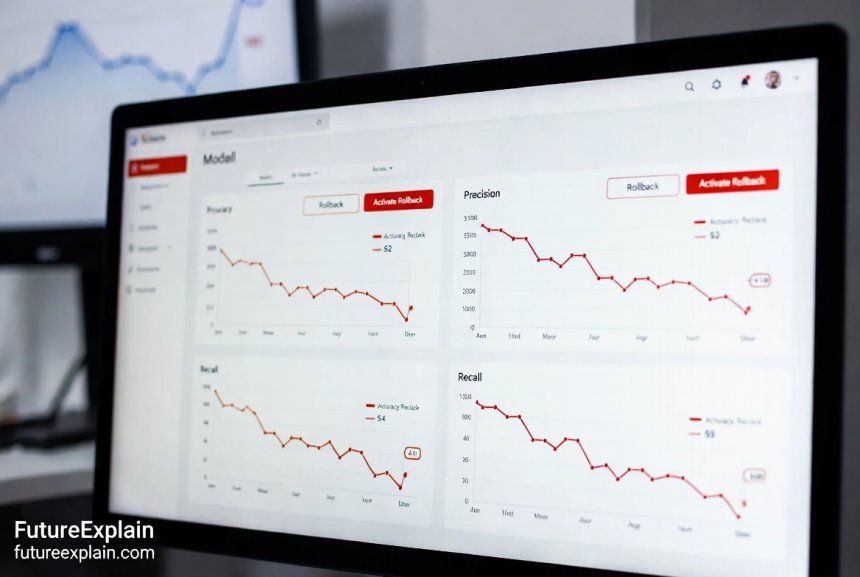
- Accuracy/precision/recall degradation: Sudden drops in key metrics
- Prediction latency increase: Models taking longer than expected
- Throughput reduction: Fewer requests processed per second
- Error rate spikes: Increased failures in model inference
Set thresholds for each metric that, when breached, trigger alerts or automated rollbacks. For example, if accuracy drops more than 5% below the previous version's baseline for 15 consecutive minutes, automatically initiate rollback.
Data Drift Detection
Models can degrade when the input data distribution changes from what the model was trained on. Monitor for:
- Covariate shift: Changes in feature distributions
- Concept drift: Changes in relationships between features and targets
- Data quality issues: Missing values, outliers, or format changes
Tools like Evidently AI, Amazon SageMaker Model Monitor, and Azure ML Data Drift Detection can automatically detect these changes and trigger investigations or rollbacks.
Business Impact Monitoring
Sometimes technical metrics remain stable while business outcomes suffer. Monitor downstream business metrics that your model influences:
- Conversion rates: For recommendation or ranking models
- Approval rates: For credit scoring or fraud detection
- Customer satisfaction scores: For chatbots or support systems
- Revenue impact: Direct financial measures tied to model performance
Business metric monitoring often requires integration with analytics platforms and may involve longer feedback loops than technical metrics.
Infrastructure Health Monitoring
Don't forget the underlying infrastructure that hosts your models:
- Memory usage: Models consuming more memory than expected
- GPU utilization: Hardware performance issues
- Network latency: Communication delays between components
- Dependency health: Status of databases, APIs, or other services your model relies on
Infrastructure problems can mimic model problems, so it's important to distinguish between them before initiating rollbacks.
Best Practices for AI Model Versioning and Rollback
Based on industry experience and research, here are proven best practices that apply across different tools and approaches:
1. Version Everything, Not Just Models
Remember that models depend on multiple components. Version your data, preprocessing code, feature engineering logic, and even your evaluation datasets. This comprehensive approach ensures true reproducibility. Tools like DVC and Pachyderm specialize in data versioning alongside code and models.
2. Use Immutable Version Identifiers
Once created, a version identifier should never change or be reused. Immutable identifiers prevent confusion and ensure that references to specific versions remain valid over time. Hash-based identifiers naturally provide immutability since any change to the content changes the hash.
3. Maintain Backward Compatibility When Possible
When updating models, try to maintain compatibility with previous input/output formats. This simplifies rollbacks and A/B testing. If you must make breaking changes, consider using versioned APIs or translation layers that can convert between formats.
4. Implement Automated Testing for All Versions
Automated testing should cover not just the latest version, but all versions that might be rolled back to. This includes:
- Unit tests: For individual components
- Integration tests: For the full pipeline
- Performance tests: To verify metrics meet thresholds
- Fairness tests: To check for bias or discrimination
Run these tests automatically whenever new versions are created and periodically on existing versions to catch environment drift.
5. Document Version Dependencies and Requirements
Each model version should include documentation of its dependencies: specific library versions, hardware requirements, data format expectations, and any external services it relies on. This documentation becomes crucial when you need to rollback to a version created months or years earlier.
6. Establish Clear Promotion and Rollback Policies
Define who can promote models to production, what approval is required, and under what conditions rollbacks should occur. Document these policies and enforce them through your tooling where possible. Clear policies prevent confusion during high-pressure situations when problems arise.
7. Practice Rollback Procedures Regularly
Don't wait for an emergency to test your rollback procedures. Schedule regular drills where you intentionally deploy a problematic model and practice rolling back. These exercises reveal weaknesses in your processes and build team confidence in handling real incidents.
8. Monitor Rollback Impact
When you do rollback, monitor the impact closely. Did performance return to expected levels? Are there any residual effects from the problematic version? This monitoring helps you validate that the rollback was successful and complete.
Common Pitfalls and How to Avoid Them
Even with good intentions, teams often encounter specific challenges when implementing versioning and rollback strategies. Here are common pitfalls and how to avoid them:
Pitfall 1: Incomplete Metadata Tracking
Problem: Teams version the model file but forget about training data, hyperparameters, or environment details, making true reproduction impossible.
Solution: Use tools that automatically capture comprehensive metadata, or establish checklists that ensure all relevant information is recorded before considering a version complete.
Pitfall 2: Assuming Model Compatibility
Problem: Assuming new model versions will work with existing infrastructure without testing compatibility.
Solution: Implement compatibility testing as part of your deployment pipeline. Test that new versions work with current data formats, API contracts, and downstream systems before promotion.
Pitfall 3: Neglecting Storage Management
Problem: Storing every model version indefinitely without cleanup policies, leading to unsustainable storage costs.
Solution: Establish retention policies based on model importance and regulatory requirements. Archive older versions to cheaper storage, and consider pruning strategies that keep only the most important historical versions.
Pitfall 4: Over-Automating Rollback Decisions
Problem: Implementing fully automated rollbacks that trigger on false positives, causing unnecessary instability.
Solution: Use automated alerts with human confirmation for rollbacks, or implement multi-stage thresholds that require sustained degradation before triggering automatic action.
Pitfall 5: Siloed Versioning Systems
Problem: Different teams using different versioning approaches that don't integrate, creating organizational confusion.
Solution: Establish organization-wide standards and provide centralized tooling that meets different teams' needs while maintaining consistency.
Real-World Implementation Example: E-commerce Recommendation System
Let's walk through a practical example of implementing versioning and rollback for an e-commerce product recommendation system:
System Architecture
The recommendation system uses a neural network that takes customer browsing history and product attributes as input, outputting personalized product rankings. The system serves 10,000 requests per minute during peak hours.
Versioning Implementation
- Code versioning: All Python code stored in Git repository with semantic versioning
- Data versioning: Training datasets versioned using DVC, stored in Amazon S3
- Model registry: MLflow Model Registry tracks all trained models with performance metrics
- Metadata database: PostgreSQL stores detailed experiment metadata including hyperparameters, training times, and validation scores
Deployment and Rollback Strategy
The team implements a canary deployment approach:
- New models initially receive 1% of production traffic
- If key metrics (click-through rate, conversion rate) remain stable for 24 hours, traffic increases to 10%
- After another 24 hours at acceptable performance, traffic increases to 50%
- Finally, after 48 hours at 50% with good performance, the model receives 100% of traffic
At each stage, automated monitors check:
- Prediction latency (must be < 100ms p95)
- Click-through rate (must not drop > 5% compared to previous version)
- Error rate (must be < 0.1%)
If any metric breaches its threshold at any stage, the system automatically rolls back to the previous version and notifies the engineering team.
Incident Response Example
In one incident, a new model version showed excellent offline metrics but caused a 15% drop in conversion rates when deployed to 10% of traffic. The automated system detected this drop within 15 minutes and initiated rollback. The team investigated and discovered the model was overfitting to recent seasonal patterns that didn't generalize. They fixed the issue by adjusting the training window and deployed a corrected version the following week.
This example illustrates how proper versioning and automated rollbacks can minimize business impact from model issues while providing learning opportunities to improve future versions.
Tools and Technologies for AI Model Versioning
Here's a comparison of popular tools that can help implement the strategies discussed in this guide:
Open Source Tools
- MLflow: Comprehensive platform with experiment tracking, model registry, and deployment tools. Excellent for teams already using Python.
- DVC (Data Version Control): Git-like versioning for data and models. Lightweight and integrates well with existing Git workflows.
- Pachyderm: Containerized data pipelines with built-in versioning. Strong for data-heavy workflows with complex dependencies.
- Kubeflow: Kubernetes-native platform for complete ML lifecycle. Best for organizations heavily invested in Kubernetes.
Cloud Platform Services
- AWS SageMaker: Model registry with versioning, lineage tracking, and automated deployment. Tight integration with other AWS services.
- Azure Machine Learning: Model registry with approval workflows and comprehensive metadata tracking. Good Microsoft ecosystem integration.
- Google Vertex AI: Model registry with versioning and continuous monitoring. Strong integration with Google Cloud services.
- Databricks MLflow: Managed MLflow with enhanced collaboration and scalability. Ideal for Spark-based workflows.
Commercial Platforms
- Weights & Biases: Excellent experiment tracking with collaboration features. Popular in research organizations.
- Domino Data Lab: Enterprise platform with reproducible workspaces and model management.
- Dataiku: Collaborative platform with versioning and deployment features. Good for mixed teams of data scientists and analysts.
When choosing tools, consider your team's existing skills, infrastructure preferences, and specific requirements around collaboration, scalability, and integration with other systems.
Future Trends in AI Model Versioning
As AI systems become more complex and pervasive, versioning approaches continue to evolve. Here are emerging trends to watch:
1. Federated Learning Versioning
Federated learning trains models across decentralized devices without centralizing data. This creates new versioning challenges as models update incrementally across thousands or millions of devices. New approaches are emerging to track these distributed updates while maintaining privacy guarantees.
2. Foundation Model Versioning
Large foundation models like GPT-4 or Claude present unique versioning challenges due to their size, cost of training, and broad capabilities. Techniques like delta versioning (storing only changes from a base model) and compositional versioning (tracking which components were updated) are gaining traction.
3. Automated Version Recommendation
AI systems that help select which model version to deploy based on current conditions, similar to how Netflix's recommendation system suggests content. These systems might consider factors like time of day, user demographics, or current events when choosing between model versions.
4. Regulatory-Driven Versioning Requirements
As AI regulation increases (like the EU AI Act), versioning systems will need to capture additional metadata for compliance, including detailed audit trails, bias testing results, and impact assessments for each version change.
5. Quantum-Safe Versioning
Looking further ahead, quantum computing may break current cryptographic approaches used in versioning systems. Research into quantum-safe versioning ensures long-term integrity of model version records.
Getting Started with Your AI Model Versioning Strategy
If you're new to AI model versioning, here's a practical roadmap to get started:
- Start simple: Begin with basic Git for code and a shared folder structure for models with clear naming conventions.
- Add one tool: Choose either MLflow or DVC based on your primary needs (experiment tracking vs. data versioning).
- Establish processes: Document how to create new versions, what metadata to record, and how to reference specific versions.
- Implement basic rollback: Create a manual process for switching to previous model versions, even if it requires downtime.
- Automate incrementally: Add automated testing, then monitoring, then automated rollback triggers one step at a time.
- Iterate and improve: Regularly review your processes and tools, adjusting based on what works and what causes friction.
Remember that perfect is the enemy of good when starting. It's better to have a simple, consistently followed versioning approach than a complex system that teams avoid using.
Conclusion: Versioning as a Foundation for Reliable AI
AI model versioning and rollback strategies are not just technical implementation details—they're foundational practices that determine how reliably and responsibly your organization can deploy AI systems. Proper versioning enables reproducibility, facilitates collaboration, supports compliance requirements, and most importantly, provides the safety net needed to innovate confidently.
As AI becomes increasingly embedded in critical business processes and customer experiences, the ability to track what changed, understand why it changed, and revert when necessary becomes a competitive advantage. Organizations that master these practices can deploy improvements faster while maintaining stability, while those that neglect versioning struggle with unexplained model behavior and lengthy recovery times from issues.
The strategies and tools discussed in this guide provide a roadmap for building this capability, whether you're managing your first production model or scaling to enterprise AI deployments. By starting with clear principles, implementing appropriate tooling, and establishing robust processes, you can ensure your AI systems remain reliable, understandable, and controllable throughout their lifecycle.
For more on related topics, check out our guides on deploying models to production, AI model versioning, and continuous learning in production.
Share
What's Your Reaction?
 Like
1850
Like
1850
 Dislike
15
Dislike
15
 Love
420
Love
420
 Funny
85
Funny
85
 Angry
8
Angry
8
 Sad
12
Sad
12
 Wow
310
Wow
310















The future trends about quantum-safe versioning was something I hadn't considered. It shows how forward-thinking this guide is while still being immediately practical.
We're a startup with limited engineering resources. The basic implementation guide gave us a clear starting point that doesn't require building complex infrastructure.
As an educator teaching MLOps, this article is going straight to my reading list. It covers the practical aspects that textbooks often miss.
The emphasis on practicing rollback procedures is so important but often skipped. We just had our first "fire drill" and discovered several gaps in our process we're now fixing.
How do you handle versioning for models that are continuously retrained on streaming data? Our models update daily based on new incoming data.
For streaming/continuous retraining, consider snapshot-based versioning: take periodic snapshots (daily, weekly) that become distinct versions. Also, implement concept drift detection to trigger version creation only when significant changes occur, rather than on a fixed schedule.
The comparison of open source vs cloud platform tools was balanced and helpful. We're on AWS so SageMaker Model Registry made sense, but it's good to know the alternatives if we ever need to switch.