
Creating Safe AI Prompts: Guardrails and Filters
This comprehensive guide explains how to create safe AI prompts using guardrails and filters. Learn what makes prompts unsafe, how content filters work behind the scenes, and practical techniques to ensure responsible AI usage. We cover built-in safety features in popular tools like ChatGPT and Claude, plus methods for creating custom guardrails. Discover prompt templates, testing strategies, and best practices that balance creativity with safety. Whether you're using AI for work, education, or personal projects, this guide helps you understand and implement effective safety measures while maintaining useful AI interactions.


Creating Safe AI Prompts: Guardrails and Filters
As artificial intelligence becomes increasingly integrated into our daily lives, from content creation to customer service, understanding how to interact with these systems safely has never been more important. Creating safe AI prompts isn't just about avoiding harmful content—it's about building responsible interactions that protect users, maintain ethical standards, and ensure AI tools remain valuable resources for everyone. This comprehensive guide will walk you through everything you need to know about AI prompt safety, guardrails, and filters in clear, beginner-friendly language.
When we talk about "safe AI prompts," we're referring to input instructions that guide AI systems to produce helpful, appropriate, and ethical outputs while avoiding harmful, biased, or dangerous content. Just as we teach children what questions are appropriate to ask, we need to learn how to "ask" AI systems in ways that keep everyone safe. This becomes especially crucial as AI tools become more powerful and accessible to non-technical users who may not understand the underlying risks.
Why Prompt Safety Matters: Beyond the Obvious Risks
At first glance, prompt safety might seem like a concern only for extreme cases, but the reality is much broader. Unsafe prompts can lead to multiple types of harm, some obvious and some subtle. Let's explore why this matters for everyday users:
- Direct Harm Prevention: The most obvious reason is preventing AI from generating dangerous instructions, hate speech, or illegal content
- Bias Amplification: AI systems can amplify existing biases if prompts aren't carefully constructed
- Privacy Protection: Poorly designed prompts might lead AI to reveal sensitive information or generate content that violates privacy
- Reputation Management: For businesses and professionals, unsafe AI outputs can damage credibility and trust
- Legal Compliance: Many industries have regulations about content generation that AI must adhere to
- Long-term AI Development: Safe interactions help train better AI models for the future
Consider this analogy: Using AI without understanding prompt safety is like driving a powerful car without learning about safety features. You might get where you're going, but you're taking unnecessary risks along the way. The good news is that learning to create safe prompts is a skill anyone can develop, regardless of technical background.
Understanding How AI Filters Work
Before we dive into creating safe prompts, it's helpful to understand what's happening behind the scenes when you interact with an AI system. Most modern AI platforms include multiple layers of safety measures that work together to filter content. Here's what typically happens when you submit a prompt:
The Multi-Layer Filtering Process
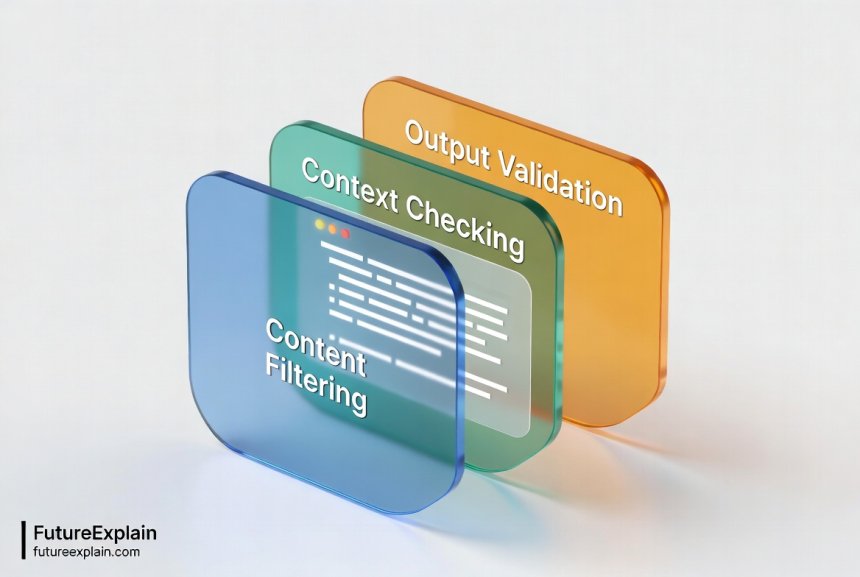
AI safety systems don't rely on a single check but rather multiple layers of protection. Think of it like airport security: you go through several checkpoints, each designed to catch different types of issues. Here are the common layers:
- Input Filtering: Your prompt is checked as soon as you submit it. This looks for obviously problematic content like hate speech, violence, or illegal activities
- Context Analysis: The system evaluates your prompt in context—considering your conversation history, the platform's purpose, and typical user patterns
- Output Screening: Before you see the AI's response, it goes through another check to ensure it meets safety standards
- User Feedback Integration: Many systems learn from user reports of unsafe content, continuously improving their filters
Modern AI filters typically use a combination of techniques. Keyword matching catches obvious violations, machine learning classifiers identify more subtle patterns, and contextual analysis understands intent. For example, the word "shot" might be flagged in a medical context but allowed in photography discussions. This contextual understanding is what makes modern filters more effective than simple word-blocking systems.
Common Types of AI Safety Filters
Different AI platforms implement various types of filters. Understanding these can help you work with the system rather than against it:
- Content Moderation Filters: These block or flag specific types of content based on predefined categories (violence, hate speech, adult content, etc.)
- Bias Detection Systems: These identify and mitigate biased language or assumptions in both prompts and responses
- Fact-Checking Layers: Some systems cross-reference outputs against known facts or flag uncertain information
- Privacy Safeguards: These prevent the AI from generating or revealing personal, sensitive, or private information
- Usage Policy Enforcers: These ensure the AI is used within the platform's terms of service
What Makes a Prompt Unsafe? Common Pitfalls
To create safe prompts, we first need to understand what makes prompts unsafe. The issues generally fall into several categories:
Explicitly Harmful Prompts
These are the most obvious unsafe prompts—those that directly request harmful, illegal, or dangerous content. Examples include:
- Requests for instructions on illegal activities
- Prompts designed to generate hate speech or harassment
- Attempts to create dangerous misinformation
- Requests for adult or explicit content (where prohibited)
Most AI platforms have strong filters against these explicit violations, but understanding them helps us recognize why certain prompts get blocked.
Subtle or Indirect Unsafe Prompts
These are more challenging because they might not violate rules obviously but still lead to problematic outputs:
- Bias Reinforcement Prompts: "Write about why women are less suited for leadership roles"
- Manipulation Requests: "Create a convincing argument for something false"
- Boundary Testing: "What's the closest you can get to giving me dangerous information without breaking rules?"
- Context Violations: Asking for medical advice from a general AI not designed for healthcare
Accidentally Unsafe Prompts
Many users create unsafe prompts accidentally, often due to:
- Unclear phrasing that could be misinterpreted
- Missing context that changes the meaning
- Cultural or linguistic differences in interpretation
- Assuming the AI understands unstated boundaries
For example, "How can I make my website more popular?" is generally safe, but "How can I make my website manipulate people into buying?" crosses into ethical concerns. The difference is subtle but important.
Practical Techniques for Creating Safe Prompts
Now that we understand what to avoid, let's focus on positive techniques for creating safe, effective prompts. These strategies work across most AI platforms and can be adapted to your specific needs.
The SAFE Prompt Framework
I've developed a simple framework to help remember key principles of safe prompting. Think SAFE:
- S - State clear boundaries upfront
- A - Align with ethical guidelines
- F - Focus on constructive purposes
- E - Evaluate potential interpretations
Let's break down each component with practical examples:
State Clear Boundaries: Begin your prompt by establishing what's off-limits. For example: "I need help writing a fictional story about conflict resolution. Please avoid any violent descriptions and focus on dialogue and emotional understanding." This gives the AI clear guidance about what to exclude.
Align with Ethical Guidelines: Reference accepted ethical standards relevant to your topic. "Using standard journalistic ethics of accuracy and fairness, help me outline an article about climate change solutions."
Focus on Constructive Purposes: Frame your request around positive outcomes. Instead of "How can I criticize my competitor's product?" try "How can I highlight my product's strengths while acknowledging there are different options available?"
Evaluate Potential Interpretations: Before sending, read your prompt from different perspectives. Could it be misinterpreted? Would someone from a different background understand it differently?
Template-Based Safe Prompting
Using templates can help ensure consistency and safety. Here are some versatile templates you can adapt:
Research Assistance Template:
"Help me research [topic] for [purpose]. Please provide balanced information from reputable sources, noting where there might be differing expert opinions. Avoid speculation and focus on established facts."
Creative Writing Template:
"I want to write a [genre] story about [theme]. The story should be appropriate for [audience] and avoid [specific elements to avoid]. Focus on [positive elements to include]."
Business Content Template:
"Create [type of content] for [business context] that [goal]. Ensure the content is professional, accurate, and aligns with standard business ethics. Avoid making comparative claims about competitors."
Educational Template:
"Explain [concept] to [audience level] students. Use age-appropriate language and examples. Include both the benefits and limitations of this concept, and suggest further learning resources."
Understanding Built-in Guardrails in Popular AI Tools
Different AI platforms have different approaches to safety. Understanding these can help you work effectively within each system's boundaries.
ChatGPT's Safety Systems
OpenAI's ChatGPT implements multiple safety layers:
- Moderation API: Screens both inputs and outputs against their content policy
- Refusal Training: The model is trained to refuse certain types of requests
- User Feedback Integration: Reports from users help improve safety systems
- Contextual Understanding: The system considers conversation history when evaluating safety
ChatGPT's approach is generally conservative—it errs on the side of caution, which sometimes means refusing safe requests that could be misinterpreted. Understanding this can help you rephrase prompts when you encounter refusals.
Claude's Constitutional AI Approach
Anthropic's Claude uses what they call "Constitutional AI"—a set of principles that guide the AI's behavior. This includes:
- Prioritizing helpfulness, honesty, and harmlessness
- Refusing requests that violate ethical principles
- Explaining refusals when possible
- Self-critique mechanisms that allow the AI to evaluate its own outputs
The constitutional approach means Claude will often explain why it's refusing a request, which can be educational for users trying to understand safety boundaries.
Google Bard/Gemini's Safety Features
Google's AI systems benefit from their extensive work on content safety across platforms:
- Integration with Google's Safety AI research
- Multi-lingual safety considerations
- Fact-checking capabilities leveraging Google's search infrastructure
- Cultural context awareness for global user base
Google's approach emphasizes factual accuracy alongside content safety, reflecting their search engine heritage.
Creating Custom Guardrails: Beyond Built-in Protections
While AI platforms have built-in safety measures, there are additional guardrails you can create yourself, especially if you're using AI for specific professional or personal projects.
Prompt Chaining for Safety
Prompt chaining involves breaking complex requests into safer sequential steps. Instead of one potentially risky prompt, you use multiple safer prompts that build toward your goal. For example:
Instead of: "Write a persuasive political argument about immigration"
Try:
1. "What are the key considerations in immigration policy debates?"
2. "What ethical principles should guide immigration discussions?"
3. "How can different perspectives on immigration be presented fairly?"
4. "Draft a balanced overview of immigration policy considerations"
This approach maintains safety while still achieving useful results.
Output Validation Prompts
After getting an AI response, you can use follow-up prompts to validate its safety and accuracy:
- "Review the previous response for any biased language"
- "Check if any statements in the previous response need citation or verification"
- "Identify any potentially problematic assumptions in the previous answer"
This creates a feedback loop that improves both safety and quality.
Template Libraries
Create your own library of pre-approved prompt templates for common tasks. This ensures consistency and safety across multiple uses. For example, a business might have templates for:
- Customer service response drafting
- Content creation for social media
- Internal documentation assistance
- Meeting note summarization
Each template would include built-in safety considerations specific to that use case.
Testing Your Prompts for Safety
How can you know if your prompts are truly safe? Here are practical testing strategies:
The "Different Perspectives" Test
Before using a prompt, consider how it might be interpreted from different perspectives:
- Would someone from a different cultural background interpret it differently?
- Could it be misunderstood by someone with different values or experiences?
- Might it produce different outputs for different users?
- Does it assume knowledge or context that not all users would have?
This mental exercise helps identify potential issues before they occur.
Progressive Disclosure Testing
Test potentially sensitive prompts gradually:
- Start with the most general, safe version of your request
- Gradually add specifics while monitoring responses
- Stop if responses become questionable
- Document what triggers safety responses for future reference
This approach helps you understand exactly where safety boundaries lie for your specific use case.
Peer Review for Prompts
For important or sensitive applications, consider having someone else review your prompts before use. This is especially valuable for:
- Business applications that could affect customers
- Educational materials for students
- Content that will be publicly shared
- Applications with legal or compliance implications
A fresh perspective often catches issues you might have missed.
Common Scenarios and Safe Prompt Solutions
Let's look at specific scenarios where prompt safety matters and how to handle them:
Scenario 1: Researching Controversial Topics
Unsafe Approach: "Tell me everything about [controversial topic] including the dangerous parts"
Safe Approach: "Provide a balanced overview of [controversial topic], noting mainstream expert consensus, areas of legitimate debate, and common misconceptions. Cite reputable sources where possible."
Scenario 2: Creative Writing with Sensitive Themes
Unsafe Approach: "Write a story with graphic violence about [sensitive theme]"
Safe Approach: "Write a story exploring [sensitive theme] through character development and dialogue. Focus on emotional impact rather than graphic descriptions. The story should ultimately have a constructive message about [positive value]."
Scenario 3: Business Competitive Analysis
Unsafe Approach: "How can we destroy our competitor's reputation?"
Safe Approach: "What are our product's unique strengths compared to major competitors? How can we communicate these differences ethically while acknowledging that different products suit different needs?"
Scenario 4: Personal Advice Seeking
Unsafe Approach: "Tell me exactly what to do about my serious medical condition"
Safe Approach: "What are some general considerations people might think about when dealing with [type of situation]? Please note this is for informational purposes only and professional advice should be sought for specific cases."
Balancing Safety with Usefulness
A common concern is that excessive safety measures might make AI less useful. How do we balance these priorities?
The Goldilocks Principle: Not Too Hot, Not Too Cold
Effective safety measures should be like Goldilocks' porridge—not so restrictive that the AI becomes useless, but not so permissive that it becomes dangerous. Finding this balance requires:
- Understanding the specific risks of your use case
- Knowing your audience's needs and sensitivities
- Being willing to adjust based on results and feedback
- Recognizing that different contexts require different safety levels
Context-Aware Safety
The same prompt might need different safety approaches in different contexts. A prompt for academic research has different safety requirements than one for creative fiction. Consider:
- Who will see the outputs?
- What are the potential consequences of errors?
- What level of certainty is required?
- What ethical frameworks apply to this context?
Context awareness helps you apply appropriate safety measures without unnecessary restrictions.
Advanced Safety Techniques for Power Users
If you're using AI extensively or for professional purposes, these advanced techniques can provide additional safety:
System Prompt Engineering
Some AI platforms allow you to set a "system prompt" that guides all subsequent interactions. This is a powerful way to establish safety parameters upfront. For example:
"You are a helpful assistant specializing in educational content. You prioritize accuracy, balance, and age-appropriateness. You will decline requests for harmful, biased, or inappropriate content and explain why when doing so. You will flag uncertain information and suggest verification sources."
Output Filtering and Post-Processing
Even after getting AI responses, you can apply additional filtering:
- Automated checks for specific terms or patterns
- Manual review of sensitive sections
- Cross-referencing with trusted sources
- Anonymization of potentially sensitive information
Safety-Focused Fine-Tuning
For organizations using custom AI models, safety can be built into the fine-tuning process:
- Curating training data to exclude unsafe examples
- Including safety-focused examples in training
- Implementing reinforcement learning with safety rewards
- Continuous monitoring and adjustment of safety parameters
Teaching Others About Prompt Safety
If you're responsible for others using AI—whether employees, students, or family members—here's how to teach prompt safety effectively:
Start with Why, Not Just How
Begin by explaining why prompt safety matters. People are more likely to follow guidelines when they understand the reasons behind them. Cover:
- Real-world consequences of unsafe AI use
- How safety protects both users and others
- The collective responsibility in shaping AI development
- Legal and ethical considerations
Provide Clear Examples and Non-Examples
Show concrete examples of safe and unsafe prompts side by side. This is more effective than abstract rules. Include:
- Before/after examples showing improvement
- Common mistakes and how to fix them
- Context-specific examples relevant to your audience
- Examples of subtle safety issues that might not be obvious
Create Safe Spaces for Practice
Allow people to practice prompt creation in low-risk environments where mistakes won't have serious consequences. This could be:
- Dedicated practice sessions with feedback
- Sandboxed AI environments with extra safety layers
- Peer review sessions where participants improve each other's prompts
- Gamified learning with safety-focused challenges
The Future of AI Prompt Safety
As AI technology evolves, so too will safety approaches. Here's what we might see in the coming years:
More Sophisticated Context Understanding
Future AI systems will better understand nuanced context, reducing both false positives (blocking safe content) and false negatives (allowing unsafe content). This means:
- Better cultural and situational awareness
- More accurate intent recognition
- Personalized safety settings based on user history and preferences
- Dynamic safety adjustments based on conversation flow
Collaborative Safety Development
We're likely to see more collaboration on safety standards across the industry:
- Shared safety datasets and benchmarks
- Industry-wide safety protocols
- Open-source safety tools and libraries
- Cross-platform safety certifications
User-Controlled Safety Settings
Future AI platforms may offer more granular safety controls, allowing users to:
- Set custom safety parameters for different use cases
- Choose from multiple safety philosophies or frameworks
- Adjust safety levels dynamically based on context
- Participate in safety training through feedback mechanisms
Getting Started: Your Prompt Safety Action Plan
Ready to improve your prompt safety? Here's a practical action plan:
- Audit Your Current Prompts: Review recent AI interactions and identify any safety concerns
- Learn Platform-Specific Safety Features: Study the safety documentation for your most-used AI tools
- Create a Personal Safety Checklist: Develop a quick checklist to review prompts before sending
- Practice with Safe Templates: Start using the template approaches outlined in this guide
- Share Knowledge: Teach one other person about prompt safety
- Stay Updated: Follow reputable sources for AI safety developments
Further Reading
To continue your learning about AI safety and responsible usage, check out these related guides:
- How to Use AI Responsibly (Beginner Safety Guide) - Comprehensive guide to responsible AI practices
- Ethical AI Explained: Why Fairness and Bias Matter - Deep dive into AI ethics and bias mitigation
- Prompt Engineering Best Practices for Better Outputs - Advanced techniques for effective prompting beyond safety
Creating safe AI prompts is both a responsibility and a skill. By understanding guardrails and filters, implementing practical safety techniques, and staying informed about best practices, you can harness the power of AI while protecting yourself and others. Remember that safety isn't about limiting creativity or usefulness—it's about ensuring AI remains a positive force in our lives and work.
The journey toward safer AI interactions is ongoing, and every user who takes prompt safety seriously contributes to better systems for everyone. Start applying these principles today, and you'll not only create safer prompts but also get more reliable and valuable results from AI tools.
Share
What's Your Reaction?
 Like
1850
Like
1850
 Dislike
12
Dislike
12
 Love
420
Love
420
 Funny
85
Funny
85
 Angry
8
Angry
8
 Sad
5
Sad
5
 Wow
310
Wow
310


















I've implemented the template library suggestion for my small business. Having pre-approved prompts for different tasks has improved consistency and reduced review time.
The context-aware safety discussion is crucial. What's safe for a technical manual isn't the same as what's safe for social media content.
I'd be interested in case studies of what happens when prompt safety fails. Understanding real consequences reinforces why this matters.
That's a great suggestion for future content, Chloe. While we can't share specific proprietary cases, we can discuss general scenarios and lessons learned from public incidents. We'll consider this for a future article!
The future developments section is exciting. User-controlled safety settings would be a game-changer for professional applications.
Follow-up: I used the SAFE framework with my students this week. They grasped it quickly and are already creating better prompts. Thanks again!
As a parent, I appreciate the emphasis on teaching safety. My teenagers use AI for school, and I've been looking for resources to guide them responsibly.