
Best Free AI Tools You Can Use Without Technical Skills
Discover the best free AI tools for beginners that require no coding or technical expertise. Easy-to-use tools for writing, design, research, and productivity you can start using today.

Introduction: AI Tools for Everyone, Not Just Tech Experts
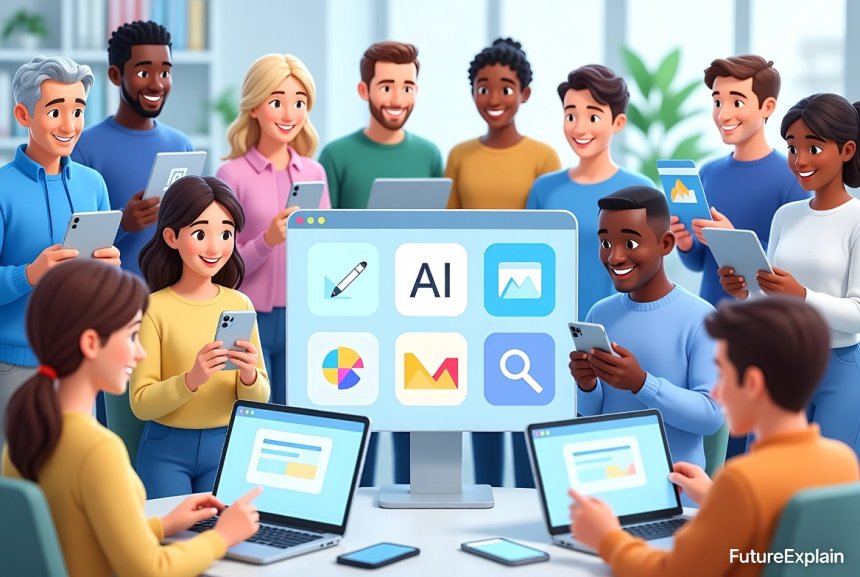
When you hear about artificial intelligence tools, you might imagine complex software requiring programming skills or technical expertise. This misconception prevents many people from benefiting from AI technology that could save them time, enhance their creativity, and solve everyday problems. The truth is that some of the most powerful AI tools available today are designed specifically for non-technical users, and many offer robust free versions that require nothing more than an email address to get started.
In our previous guide on top AI tools for beginners to boost productivity, we covered both free and paid options. Today, we're focusing exclusively on tools you can use without spending money or needing technical skills. Whether you're a student looking for research help, a small business owner needing marketing content, a writer facing creative blocks, or simply someone curious about AI, this guide will introduce you to practical tools you can start using immediately.
The democratization of AI technology means that what was once accessible only to researchers and tech companies is now available to anyone with an internet connection. According to recent surveys, over 60% of people who haven't tried AI tools cite "not having technical skills" as their primary barrier. This guide aims to break down that barrier completely.
What Makes an AI Tool "Beginner-Friendly"?
Before we dive into specific tools, let's establish what characteristics make an AI tool truly accessible for beginners:
- No coding required: You shouldn't need to write a single line of code
- Intuitive interface: Clean, simple design with clear instructions
- Free tier with meaningful features: Not just a trial that requires immediate payment
- Minimal setup: You can start using it within minutes of signing up
- Clear documentation: Helpful tutorials and examples
- Community support: Active user communities for questions
These criteria ensure that the tools we recommend are genuinely accessible. It's also worth noting that while all these tools are free to start, many offer premium upgrades for additional features. We'll be transparent about what you get for free versus what requires payment.
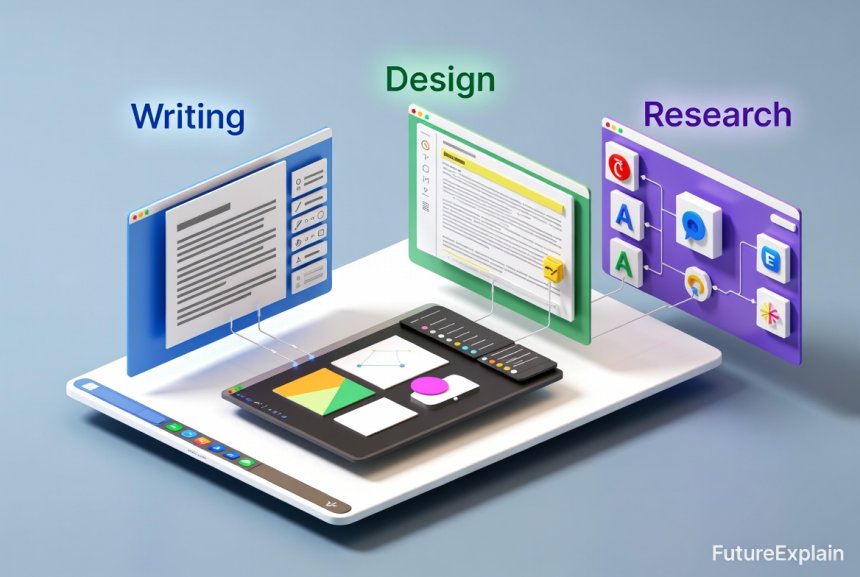
Free AI Writing and Content Creation Tools
One of the most popular categories of AI tools for beginners is content creation. These tools help with writing, editing, brainstorming, and generating various types of content.
1. ChatGPT (Free Version)
While OpenAI's ChatGPT has a paid Plus version, its free tier remains remarkably capable for most beginner needs. You can use it for:
- Drafting emails, letters, and documents
- Brainstorming ideas and outlines
- Answering questions with explanations
- Basic editing and proofreading
- Learning about new topics with conversational explanations
The free version does have limitations compared to ChatGPT Plus—it may be slower during peak times and doesn't include the latest GPT-4 model—but for getting started with AI conversation, it's unbeatable. You simply create an account and start typing.
2. Grammarly Free
While not exclusively an AI tool, Grammarly's free version uses artificial intelligence to check spelling, grammar, and basic clarity issues. It integrates with browsers, Word, and other writing platforms to provide real-time suggestions. The free version covers essential writing corrections without the advanced style suggestions of premium plans.
3. QuillBot
QuillBot offers a generous free tier for paraphrasing and summarizing text. This is particularly useful for students, researchers, and writers who need to rephrase content while maintaining the original meaning. The free version includes:
- 125 words per paraphrase
- Standard and Fluency modes
- Basic summarizer (up to 1200 words)
- Chrome extension
For students, writers, and office workers, tools like QuillBot can significantly streamline the writing process.

Free AI Design and Image Tools
Creating professional-looking visuals no longer requires expensive software or design skills. These AI-powered design tools make visual creation accessible to everyone.
4. Canva (Free Version)
While Canva has been around for years, its integration of AI features in the free version makes it particularly valuable. The AI-powered features include:
- Magic Write: AI text generation for captions and descriptions
- Background Remover (limited free uses)
- Design suggestions based on your content
- Template recommendations
Canva's free tier includes access to thousands of templates, basic design elements, and collaboration features. It's ideal for creating social media graphics, presentations, posters, and simple marketing materials without design experience.
5. Leonardo.Ai (Free Tier)
For AI image generation, Leonardo.Ai offers one of the most generous free tiers available. You get 150 tokens daily (approximately 30-50 images depending on settings) with access to:
- Multiple AI models
- Basic image editing features
- Community models and datasets
- No watermark on generated images
Unlike some image generators that require subscriptions, Leonardo.Ai's daily token refresh means you can experiment regularly without payment. This makes it perfect for beginners learning about AI image and design tools.
6. Remove.bg
This single-purpose AI tool does one thing exceptionally well: removing backgrounds from images. The free version allows unlimited use with standard resolution downloads (watermarked for free users on certain sizes). For quick product photos, profile pictures, or creative compositions, it's incredibly useful and requires no technical skill—just upload and download.
Free AI Research and Learning Tools
Whether you're studying, working on a project, or simply curious, these AI tools help you find and understand information more efficiently.
7. Perplexity AI
Perplexity combines search engine capabilities with conversational AI. Unlike traditional search engines, it provides synthesized answers with citations, making it excellent for research. The free version includes:
- Unlimited searches
- Web access for current information
- File upload (PDF, Word, etc.) for analysis
- Copilot mode (limited uses per day)
For students or professionals conducting research, Perplexity can save hours of sifting through search results. It's particularly useful when you need to understand complex topics explained simply.
8. Google Bard (Now Gemini)
Google's free AI chatbot, now rebranded as Gemini, offers robust features including:
- Integration with Google apps (Docs, Sheets, Gmail)
- Image analysis capabilities
- Web access for current information
- Export to Google Docs or Gmail
- Multiple language support
Since it's from Google, it works seamlessly with other Google services you might already use, making the learning curve even smaller for existing Google users.
9. Otter.ai (Free Plan)
For meetings, interviews, or lectures, Otter.ai provides free transcription services. The free plan includes:
- 300 monthly transcription minutes
- 30 minutes per conversation
- Import and transcribe audio files
- Basic search and editing
This tool is invaluable for students recording lectures, journalists conducting interviews, or professionals wanting meeting notes without manual transcription.
Free AI Productivity and Automation Tools
These tools help streamline workflows, organize information, and automate repetitive tasks without coding.
10. Notion AI (Free Plan)
Notion's free plan includes limited AI features that can help with:
- Writing and editing notes
- Summarizing long documents
- Generating action items from meeting notes
- Translating text
The free plan gives you access to Notion's core features plus a limited number of AI responses (usually enough for light to moderate use). For those already using Notion for organization, the AI features integrate seamlessly.
11. Zapier Free Plan (with AI Features)
While Zapier is primarily known as an automation tool, its free plan now includes some AI capabilities through partnerships. You can create "Zaps" (automated workflows) that incorporate AI actions like:
- Summarizing emails or documents
- Categorizing incoming information
- Generating simple responses
The free plan allows up to 5 Zaps with 100 tasks per month, which is enough to experiment with basic automation for everyday life.
12. Microsoft Copilot (Free Version)
Previously known as Bing Chat, Microsoft Copilot is now available as a free AI assistant that integrates with Windows and Edge browser. Features include:
- Text generation and editing
- Web search with citations
- Image generation with DALL-E 3 (limited free uses)
- Document analysis (PDF, Word, etc.)
For Windows users, this is one of the most accessible AI tools since it's built directly into the operating system and browser.
Free AI Tools for Business and Marketing
Even small businesses and entrepreneurs can leverage AI without technical skills or large budgets.
13. HubSpot AI Tools (Free CRM Plan)
HubSpot's free CRM includes several AI-powered features:
- Email template generation
- Meeting scheduling assistant
- Basic content ideas
- Lead scoring suggestions
While the advanced AI features require premium plans, the free tools provide a solid starting point for small business use cases.
14. Mailchimp's AI Assistant (Free Plan)
Mailchimp's free plan now includes an AI writing assistant for:
- Email subject line generation
- Content suggestions for campaigns
- Product description assistance
- Basic audience segmentation ideas
For businesses just starting with email marketing, these AI features can help overcome writer's block and improve engagement.
15. AnswerThePublic (Free Searches)
While not exclusively AI, this tool uses data analysis to provide content ideas based on search queries. The free version allows limited searches but provides valuable insights into what people are asking about any topic. This is particularly useful for content creators and marketers looking to address audience questions.
Understanding the Limitations of Free AI Tools
While free AI tools offer incredible value, it's important to understand their limitations:
- Usage limits: Most free tools restrict the number of requests, words, or images per day/month
- Feature restrictions: Advanced features are typically reserved for paid plans
- Speed limitations: Free users may experience slower processing during peak times
- Watermarks: Some tools add watermarks to free outputs
- Data privacy considerations: Always check what data is collected and how it's used
These limitations aren't necessarily deal-breakers—they're how companies can offer valuable tools for free while sustaining their business. For most beginners, free limitations are more than sufficient to learn, experiment, and accomplish real work.
Getting Started: Your First Week with Free AI Tools
If you're new to AI tools, here's a practical plan for your first week:
Day 1-2: Start with Conversation
Begin with ChatGPT or Google Gemini. Ask it to help you with a real task you have—draft an email, explain a concept you're learning, or brainstorm ideas for a project. Get comfortable with the conversational interface.
Day 3-4: Try a Design Tool
Create something visual with Canva or generate an image with Leonardo.Ai. Don't aim for perfection—experiment with different prompts and see what the AI produces. This helps you understand how AI interprets human language.
Day 5-6: Explore a Productivity Tool
Set up a simple automation with Zapier or organize notes with Notion AI. Choose one repetitive task you do regularly and see if AI can help streamline it.
Day 7: Evaluate and Specialize
Reflect on which tools were most useful for your specific needs. Focus on mastering 2-3 tools that align with your regular activities rather than trying to use everything.
Remember that using AI responsibly includes understanding each tool's capabilities and limitations.
When to Consider Upgrading to Paid Tools
While this guide focuses on free tools, you might eventually wonder when upgrading makes sense. Consider paid options when:
- You regularly hit usage limits on free plans
- You need features only available in premium tiers
- AI tools become essential to your workflow or business
- You require higher quality outputs or faster processing
- Data privacy or commercial usage rights become important
Many tools offer affordable middle tiers between free and enterprise plans. Start with free, master the basics, then upgrade only when the free version genuinely limits your productivity.
Common Questions About Free AI Tools
Are free AI tools really free forever?
Most tools with free tiers intend to keep them available indefinitely as a way to attract users who may eventually upgrade. However, companies can change their policies, so it's wise to have alternatives in mind for critical tools.
Is my data safe with free AI tools?
This varies by tool. Generally, reputable companies have privacy policies explaining data usage. Avoid entering sensitive personal or proprietary information into any AI tool unless you've verified its privacy practices.
Can I use free AI tools for commercial purposes?
Check each tool's terms of service. Some allow commercial use of outputs from free tiers, while others restrict commercial use to paid plans. When in doubt, assume you need a commercial license.
How do these companies make money if they offer free tools?
Most use a "freemium" model where basic features are free to attract users, then charge for advanced features, higher limits, or commercial usage. Some may use data (anonymized and aggregated) to improve their models.
The Future of Free AI Tools
As AI technology continues to evolve, we can expect several trends in free AI tools:
- More specialized tools: Instead of general-purpose AI, more tools will focus on specific tasks or industries
- Better integration: AI features will become embedded in existing software you already use
- Increased limits: Competition may lead to more generous free tiers
- Local processing: Some tools may run directly on your device for better privacy
Staying informed about AI trends in the next 5 years will help you make the most of evolving tools.
Conclusion: Your AI Journey Starts Here
The barrier to using AI tools has never been lower. With the tools listed in this guide, you can start experiencing the benefits of artificial intelligence today—without spending money or learning technical skills. The key is to start simple, focus on tools that solve your specific problems, and gradually expand your toolkit as you become more comfortable.
Remember that AI tools are assistants, not replacements for human judgment and creativity. They excel at handling repetitive tasks, generating ideas, and processing information, but they work best when guided by human intelligence and ethics. As you explore these tools, maintain a curious but critical mindset—experiment, evaluate results, and develop your own judgment about what works for your needs.
Whether you choose to start with writing assistance, image creation, research help, or automation, the most important step is to begin. Pick one tool from this guide that addresses a current need, create a free account, and try it with a real task. You might be surprised how quickly these tools become valuable parts of your daily workflow.
For those interested in building more comprehensive skills with AI and automation, consider exploring our guide on how to start learning AI without a technical background. The world of AI tools is constantly evolving, and staying curious will help you make the most of these remarkable technologies as they continue to develop.
Share
What's Your Reaction?
 Like
722
Like
722
 Dislike
15
Dislike
15
 Love
211
Love
211
 Funny
45
Funny
45
 Angry
8
Angry
8
 Sad
3
Sad
3
 Wow
185
Wow
185
















I'm visually impaired and use screen readers. Are these tools accessible? Tried ChatGPT and it works well, but curious about the others before investing time learning them.
The ethical considerations section is important. I've seen people misuse free AI tools without understanding limitations. Your balanced approach helps beginners use technology responsibly.
How often do you update this list? AI tools change so quickly—some free tools become paid, new ones emerge. Would love to see quarterly updates or a newsletter with new discoveries.
I tried AnswerThePublic based on your recommendation and it's incredible for my blog! Generated three months' worth of content ideas in one session. The free searches are limited but enough to get started.
The section on when to upgrade to paid tools is spot on. I've been using free tools for 6 months and just hit the point where Canva's limitations are affecting my workflow. Your criteria helped me decide it's time to upgrade.
As a Mac user, I was disappointed not to see more Apple-specific tools. Does Microsoft Copilot work well on Mac, or are there better alternatives for Apple ecosystem users?