
AI Video Generation: From Text to Motion in 2024
This article explains AI-powered text-to-video technology in plain language for beginners. It covers the basic concepts (how diffusion-based and transformer-based systems convert text into motion), introduces major models and commercial tools available in 2024 (Runway Gen-2, Imagen Video, Meta’s Make-A-Video family and notable startups), and shows practical uses for creators, educators, and small businesses. You will also find a step-by-step checklist for choosing a tool, prompt tips, cost and compute trade-offs, an overview of ethical and copyright considerations, and a short guide to integrating generated video into a workflow. The piece solves the problem of overwhelming technical descriptions by focusing on clear explanations, realistic limitations, and safe, practical advice for people who want to start using text-to-video tools today.


AI Video Generation: From Text to Motion in 2024
Introduction — What this article will teach you
AI video generation — often called "text-to-video" — turns a short written prompt into moving images. In 2024 this field has moved fast: models now produce short, photorealistic clips and stylized animations that can be used for prototypes, marketing, education, and rapid creative iteration. This guide explains, in simple terms, how these systems work, which tools are available, and how beginners can use them responsibly.
Why text-to-video matters now
For small teams and creators, generating short video content used to require cameras, actors, and editing. Text-to-video lets you prototype ideas quickly. That said, results vary by model and prompt. This article helps you understand the trade-offs so you can choose the right tool and get better results without unnecessary expense.
How text-to-video systems work — plain language
There are two common technical families behind modern text-to-video systems. You don't need to be an engineer to benefit from the differences, but knowing them will help you choose and prompt tools more effectively.
1. Diffusion-based video generation
Diffusion models start with noise and gradually "denoise" it into an image or a sequence of frames guided by a text prompt. For videos, the model must ensure frames are both high quality and consistent over time. Many recent systems adapt powerful image diffusion methods for short-video generation by tracking motion across frames or operating in a latent space where the model can more efficiently process sequences.
2. Autoregressive and frame-prediction approaches
Autoregressive systems predict future frames step by step, sometimes using transformer-style architectures. These can offer tighter temporal coherence for some scenes but may be slower or more resource intensive at high resolutions.
Why this difference matters for you:
- Diffusion-based tools often produce higher-quality single-frame detail but need additional care to keep motion smooth.
- Autoregressive/frame-prediction tools can be more stable in motion, but quality per frame may differ.
Common capabilities and limits in 2024
- Length and resolution: Most text-to-video tools in 2024 produce short clips — typically a few seconds up to ~30 seconds — with higher-quality results at lower resolution. Increasing duration or resolution still costs more and can reduce consistency.
- Motion consistency: Models have improved, but complex, long, or highly detailed motion can introduce artifacts or temporal "jitter."
- Subject fidelity: Getting a specific person, brand logo, or copyrighted character accurately is often restricted or inconsistent by design or policy.
- Audio: Many text-to-video tools do not generate synchronized natural audio; audio usually needs to be added separately or with paired text-to-speech tools.
Leading tools and models (short guide)
There are research models and commercial tools. Below are the widely-discussed names you will see in news and product pages in 2024. Each has different strengths; pick based on your needs (quality, speed, editing controls, cost).
- Runway Gen-2 — a commercial system with an approachable UI and tools for creators; known for flexible multimodal inputs (text, image, video references) and editing features. (/top-ai-tools-for-beginners-to-boost-productivity)
- Imagen Video (Google Research) — an advanced research system that demonstrates high-quality diffusion-based video synthesis. Primarily research-focused but important for understanding state-of-the-art techniques. (/ai-explained)
- Make-A-Video family (Meta / other research groups) — research prototypes illustrating different trade-offs and early video-text models. (/ai-explained)
- Startup and open-source efforts — many independent tools integrate open models, offering flexible licensing or local execution for certain workflows. (/open-source-llms-which-model-should-you-choose)
Choosing the right tool — a practical checklist
Answer these questions before generating video:
- What length and resolution do you need? Short social clips (5–15s) are easiest; long running time costs more.
- Do you need editing controls? If you want to tweak framing, prompts, or replace a frame, prefer tools with iterative editing (e.g., Runway-type UIs).
- How important is photorealism? For photorealism choose research-grade diffusion models or high-end commercial services; for stylized animation a lighter model may be fine.
- Policy & IP constraints: Check tool policies when generating images of public figures, brands, or copyrighted characters.
- Budget: Decide on per-generation budget — many services charge per second / per compute unit.
Prompting for motion — templates and examples
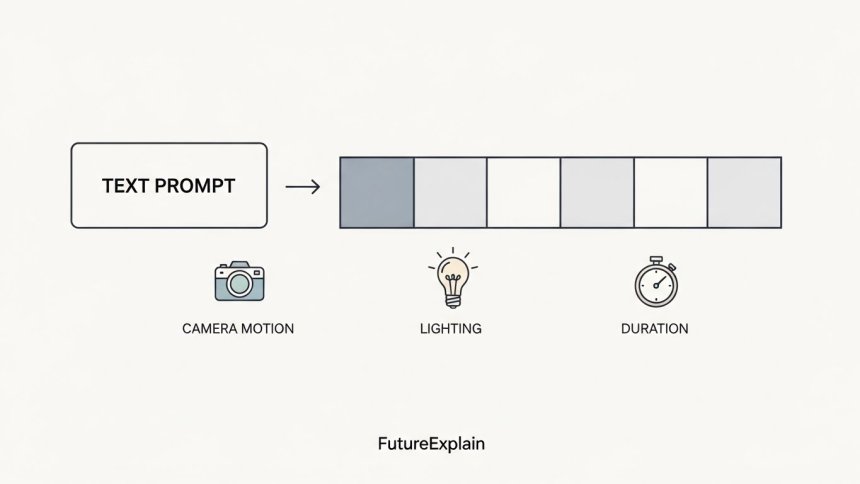
Prompts guide the model. Use structure to control scene, motion, and mood. Start simple and iterate.
Short prompt (fast experiments)
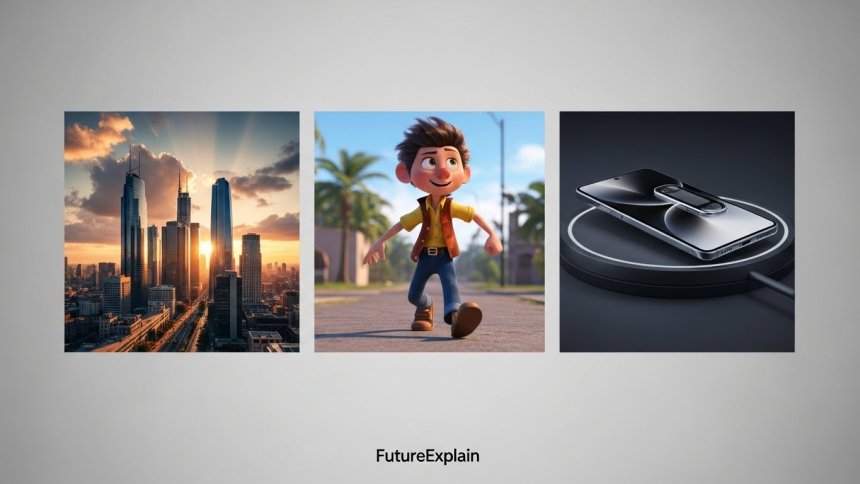
“A calm sunrise over a city skyline, slow camera pan, cinematic, 5 seconds”
Medium prompt (more control)
“Wide shot of a quiet city skyline at sunrise, slow left-to-right camera pan, soft warm light, light fog in the distance, 16:9, 7 seconds”
Advanced prompt (add camera and style details)
“Low-angle shot of a cyclist riding through a sunlit park, shallow depth of field, handheld camera motion with modest shake, golden hour lighting, cinematic grading, 12 seconds, slight lens flare”
Tips:
- Be explicit about duration and framing (e.g., “16:9, 7 seconds”).
- Use camera verbs: "pan," "dolly," "tilt," "low-angle," "close-up" to influence motion style.
- Add adjectives for mood and lighting: "soft morning light," "high-contrast," "cinematic".
- When you need reference appearance, upload an image (if supported) rather than trying to describe every detail in text.
Practical workflow: from prompt to final clip
Here’s a simple sequence you can follow when producing a video for social or prototype use.
- Define goal: marketing tease, prototype, or explainer? Keep it concise.
- Choose tool & settings: decide resolution, duration, and whether you need alpha channel or background removal.
- Create 3–5 prompt variants: generate variations to compare styles and motion.
- Refine iteratively: pick the best result and refine prompt, or use tools that let you edit frames or inpaint motion segments.
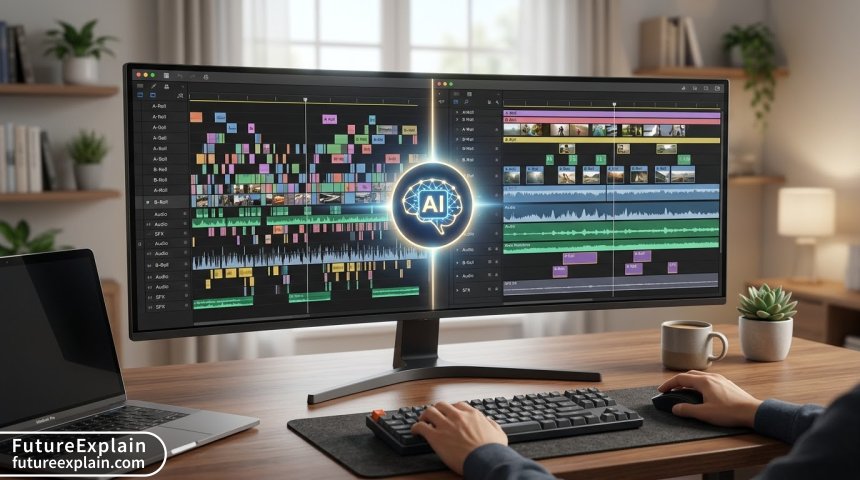
- Add audio: use TTS or record voiceover and match it in editing (most tools do not generate synchronized audio).
- Final touch: use a simple video editor for color grading, trimming, or caption overlays.
Costs and compute — realistic expectations
Costs vary widely. In 2024:
- Research demos are free to view but require large compute to run yourself.
- Commercial services often charge per second or per generation; higher resolution and longer duration increase cost quickly.
- Running models locally may need a high-memory GPU and technical setup. For many creators, cloud services are simpler despite ongoing cost.
Legal and ethical considerations
Responsible use matters. When you generate video:
- Avoid generating fraudulent content or impersonations of real people.
- Respect copyright: do not create videos that reproduce copyrighted footage or branded content without permission.
- Follow the tool's content policy; many services restrict generating explicit, hateful, or deceptive content.
- If using generated work commercially, check licensing terms — some models or collections restrict commercial use.
Common quality problems and quick fixes
- Temporal jitter / flicker: shorten clip length, add motion prompts like "smooth camera move," or use tools that provide frame-coherence controls.
- Weird anatomy or faces: avoid asking for photorealistic close-ups of unknown faces; if necessary, provide reference images or use frame-level editing.
- Artifacts or low detail: try multi-pass generation (coarse then refine) or increase model steps if the tool allows higher quality settings.
Integrating audio, narration, and post-production
Most generated video clips are visual-only. Common patterns:
- Use a text-to-speech (TTS) tool for narration and sync the audio in a simple editor.
- Add background music matched to mood; use royalty-free sources or generate music via AI music tools.
- For social platforms, add captions and ensure the visual punch happens within the first 2–3 seconds.
Examples and use cases (beginner-friendly)
- Marketing prototypes: test campaign ideas quickly as short motion mockups.
- Explainers & education: create short visual metaphors to illustrate concepts for students.
- Storyboarding: generate short animated frames to test scene flow before a full production.
- Social content: produce stylized clips with strong visual identity for reels and short format platforms.
Comparing popular choices — quick reference
Below is a simple, non-exhaustive comparison to help beginners decide:
- Runway Gen-2: easy UI, multimodal inputs, editing tools; good for creatives and quick iteration. (/top-ai-tools-for-beginners-to-boost-productivity)
- Imagen Video (research): high quality in examples; primarily a research system showcasing state-of-the-art techniques. (/ai-explained)
- Make-A-Video prototypes: valuable research demonstrations; limited commercial tooling in many cases. (/ai-explained)
Safety checklist before publishing AI-generated video
- Verify no real person was unintentionally depicted in a way that could cause harm.
- Confirm license allows the intended use.
- Add a disclosure if the video includes synthetic people or significant AI manipulation.
Where to learn more (next steps)
If you are new, try a short project: produce a 6–10 second clip illustrating a simple idea (a sunrise, a short product demo, or a stylized animation). Use the prompt templates above and iterate. Pair the tool with a basic editor and a TTS tool to make a finished clip in a few hours.
Further reading
Share
What's Your Reaction?
 Like
0
Like
0
 Dislike
0
Dislike
0
 Love
0
Love
0
 Funny
0
Funny
0
 Angry
0
Angry
0
 Sad
0
Sad
0
 Wow
0
Wow
0













I'm in HR — can we use clips for training without concerns?
For internal training use, synthetic clips are often fine; ensure no real persons are misrepresented and review company policy.
Any quick prompt examples for a product reveal animation?
Try: 'Close-up of product on spinning platform, smooth dolly out, studio lighting, shallow depth of field, 8 seconds.' Iterate with color/lighting notes.
Will copyright claims be an issue for AI-generated visuals?
Possibly — if outputs closely mimic copyrighted works. Use original assets or licensed references for commercial projects and consult legal advice if uncertain.
Do you have examples of accessible learning resources to understand these basics?
Start with accessible research summaries (e.g., Google Research posts), creator tutorials from product sites, and simple hands-on experimentation.
Thanks — what about privacy when uploading reference images?
Check the provider's privacy policy and consider anonymizing or avoiding personally identifiable material if privacy is a concern.
Would you recommend local generation or cloud for a beginner?
Cloud services are easier for beginners; local generation requires hardware and setup but gives more control if you have technical skills.