
Image Upscaling and Restoration with AI
This comprehensive guide explains how AI upscaling and restoration transform low-quality images into high-resolution masterpieces. Learn about the different types of AI upscaling technologies, from traditional super-resolution to modern generative approaches. Discover practical tools for every need and budget, understand when AI upscaling works best (and when it fails), and follow step-by-step workflows for common scenarios like restoring old family photos, enhancing product images, or preparing images for print. We'll also cover important ethical considerations, quality assessment techniques, and future developments in AI image enhancement technology.

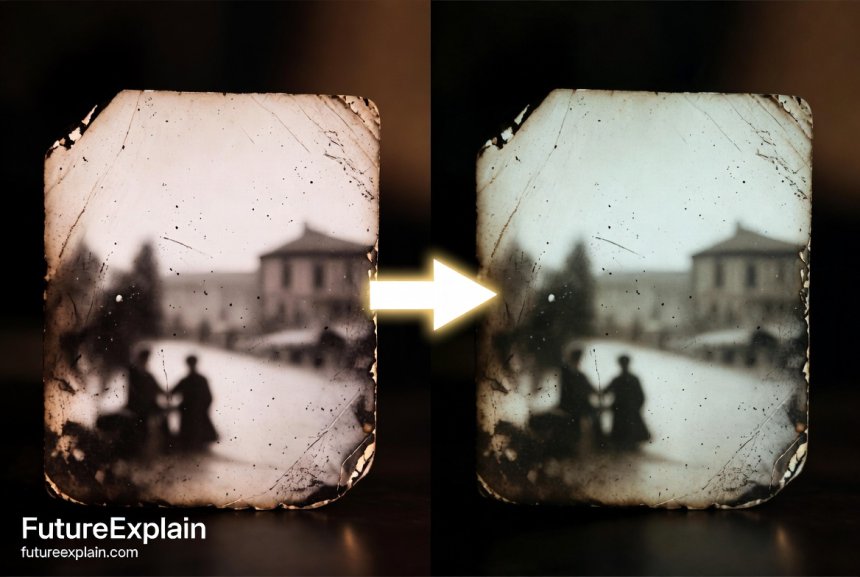

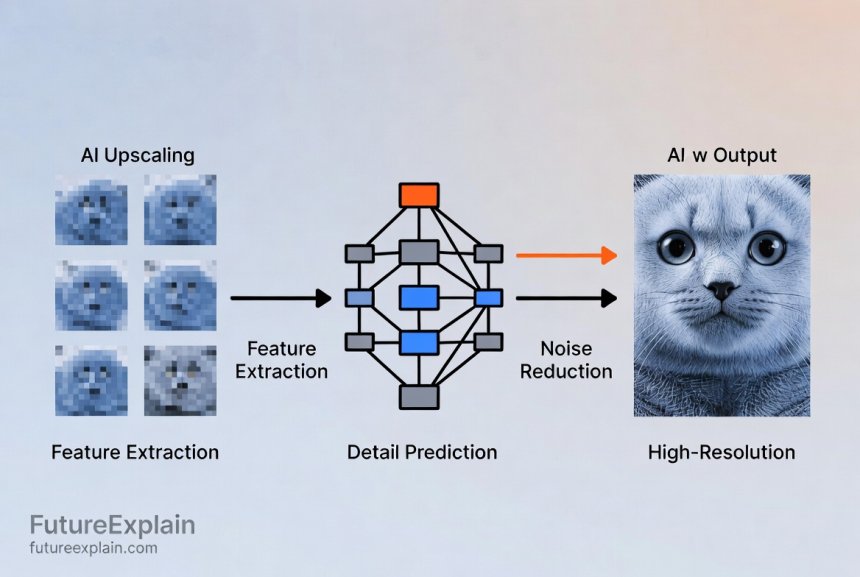
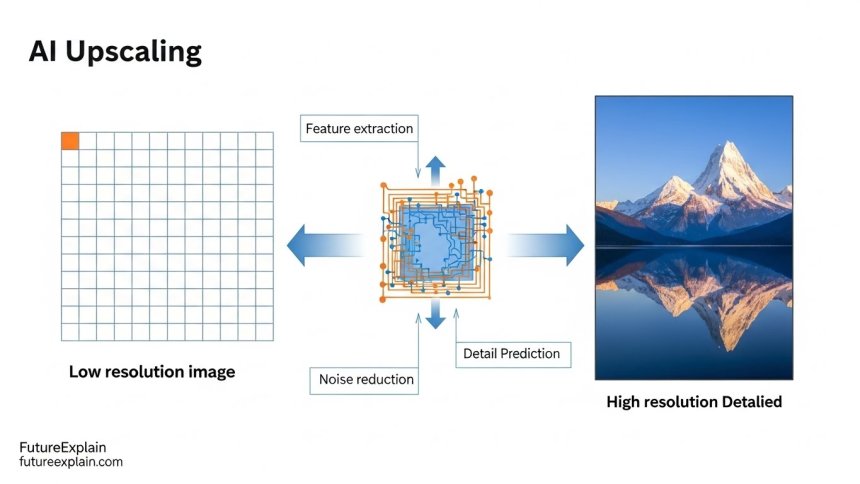
Image Upscaling and Restoration with AI: A Complete Beginner's Guide
Have you ever found an old family photo that's faded, scratched, or too small to see clearly? Or maybe you have digital images that look pixelated when enlarged? AI upscaling and restoration technology can transform these low-quality images into clear, detailed pictures that seem to defy the limitations of the original. In this comprehensive guide, we'll explore how artificial intelligence is revolutionizing image enhancement and restoration, making professional-quality results accessible to everyone.
AI upscaling goes far beyond simply making images bigger. Traditional resizing methods just stretch pixels, resulting in blurry, blocky images. AI upscaling, however, intelligently predicts and adds missing details, effectively 'imagining' what the higher-resolution version should look like based on patterns learned from millions of images. Similarly, AI restoration can remove scratches, repair damage, restore colors, and even reconstruct missing parts of photographs—all while preserving the original character and authenticity.
How Does AI Upscaling Actually Work?
To understand AI upscaling, imagine you're looking at a distant building through foggy glasses. You can see the basic shape and colors, but details are blurry. Now imagine someone hands you a pair of special glasses that have seen millions of buildings and learned what details buildings typically have—windows, bricks, doors, textures. These 'AI glasses' help your brain fill in the missing details based on patterns, not just guessing, but educated prediction. That's essentially what AI upscaling does with images.
At the technical level, AI upscaling uses neural networks trained on pairs of low-resolution and high-resolution images. The AI learns the relationship between these pairs—what details are typically present in high-resolution versions that are missing in low-resolution ones. When you feed it a new low-resolution image, it applies these learned patterns to predict and generate appropriate details for the higher-resolution version.
The Three Main Approaches to AI Upscaling
Different AI upscaling tools use different approaches, each with strengths and weaknesses:
- Traditional Super-Resolution: Uses convolutional neural networks to predict pixel values based on surrounding patterns. Good for modest upscaling (2x-4x) but can produce overly smooth results.
- Generative Adversarial Networks (GANs): Uses two competing neural networks—one generates upscaled images, the other judges their quality. This approach can produce more realistic textures but may introduce 'hallucinated' details.
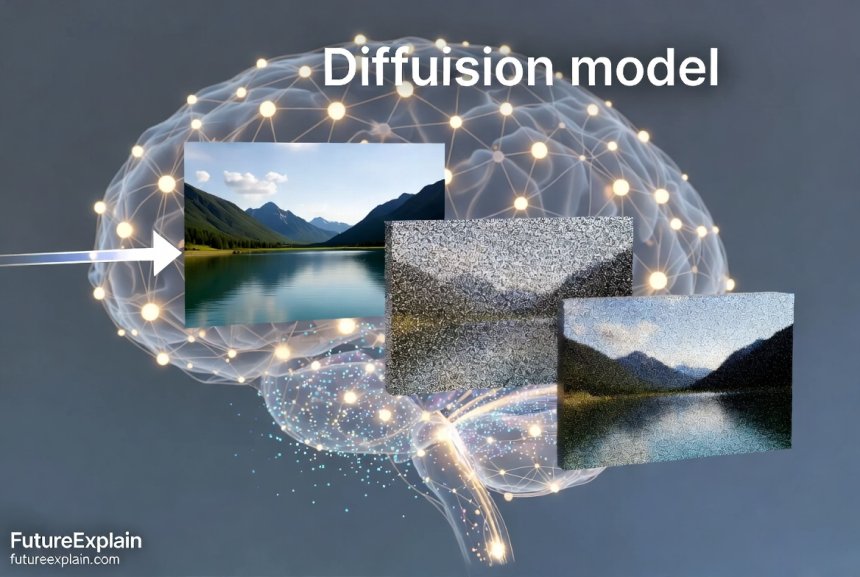
- Diffusion Models: The latest approach that gradually adds details through a denoising process. Excellent for high-quality upscaling but requires more computational power.
Common AI Upscaling Tasks and When to Use Them
Not all upscaling needs are the same. Here are the most common scenarios and which approaches work best:
1. Old Photo Restoration
This involves multiple challenges: increasing resolution, removing physical damage (scratches, stains), restoring faded colors, and sometimes reconstructing missing parts. For old photos, you need tools that understand photographic degradation patterns and can restore authentic-looking details without making the image look artificially enhanced.
Best tools: Specialized restoration software like Topaz Photo AI, Adobe Photoshop's neural filters, or dedicated restoration services like MyHeritage Photo Enhancer.
2. Digital Art and Game Assets
Artists and game developers often need to upscale digital artwork or textures. The goal here is to preserve artistic style while adding clean, usable details. This requires tools that understand different art styles and can upscale without introducing artifacts that would be visible in final renders.
Best tools: ESRGAN-based tools with style-specific training, or specialized solutions like Waifu2x for anime-style art.
3. Product and Real Estate Photography
Businesses often need to upscale product images for large displays or print catalogs. The priority is maintaining accurate colors, preserving brand consistency, and ensuring no artifacts appear in critical areas like logos or text.
Best tools: Commercial solutions with batch processing capabilities and quality control features, like Let's Enhance or ImgUpscaler.
4. Surveillance and Documentary Footage
This involves upscaling low-quality video frames where the goal is often to identify details like faces, license plates, or text. This requires specialized models trained on surveillance-type degradation patterns.
Best tools: Professional forensic enhancement software or specialized AI services like Video Enhance AI.
Top AI Upscaling and Restoration Tools in 2024
Here's a comprehensive comparison of the best tools available, categorized by use case and budget:
Free Online Tools
- Upscale.media: Easy-to-use web interface, good for quick upscaling up to 4x, free tier with limitations
- Bigjpg: Specialized for anime and illustrations, free with watermarks on larger images
- Waifu2x: Open-source tool excellent for anime-style images, can run locally for privacy
- Google's RAISR: Built into some Google products, good for general upscaling needs
Professional Desktop Software
- Topaz Gigapixel AI: Industry standard for photo upscaling, excellent detail preservation, batch processing
- Adobe Photoshop with Neural Filters: Integrated workflow, good for combining upscaling with other edits
- ON1 Resize AI: Formerly Genuine Fractals, excellent for print preparation with specific print size targets
- DxO PureRAW: Specialized for RAW photo files, combines upscaling with noise reduction
Specialized Restoration Tools
- MyHeritage Photo Enhancer: Specifically trained on historical photos, excellent for facial restoration
- Remini: Mobile app focused on facial enhancement and old photo restoration
- PhotoRestore.ai: Web service specializing in severely damaged photo restoration
Step-by-Step: Restoring an Old Family Photo
Let's walk through a complete restoration workflow using free and accessible tools:
Step 1: Digitize and Prepare
Start with the highest quality scan possible. If scanning yourself, use at least 600 DPI resolution. Clean the photo gently before scanning to remove dust. Save as a TIFF or high-quality JPEG to preserve details.
Step 2: Initial Damage Repair
Use a free tool like GIMP with Resynthesizer plugin or an online service like Inpaint to remove major scratches, stains, and tears. Work on copies of the original file.
Step 3: AI Upscaling
Upload your cleaned image to a free upscaling service like Upscale.media. Start with 2x upscaling and assess quality. If details look good, you can try another 2x pass, but beware of accumulating artifacts.
Step 4: Color Restoration (if needed)
For black and white photos you want to colorize, use a specialized tool like MyHeritage's colorization feature or DeOldify. Remember that AI colorization is an interpretation—historical accuracy may vary.
Step 5: Final Touches
Use free editing software to adjust contrast, brightness, and sharpness. Be conservative—over-editing can make photos look artificial.
Understanding the Limitations: When AI Upscaling Fails
AI upscaling is powerful but not magical. Understanding its limitations will help you set realistic expectations:
1. Extreme Upscaling
Going beyond 8x upscaling rarely produces good results. The AI has to invent too much information, leading to artifacts, unrealistic textures, or 'dreamlike' appearances.
2. Text and Fine Details
AI often struggles with text, especially when it's small or distorted in the original. The AI might create plausible-looking but incorrect letters.
3. Unique or Unusual Subjects
If your image contains something the AI hasn't seen much during training (rare animals, unique architecture, specialized equipment), it may generate inappropriate details.
4. Severely Damaged Originals
AI needs some coherent information to work with. If large portions are missing or completely degraded, results will be speculative at best.
5. Artistic Style Mismatch
Upscaling tools trained on photographs may not work well for paintings, drawings, or specific art styles unless they were specifically trained on similar images.
Quality Assessment: How to Tell Good Upscaling from Bad
Learn to evaluate upscaling quality by looking for these key indicators:
Positive Signs:
- Natural textures: Surfaces like skin, fabric, or wood should have realistic, varied textures
- Edge preservation: Sharp edges should remain sharp, not become blurry or jagged
- Color consistency: Colors should remain true to the original, not shift or become oversaturated
- Artifact-free: No visible repeating patterns, halos, or unnatural smoothing
Red Flags:
- Over-smoothing: Loss of all texture, making surfaces look plastic or wax-like
- Hallucinated details: Clearly invented elements that don't fit the context
- Watercolor effect: Blotchy, uneven colors that resemble watercolor paintings
- Edge enhancement artifacts: Dark or light halos around edges indicating aggressive sharpening
Ethical Considerations in AI Restoration
As with any powerful technology, AI restoration comes with important ethical considerations:
1. Historical Accuracy
When restoring historical photos, there's a tension between making them visually appealing and preserving historical accuracy. Over-restoration can erase important historical context or create misleading representations.
Best practice: Keep original copies, document what changes were made, and consider creating both a 'conservative' restoration (minimal changes) and an 'enhanced' version.
2. Consent and Privacy
Restoring and sharing photos of people, especially without their consent, raises privacy concerns. This is particularly important for sensitive historical periods or vulnerable individuals.
Best practice: Consider the context and potential impact before sharing restored images publicly, especially on social media.
3. Cultural Sensitivity
Restoring images from different cultures requires understanding of appropriate representation. Colorization of historical photos from other cultures should be done with research and sensitivity.
4. Commercial Use
If you're restoring images for commercial purposes (clients, publications, exhibitions), be transparent about the AI's role and the extent of restoration.
Technical Deep Dive: How Different AI Models Compare
Understanding the underlying technology helps choose the right tool for each job:
SRGAN (Super-Resolution Generative Adversarial Network)
The pioneering approach that introduced GANs to upscaling. Creates realistic textures but can produce artifacts and requires careful tuning. Still used in many commercial products.
ESRGAN (Enhanced Super-Resolution GAN)
Improved version with better architecture and training techniques. Produces sharper details with fewer artifacts. The basis for many open-source upscaling tools.
Real-ESRGAN
Specifically designed to handle real-world degradation (compression artifacts, noise, blur) rather than just simple downscaling. Much better for practical applications with imperfect source images.
Diffusion Models for Upscaling
The newest approach that uses diffusion models similar to image generation AI. Excels at creating plausible details but is computationally intensive and can be slow.
Practical Workflows for Common Scenarios
Workflow 1: Preparing Images for Large Format Printing
- Start with the highest quality original available
- Use professional software like Topaz Gigapixel with the 'Standard' model first
- Check critical areas at 100% zoom for artifacts
- If artifacts appear, try a different model or reduce upscaling factor
- Do final sharpening after upscaling, not before
- Convert to appropriate color profile for your printer
Workflow 2: Batch Processing Product Images
- Create a standardized folder structure for originals and processed images
- Use batch processing in tools like Let's Enhance or Topaz Photo AI
- Process a test batch first to establish optimal settings
- Implement quality checks at multiple stages
- Maintain consistent naming conventions for tracking
Workflow 3: Archival Photo Restoration Project
- Digitize at highest practical resolution with consistent lighting
- Organize with metadata including original condition notes
- Create a multi-step process: damage repair → upscaling → colorization (if desired)
- Maintain version history of all edits
- Store originals separately from restored versions
Future Developments: What's Next for AI Upscaling
The field of AI upscaling is rapidly evolving. Here's what to expect in the coming years:
1. Video Upscaling Becomes Mainstream
While currently resource-intensive, real-time video upscaling will become more accessible, potentially built into streaming services and video players.
2. Specialized Models for Specific Domains
We'll see more models trained specifically for medical imaging, astronomical photos, microscope images, and other specialized applications.
3. Integration with Capture Devices
AI upscaling may be integrated directly into cameras and smartphones, providing 'computational resolution' beyond physical sensor limits.
4. Interactive Restoration Tools
More tools will offer interactive control over the restoration process, allowing users to guide the AI rather than accepting fully automatic results.
5. Ethical and Authenticity Standards
As the technology becomes more powerful, we'll likely see development of standards and guidelines for ethical use, particularly in journalism and historical preservation.
Getting Started: Your First AI Upscaling Project
Ready to try AI upscaling? Here's a simple path to get started:
1. Choose Your Test Image
Start with a moderately challenging image—not your most precious family heirloom, but something with clear room for improvement. A slightly blurry digital photo or a small scanned image works well.
2. Try Free Tools First
Experiment with 2-3 free online upscalers to see how different tools handle your image. Notice the differences in results.
3. Learn to Evaluate Results
Zoom in to 100% and look for the quality indicators mentioned earlier. Pay attention to textures, edges, and artifacts.
4. Graduate to More Advanced Tools
Once you understand the basics, try free trials of professional software to see if the improved quality justifies the cost for your needs.
5. Develop Your Workflow
Based on your experiments, create a step-by-step process that works for your typical images. Document what settings work best for different types of images.
Conclusion: The Art and Science of Image Enhancement
AI upscaling and restoration represent a remarkable convergence of technology and creativity. These tools don't just make images bigger or cleaner—they help preserve memories, unlock hidden details, and make visual content more accessible and useful.
As you explore this technology, remember that the best results come from combining AI capabilities with human judgment. The AI suggests possibilities, but you decide what's appropriate for your specific needs and context. Whether you're restoring family history, enhancing creative work, or improving business visuals, AI upscaling tools are now powerful allies in making the most of every image.
The key to success is understanding both the capabilities and limitations of the technology, choosing the right tool for each job, and developing the skill to evaluate results critically. With practice, you'll develop an intuition for when AI upscaling will work wonders and when a more traditional approach might be better.
Further Reading
If you found this guide helpful, you might also enjoy:
Share
What's Your Reaction?
 Like
1980
Like
1980
 Dislike
8
Dislike
8
 Love
420
Love
420
 Funny
35
Funny
35
 Angry
2
Angry
2
 Sad
5
Sad
5
 Wow
280
Wow
280












Final update: Our community archive project is complete! 500+ historical photos restored and available online. This guide was essential to our success.
This article remains my go-to recommendation for anyone starting with AI upscaling. Comprehensive, balanced, and practical.
Educational use of AI upscaling has expanded. Students can now examine historical details that were previously too blurry to study.
The investment in quality tools paid off. The time saved in batch processing alone has covered the cost many times over.
Historical societies are now developing formal AI restoration policies. This article was ahead of its time in highlighting these issues.
The ethical discussions in this article are more relevant than ever. With deepfakes concerns, knowing what's real and what's AI-enhanced is crucial.