
AI vs Automation: What’s the Difference and Why It Matters
This article explains the practical difference between automation and artificial intelligence for non-technical readers and decision-makers. Automation executes predefined, rule-based tasks consistently; AI adds adaptability and learning from data. We describe how the two overlap (intelligent automation), give clear business examples and limitations, and offer guidance on when to use plain automation, when to add AI, and how to pilot a combined approach safely. Readers will find a step-by-step checklist for early experiments, common pitfalls (data quality, bias, maintenance), and links to further reading. The tone is calm and pragmatic—aimed at managers, small business owners, and beginners who want practical next steps without hype.


AI vs Automation: What’s the Difference and Why It Matters
Automation and artificial intelligence (AI) are both reshaping how work gets done. They are often discussed together, yet they mean different things and solve different problems. This guide explains the difference in simple terms, shows how the two can complement each other, and gives practical advice for choosing the right approach for an organization or project.
1. A short, practical definition
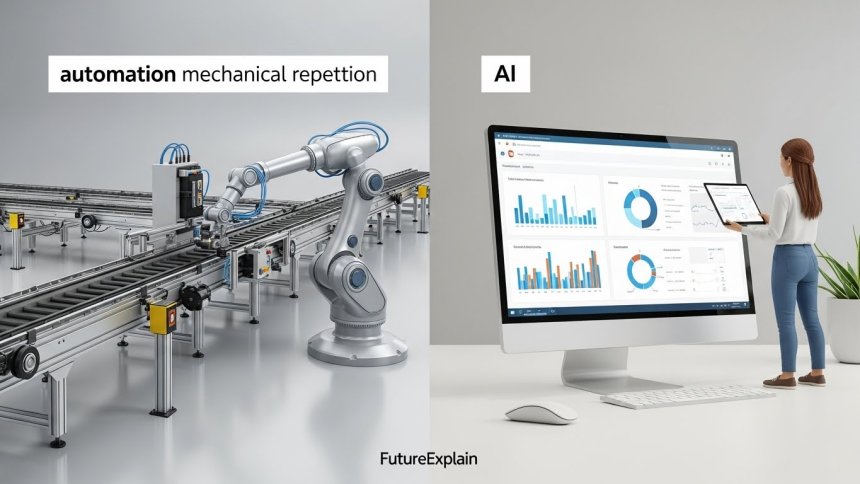
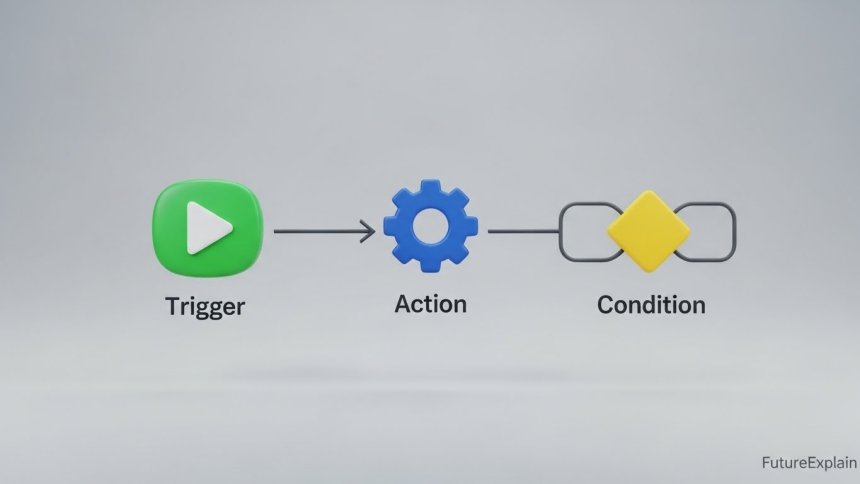
Automation means making a process run automatically — usually by following predefined rules or workflows. Think: “When X happens, do Y.” Automation is excellent for repetitive, predictable tasks.
Artificial intelligence (AI) means using models and algorithms that can learn from data and make decisions or predictions. AI is useful where rules are hard to write and the system must adapt to new patterns.
2. A simple analogy
Imagine a kitchen: automation is a reliable oven that bakes a recipe perfectly every time if the inputs are identical. AI is a chef who learns from experience when to adjust the recipe for different ingredients. Often the best result comes from using both — an oven plus a chef.
3. Rule-based automation — what it is and where it shines
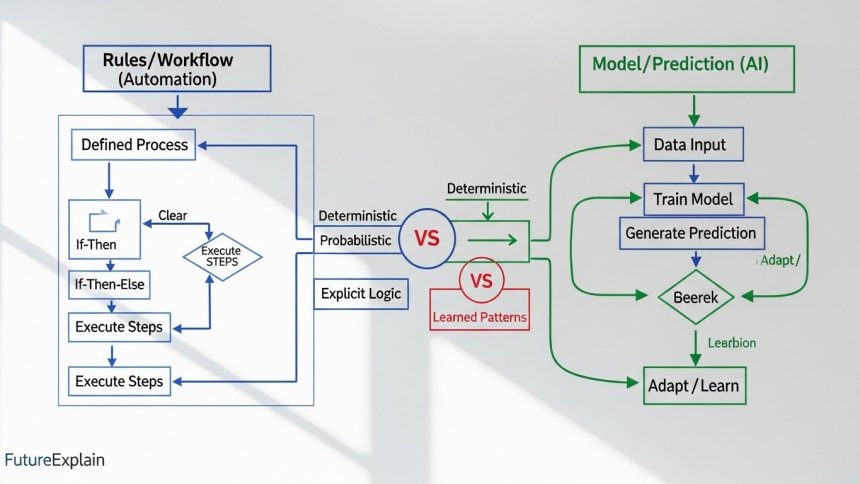
Rule-based automation follows explicit logic defined by humans. Common examples include:
- Scheduled backups and batch jobs
- Basic invoice routing: if invoice amount < $500, route to junior approver
- Simple form validation and fixed-format data extraction
Automation is typically easier to implement, cheaper to maintain, and predictable. It is the right choice when the task is stable, well-understood, and low-risk.
4. AI — what it is and when to prefer it
AI systems, especially those based on machine learning, learn patterns from examples. They are suited to tasks like:
- Classifying images or documents where rules would be complex
- Predicting customer churn from many behavioral signals
- Natural language tasks such as extracting intent from free text
AI can handle complexity and ambiguity that would make rules brittle. But AI requires data, careful testing, and ongoing monitoring.
5. Where they overlap: intelligent automation
When automation uses AI components it becomes intelligent automation (sometimes called hyperautomation). For example:
- An automated invoice-processing pipeline that uses optical character recognition (OCR) to read invoices (AI), then applies logic to route and approve them (automation).
- A customer support workflow where a chatbot (AI) handles simple queries and hands off complex cases to a human agent (automation routes tickets).
6. Key differences at a glance
- Predictability: Automation behaves predictably when inputs match expected formats. AI can adapt to varied inputs but may yield unexpected outputs.
- Data needs: Automation requires clear rules; AI requires representative training data.
- Maintenance: Automation needs rule updates when processes change. AI needs retraining and monitoring as data drifts.
- Transparency: Rules are explainable; AI may be harder to explain without additional tooling.
7. Practical examples — automation, AI, and both together
Automation only: Sending an automated email invoice when a purchase completes, moving files between folders according to fixed rules.
AI only: A model that classifies images as damaged vs undamaged where no simple rules can cover all variations.
Automation + AI: A recruitment workflow that uses an AI model to score resumes (AI) and then automatically routes top candidates to specific hiring managers (automation).
8. How to choose — a short decision checklist
Ask these questions before choosing an approach:
- Is the task repetitive and predictable? If yes, start with automation.
- Does the task require judgement across many noisy signals? If yes, consider AI.
- Is there enough quality data to train an AI model? If no, collect data first or use rules.
- What is the cost of a wrong decision? For high-risk decisions, combine AI with human review.
9. A safe pilot plan (step-by-step)
For teams wanting to try intelligent automation, a small pilot reduces risk:
- Step 1 — Pick a clear use case: Choose a task with measurable ROI and limited scope (e.g., automating invoice triage).
- Step 2 — Start with rules: Implement a simple automation baseline to capture immediate wins and understand the workflow.
- Step 3 — Add AI as needed: If rules fail often or the task is ambiguous, train a small model on labeled examples and compare performance to the rule baseline.
- Step 4 — Monitor and iterate: Measure accuracy, false positives, and user feedback. Retrain or update rules as necessary.
- Step 5 — Operationalize responsibly: Include governance (who can change rules or models), logging, and fallback behavior for failures.
10. Costs and maintenance — what to expect
Automation often has predictable, lower ongoing costs. AI can require additional infrastructure (model hosting), data storage, and periodic retraining. Plan for maintenance: data drift, edge cases, and monitoring dashboards.
11. Common pitfalls and how to avoid them
- Pitfall: Jumping to AI without sufficient data. Fix: Start with rules or small labeled datasets.
- Pitfall: Ignoring interpretability. Fix: Add explainability tools or human-in-the-loop steps where decisions matter.
- Pitfall: Over-automation without escalation paths. Fix: Always design safe fallbacks and human review options.
12. Business value — where combined approaches win
When done well, intelligent automation can increase speed, reduce manual labor, and improve scalability. Major consultancies document measurable benefits when organizations combine automation with AI and redesign workflows — but results depend on careful selection of use cases and investment in change management.
13. Quick glossary
- RPA (Robotic Process Automation): Tools that automate repetitive rule-based tasks.
- Intelligent Automation / Hyperautomation: Automation enhanced by AI components.
- Model drift: When an AI model''s performance degrades because the input data distribution changes over time.
14. Final recommendations
Be pragmatic: automate stable tasks first, measure impact, then add AI where complexity or scale justifies the investment. Keep humans in the loop for critical decisions, document data sources, and monitor outputs continuously.
Further reading
Share
What's Your Reaction?
 Like
1500
Like
1500
 Dislike
28
Dislike
28
 Love
340
Love
340
 Funny
55
Funny
55
 Angry
5
Angry
5
 Sad
12
Sad
12
 Wow
240
Wow
240
















Solid primer. The checklist and pilot plan are handy.
Saved — this will help in vendor discussions.
Thanks for practical tips on combining AI and automation.
I'll share this with our automation lead.
Useful and non-hyped. Thank you.
Great primer for decision-makers.