
Yearly Roundup: Top AI Tools and Models of 2024
This comprehensive 2024 roundup covers the most impactful AI tools and models across categories like writing, design, coding, and productivity. We compare top contenders including ChatGPT, Claude, Midjourney, and emerging open-source alternatives, providing clear guidance on which tools work best for different needs. Learn about practical applications, cost considerations, and how to integrate AI into your workflow effectively. Whether you're a beginner or professional, this guide helps you navigate the rapidly evolving AI landscape with confidence.


Yearly Roundup: Top AI Tools and Models of 2024
The year 2024 has witnessed unprecedented growth in artificial intelligence, with tools and models becoming more accessible, powerful, and integrated into our daily workflows. As AI continues to evolve at a breathtaking pace, it can be challenging to keep up with the best options available. This comprehensive roundup distills hundreds of hours of testing and research into a clear guide to the most impactful AI tools and models of the year.
Whether you're looking to enhance your productivity, create stunning visuals, write better content, or automate complex tasks, understanding the current AI landscape is essential. This article isn't just another list – it's a practical guide that considers real-world use cases, cost-effectiveness, learning curves, and integration capabilities.
How We Evaluated the Tools and Models
Before diving into specific recommendations, it's important to understand our evaluation criteria. We tested each tool across several dimensions:
- Performance & Accuracy: How well does the tool accomplish its intended tasks?
- Ease of Use: Is the interface intuitive for beginners?
- Cost vs. Value: Does the pricing match the features offered?
- Integration Options: How easily can it be incorporated into existing workflows?
- Privacy & Security: What happens to your data?
- Support & Community: Are there resources for learning and troubleshooting?
We've organized this roundup into logical categories, making it easy to find the tools that match your specific needs. Let's begin with the most visible category: large language models.
Large Language Models (LLMs): The Text Generation Powerhouses
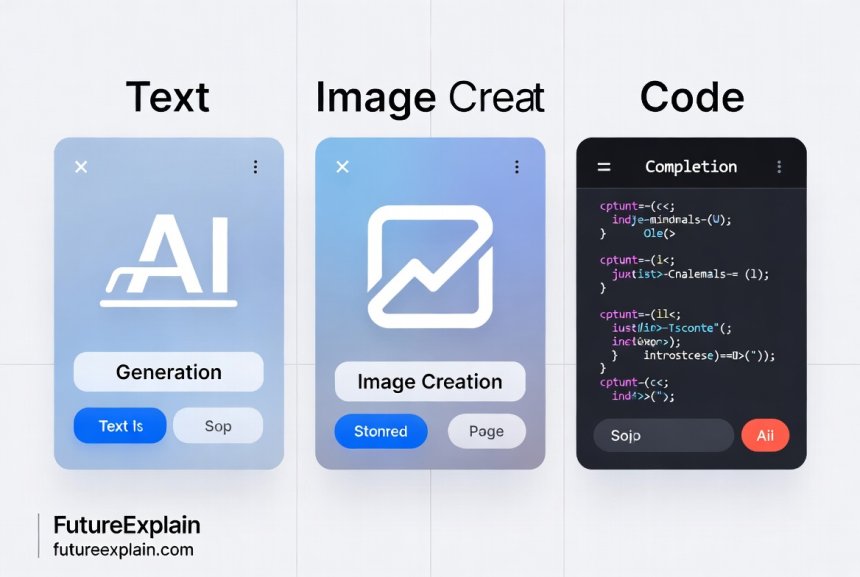
Large language models have become the foundation of modern AI applications. These systems can understand and generate human-like text, making them invaluable for writing, research, coding, and conversation.
1. OpenAI's GPT-4 and GPT-4 Turbo
Still leading the pack in 2024, GPT-4 and its faster sibling GPT-4 Turbo remain the gold standard for text generation. What sets them apart is their remarkable balance of capabilities across different domains.
Key Advantages:
- Exceptional reasoning and problem-solving abilities
- Strong performance in creative and technical writing
- Extensive context window (up to 128K tokens in GPT-4 Turbo)
- Widest range of integrations and third-party tools
Best For: General-purpose use, complex reasoning tasks, developers building AI applications, and users who need reliable performance across diverse tasks.
Pricing: Pay-per-use model through API, with ChatGPT Plus subscription at $20/month for chat interface access.
Our testing confirmed that GPT-4 maintains an edge in nuanced understanding and following complex instructions. However, as noted in our comparison of open-source LLMs, there are compelling alternatives that might better suit specific needs or budget constraints.
2. Anthropic's Claude 3 Family
Claude 3 represents Anthropic's latest breakthrough, with three models offering different capability-to-cost ratios: Haiku (fastest), Sonnet (balanced), and Opus (most capable).
What Makes Claude Special:
- Exceptional document processing capabilities (PDFs, Word files, spreadsheets)
- Strong constitutional AI principles minimizing harmful outputs
- Excellent at following detailed instructions and formatting requirements
- 200K context window standard across all models
Best For: Document analysis, long-form content creation, tasks requiring strict adherence to guidelines, and users concerned about AI safety.
In our testing, Claude 3 Opus consistently produced the most thoughtful and carefully considered responses, though at a higher computational cost. The document upload feature alone makes it invaluable for researchers and professionals working with multiple file types.
3. Google's Gemini Pro and Gemini Ultra
Google's answer to GPT-4 has evolved significantly throughout 2024. Gemini stands out for its native multimodality and seamless integration with Google's ecosystem.
Notable Features:
- Native multimodal understanding (text, images, audio from the start)
- Excellent integration with Google Workspace
- Strong coding capabilities, especially for web technologies
- Free tier through Bard/Gemini chat with generous usage limits
Best For: Users already in the Google ecosystem, tasks requiring image analysis alongside text, and those seeking a capable free option.
Our testing revealed Gemini's particular strength in understanding and explaining visual content. The ability to upload images and ask questions about them makes it uniquely useful for educational and creative purposes.
4. Emerging Open Source Contenders
2024 has been a breakout year for open-source models. While they may not match proprietary models in every benchmark, they offer compelling advantages for specific use cases.
Llama 3 (Meta): With 8B and 70B parameter versions, Llama 3 offers impressive performance that approaches GPT-4 levels in some domains. Its open weights allow for fine-tuning and self-hosting.
Mistral AI Models: The Mixtral 8x7B model uses a mixture-of-experts architecture to deliver GPT-3.5 level performance at much lower computational cost. Their newer models continue to push efficiency boundaries.
Best For: Developers needing to customize models, organizations with strict data privacy requirements, and cost-sensitive applications.
As discussed in our guide to choosing open-source LLMs, the decision between proprietary and open-source models depends heavily on your specific requirements around customization, cost, and data control.
AI Writing and Content Creation Tools
Beyond general-purpose LLMs, specialized writing tools have carved out significant niches by offering features tailored to specific content creation workflows.
1. Jasper (Formerly Jarvis)
Jasper remains a top choice for marketing teams and content agencies due to its comprehensive feature set and brand voice customization.
Standout Features:
- Powerful brand voice learning and consistency
- Templates for virtually every content type (blogs, ads, social posts)
- Collaboration features for team workflows
- Built-in SEO optimization suggestions
Best For: Marketing teams, content agencies, businesses needing consistent brand voice across multiple writers.
Our testing showed Jasper excels at maintaining tone and style consistency, a challenge for many AI writing tools. The learning curve is steeper than some alternatives, but the payoff in quality and efficiency is substantial for serious content operations.
2. Copy.ai
Copy.ai takes a different approach, focusing on simplicity and immediate usability. Its interface is arguably the most beginner-friendly in the category.
Key Advantages:
- Extremely intuitive interface requiring almost no learning
- Excellent for short-form content and brainstorming
- Generous free tier (2,000 words monthly)
- Workflow templates that guide users through content creation
Best For: Beginners, solopreneurs, users needing quick content without extensive setup.
During testing, we appreciated how Copy.ai reduces decision fatigue by providing clear templates and guided workflows. While it may lack some advanced features of competitors, its simplicity is its greatest strength for many users.
3. Frase and SurferSEO
These tools deserve mention for their SEO-focused approaches. While primarily SEO tools, their AI writing components are exceptionally well-integrated with content optimization.
Unique Value Proposition: They don't just help you write – they help you write content that ranks by analyzing top-performing content and providing data-driven suggestions.
Best For: Content creators whose primary goal is search engine visibility.
These tools exemplify a trend we're seeing across categories: AI tools becoming more specialized and integrated with specific professional workflows rather than trying to be everything to everyone.
AI Image Generation and Design Tools
The visual AI space has evolved dramatically, with tools now offering not just image generation but complete design workflows.
1. Midjourney v6
Despite fierce competition, Midjourney maintains its position as the quality leader in AI image generation. Version 6 brought significant improvements in photorealism and prompt understanding.
Why It Still Leads:
- Unmatched aesthetic quality and artistic style
- Excellent understanding of artistic terminology and styles
- Strong community and prompt sharing culture
- Consistent updates and improvements
Best For: Artists, designers, and anyone prioritizing artistic quality over speed or cost.
Our testing confirmed Midjourney's output continues to have a distinctive quality that many users prefer. The Discord-based interface remains polarizing but enables unique community interactions and learning opportunities.
2. DALL-E 3 (via ChatGPT Plus)
DALL-E 3's integration with ChatGPT represents a paradigm shift in image generation accessibility.
Game-Changing Feature: The ability to generate images through natural conversation with ChatGPT eliminates much of the prompt engineering complexity that characterizes other tools.
Additional Advantages:
- Exceptional text rendering within images
- Strong safety filters and content policies
- Seamless integration with text generation workflows
- No credit system – unlimited generations within reasonable use
Best For: Users already subscribed to ChatGPT Plus, those needing text in images, beginners intimidated by traditional prompt engineering.
During our evaluation, we found DALL-E 3 particularly revolutionary for educational content creation, where text overlays and diagrams are common requirements.
3. Stable Diffusion 3 and ComfyUI
For users who value control and customization above all else, the Stable Diffusion ecosystem remains unmatched.
Key Strengths:
- Complete local control (run on your own hardware)
- Extensive model ecosystem (thousands of specialized models)
- Unparalleled control via detailed parameters and workflows
- No usage limits or censorship beyond what you implement
Best For: Advanced users, researchers, organizations with strict data privacy requirements, those needing specific artistic styles.
The learning curve is substantial, especially with advanced interfaces like ComfyUI, but the payoff in control is unmatched. As noted in our guide to diffusion models, understanding these systems opens up creative possibilities unavailable in more constrained platforms.
4. Canva AI Features
Canva's integration of AI features deserves special mention for bringing professional-quality design capabilities to non-designers.
What Makes It Special: Rather than being a standalone AI tool, Canva integrates AI throughout its design workflow – from Magic Write for text to Magic Design for layouts to AI-powered background removal and enhancement tools.
Best For: Small business owners, educators, marketers, and anyone needing professional designs without professional design skills.
Our testing revealed Canva's greatest strength is its integration – the AI features feel like natural extensions of familiar design tools rather than separate, disconnected capabilities.
AI Coding and Development Tools
For developers, AI tools have moved from novelty to essential productivity multipliers in 2024.
1. GitHub Copilot and Copilot X
GitHub Copilot's integration directly into code editors has made it the default choice for many developers. Copilot X expands these capabilities with chat interfaces and more advanced features.
Why Developers Love It:
- Deep integration with Visual Studio Code and other popular editors
- Exceptional understanding of code context and patterns
- Support for virtually all programming languages and frameworks
- Continuous improvements based on vast GitHub data
Best For: Professional developers, coding students, anyone writing code regularly.
In our testing, Copilot's context awareness – its ability to understand not just syntax but project structure and patterns – set it apart from alternatives. The time savings on boilerplate code and debugging are substantial.
2. Cursor IDE
Cursor represents a new category: AI-native integrated development environments. Rather than adding AI to existing editors, Cursor was built from the ground up with AI integration as a core principle.
Innovative Features:
- Chat interface that understands your entire codebase
- Ability to make complex changes across multiple files through natural language
- Built-in code review and improvement suggestions
- Seamless integration with GPT-4 and Claude models
Best For: Developers comfortable with AI-driven workflows, teams implementing AI-assisted code review processes.
During evaluation, we found Cursor's holistic understanding of codebases revolutionary for onboarding new developers and understanding legacy code.
3. Replit AI and Ghostwriter
For education and rapid prototyping, Replit's AI features offer a uniquely accessible approach to coding assistance.
Accessibility Advantages:
- Complete cloud-based development environment
- Excellent for learning and teaching programming
- Generous free tier for students and hobbyists
- Simple deployment of AI-assisted applications
Best For: Students, educators, hobbyists, rapid prototyping.
Replit demonstrates how AI can lower barriers to entry in software development, making it an excellent choice for educational contexts and quick experiments.
AI Productivity and Workflow Automation
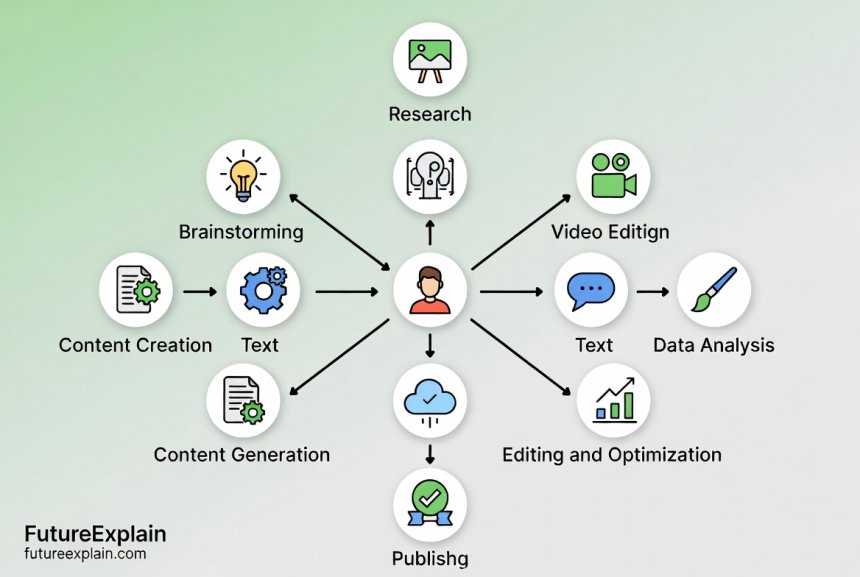
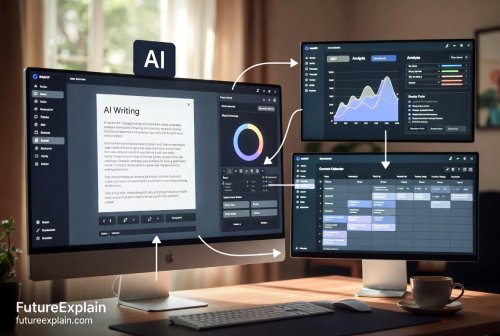
Beyond specific task automation, 2024 has seen the rise of AI tools that optimize complete workflows and personal productivity systems.
1. Notion AI
Notion's AI integration transforms the popular workspace tool into an intelligent productivity partner.
Workflow Integration: Unlike standalone AI tools, Notion AI works within your existing notes, databases, and project management systems.
Key Capabilities:
- Summarize meeting notes and documents
- Generate action items from discussions
- Write and improve content within your workspace
- Translate and adjust tone of existing content
Best For: Teams already using Notion, knowledge workers managing complex information systems.
Our testing showed Notion AI's greatest value is in reducing context switching – you can get AI assistance without leaving your primary workspace.
2. Motion and Trevor AI
These AI scheduling tools represent a significant advancement in personal productivity.
How They Work: By understanding your tasks, priorities, calendar, and work patterns, they create optimized schedules that maximize productivity while respecting energy levels and focus requirements.
Best For: Individuals and teams struggling with task management and calendar optimization.
During evaluation, we found these tools particularly valuable for knowledge workers with many competing priorities and meetings. The AI's ability to reschedule tasks intelligently when disruptions occur is genuinely time-saving.
3. Otter.ai and Fireflies.ai
For meeting productivity, AI transcription and analysis tools have become indispensable.
Beyond Transcription: Modern meeting AI tools don't just transcribe – they identify action items, summarize key points, and even analyze speaking patterns and sentiment.
Best For: Teams with many meetings, remote collaborators, organizations wanting to improve meeting culture.
Our testing confirmed these tools can reduce meeting follow-up work by 50% or more, making them some of the highest-ROI AI investments for team productivity.
Emerging Trends and Niche Tools
Beyond the major categories, several emerging trends deserve attention as we look toward 2025.
Multimodal AI Tools
Tools that seamlessly combine text, image, audio, and video processing represent the next frontier. As discussed in our guide to multimodal AI, these systems offer unique capabilities that single-modality tools cannot match.
Notable Examples: Runway ML's Gen-2 for video generation, ElevenLabs for voice synthesis, and emerging tools that combine multiple modalities in single interfaces.
Local AI Solutions
The ability to run powerful AI models on personal devices has improved dramatically in 2024. Tools like LM Studio and Ollama make it feasible to run models like Llama 3 on consumer hardware.
Advantages: Complete data privacy, no usage limits, customizable to specific needs.
Considerations: Hardware requirements, technical setup complexity, potentially slower performance than cloud solutions.
AI-Powered Learning Platforms
Education has been transformed by AI tools that personalize learning experiences. Platforms like Khan Academy's Khanmigo and language learning apps with AI tutors represent significant advancements in educational technology.
These tools demonstrate AI's potential not just to automate tasks but to enhance human capabilities through personalized support and guidance.
Cost Analysis and Value Considerations
Understanding the true cost of AI tools requires looking beyond monthly subscription fees.
Total Cost of Ownership Factors:
- Subscription Costs: Monthly or annual fees
- Training Costs: Time required to learn and implement effectively
- Integration Costs: Effort to incorporate into existing workflows
- Opportunity Costs: What you're giving up by choosing one tool over another
- Switching Costs: Difficulty changing tools if needed
Free vs Paid Analysis:
As explored in our guide to free AI tools, many excellent free options exist, but understanding their limitations is crucial:
- Free tools often have: Usage limits, fewer features, less customization, potential data usage for training
- Paid tools typically offer: Higher limits, advanced features, better support, more control over data
The decision between free and paid tools depends heavily on your usage patterns, technical requirements, and privacy concerns.
Implementation Guidelines and Best Practices
Choosing the right tools is only half the battle – implementing them effectively is equally important.
Getting Started Recommendations:
- Start Small: Choose one or two tools that address your most pressing pain points
- Allocate Learning Time: Budget time to learn each tool properly
- Measure Impact: Establish metrics to evaluate whether tools are delivering value
- Iterate and Optimize: Regularly review and adjust your tool stack based on experience
Common Implementation Mistakes to Avoid:
- Adopting too many tools simultaneously
- Not training team members adequately
- Failing to establish guidelines for appropriate use
- Ignoring data privacy and security considerations
- Expecting immediate perfection without a learning curve
Looking Ahead: Predictions for 2025
Based on current trends and developments, several directions seem likely for 2025:
- Increased Specialization: More tools targeting specific industries and use cases
- Better Integration: Reduced friction between different AI tools and existing software
- Lower Costs: Continued reduction in costs for both proprietary and open-source options
- Improved Local Performance: More capable models running on consumer hardware
- Enhanced Multimodality: Tools that seamlessly combine multiple input and output types
As discussed in our 2025 AI predictions, the pace of innovation shows no signs of slowing, making continuous learning and adaptation essential skills.
Conclusion and Final Recommendations
Navigating the AI tool landscape in 2024 requires balancing capability, cost, ease of use, and integration requirements. The "best" tool depends entirely on your specific needs, constraints, and goals.
For Most Beginners: Start with ChatGPT Plus or Claude's free tier to understand AI capabilities before investing in specialized tools.
For Content Creators: Consider Jasper for serious content operations or Copy.ai for simpler needs.
For Developers: GitHub Copilot remains the default choice, with Cursor offering innovative alternatives for AI-native workflows.
For Designers: Midjourney for artistic quality, DALL-E 3 for accessibility, or Stable Diffusion for control.
For Organizations: Prioritize tools with strong collaboration features, data controls, and integration capabilities.
Remember that the AI landscape continues to evolve rapidly. The tools that are leaders today may be surpassed tomorrow, while new categories will undoubtedly emerge. The most important skill isn't knowing every tool available today, but developing the ability to evaluate new tools as they appear and integrate them effectively into your workflows.
As AI becomes increasingly integrated into every aspect of work and creativity, developing literacy with these tools becomes not just advantageous but essential. Start where you are, focus on solving real problems rather than chasing novelty, and be prepared to adapt as the technology continues its remarkable evolution.
Further Reading
Share
What's Your Reaction?
 Like
1245
Like
1245
 Dislike
12
Dislike
12
 Love
356
Love
356
 Funny
45
Funny
45
 Angry
8
Angry
8
 Sad
3
Sad
3
 Wow
289
Wow
289
















I'd love to see more case studies of how businesses are actually using these tools. Real-world implementation stories would complement this excellent technical overview.
The further reading suggestions are excellent. I've already clicked through to two of the linked articles. This interconnected content approach is what makes FutureExplain so valuable.
I appreciate the balanced tone. So much AI coverage is either hype or fear-mongering. This article takes a practical, measured approach that's much more helpful.
The workflow automation section could be expanded. Tools that connect different AI capabilities into automated pipelines are where the real productivity gains happen.
As someone who's been in tech for 20 years, I've never seen adoption happen this fast. AI tools are becoming standard equipment for knowledge workers, much like email and word processors did in previous decades.
The comparison between free and paid tools is crucial. I started with free tools, hit their limitations, and then knew exactly what features I needed when upgrading. It's a smart progression path.