
AI for Accessibility: Making Content Inclusive
This beginner-friendly guide explains how Artificial Intelligence is revolutionizing digital accessibility, making blogs, websites, and social media inclusive for everyone. You will learn what accessibility truly means, moving beyond permanent disabilities to include temporary and situational barriers. We break down practical, free, and low-cost AI tools that automate tasks like generating image descriptions, creating video captions, and simplifying complex text. The article provides a clear, step-by-step action plan you can implement today, while honestly addressing the critical limitations and ethical considerations of relying on AI. Understand how to use AI as a powerful assistant in your content creation workflow, ensuring your digital presence welcomes all audiences and adheres to the vital principle: 'Nothing About Us Without Us.'

AI for Accessibility: Making Content Inclusive
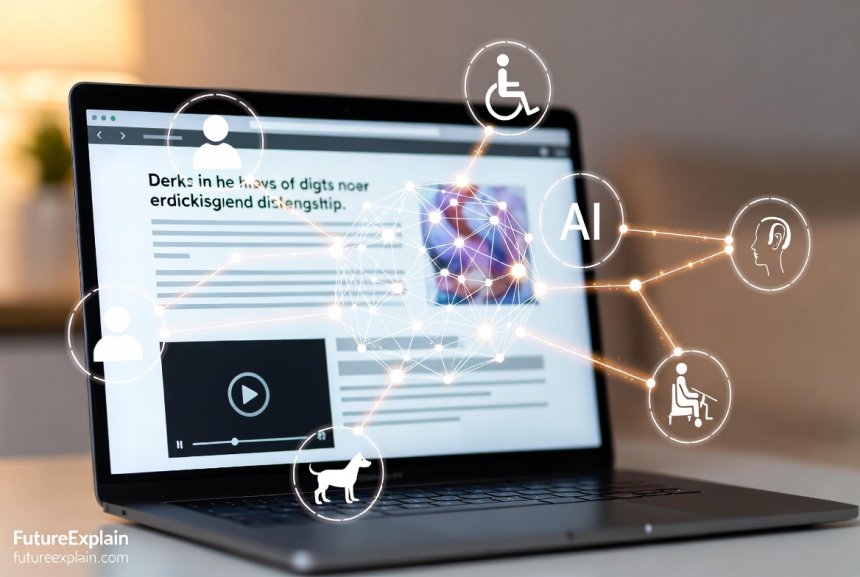
Imagine trying to enjoy a video with no sound, understand a chart you can't see, or navigate a website that doesn't respond to your commands. For millions of people, this isn't an imagination exercise—it's a daily barrier. Digital accessibility ensures everyone, regardless of ability, can perceive, understand, navigate, and interact with online content. Today, Artificial Intelligence is emerging as a powerful ally in breaking down these barriers, not as a magic solution, but as a set of practical tools that can help creators like you build a more inclusive web.
This guide is for bloggers, small business owners, educators, and anyone who creates content online. You don't need to be a programmer or an accessibility expert. We'll walk through what accessibility really means, introduce you to AI tools that can help, and provide a straightforward action plan. We'll also explore the crucial limitations and ethics of AI in this space, ensuring you use these technologies responsibly. The goal is to move from seeing accessibility as a complex compliance chore to understanding it as a fundamental part of creating good, welcoming content for all.
Beyond Ramps: What Digital Accessibility Really Means
When we hear "accessibility," we often think of physical features like wheelchair ramps. Digital accessibility applies the same principle to the online world. It's about ensuring websites, tools, and technologies are designed so people with disabilities can use them independently. According to the World Health Organization, over 1 billion people—about 16% of the global population—live with a significant disability[citation:2]. This includes visual, auditory, motor, and cognitive impairments.
However, accessibility benefits far more than this group. Think of the parent pushing a stroller (a temporary mobility situation), the traveler using a phone in bright sunlight (a situational visual impairment), or someone with a broken arm (a temporary motor limitation)[citation:2]. Good accessible design, often guided by the principle of Universal Design, creates a better experience for everyone[citation:3].
Common barriers include:
- Visual: Images without text descriptions (alt text), videos without captions, poor color contrast, and websites that don't work with screen readers.
- Auditory: Audio content without transcripts or captions, lack of visual alerts for sounds.
- Motor: Websites that require precise mouse movements and don't support full keyboard navigation.
- Cognitive: Complex, dense text, confusing navigation, and distracting auto-playing media.
Failing to address these barriers isn't just a social miss; in many regions, it's a legal one. Laws like the Americans with Disabilities Act (ADA) in the U.S. and the European Accessibility Act mandate accessible digital experiences for many businesses[citation:4]. More importantly, it excludes a vast audience from your message, products, or services.
Your AI Accessibility Toolkit: Tools for Different Needs
AI can't replace the need for thoughtful, human-centric design, but it can automate and assist with many time-consuming tasks. Here’s a breakdown of key AI-powered tools, categorized by the barrier they help overcome.
1. For Visual Impairments: Seeing with Sound and Touch
AI has dramatically improved tools that convert visual information into audio or tactile feedback.
- Advanced Screen Readers & Object Recognition: Modern screen readers like NVDA (NonVisual Desktop Access) and VoiceOver (Apple) are more sophisticated, but AI adds a new layer. Apps like Microsoft's Seeing AI and Google Lookout use a phone's camera to narrate the world—reading documents, identifying currency, describing scenes, and recognizing people[citation:5][citation:10]. Envision and OrCam are similar AI-powered devices that read text from any surface[citation:10].
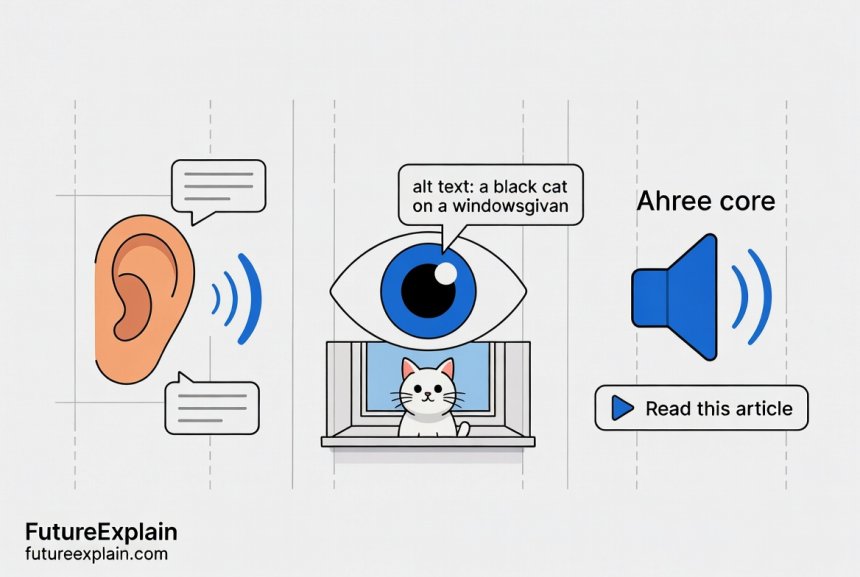
- AI-Generated Image Descriptions (Alt Text): Alt text is a concise description of an image read by screen readers. Writing good alt text manually is a skill. AI can help by providing a first draft. Platforms like Facebook and Instagram use auto-generated alt text[citation:7]. Standalone tools like the Alt Text Creator / Image Describer for VI Users or features within CMS platforms analyze an image and suggest a description[citation:10]. Critical Note: AI often only lists objects ("woman, tree, dog") without context. You must always edit AI-generated alt text to include the relevant context for your article[citation:3].
2. For Hearing Impairments: Reading What's Said
AI-powered speech-to-text has become fast and accurate enough for near real-time use.
- Real-Time Captioning & Transcription: Tools like Google's Live Transcribe, Ava, and Rogervoice transcribe live conversations directly on a phone[citation:10]. For pre-recorded video, services like Sonix, Descript, and YouTube's auto-captioning can generate a transcript in minutes[citation:10]. These transcripts are also great for SEO and users who prefer to read.
- Sound Recognition for Alerts: Apps like Braci Smart Ear listen for important sounds like fire alarms, doorbells, or crying babies and send a visual alert to a user's phone[citation:10].
3. For Motor & Speech Impairments: New Ways to Interact
AI is creating alternative pathways for communication and control.
- Voice Control & Speech Recognition: Tools like Braina allow for full computer control via voice commands[citation:10]. For those with atypical speech, projects like Google's Parrotron and Voiceitt are developing AI that learns to understand and translate non-standard speech patterns into clear digital speech[citation:10].
- Eye & Motion Tracking: Devices from companies like Tobii Dynavox allow users to control a computer cursor or select words to speak using only their eye movements, invaluable for conditions like ALS[citation:10].
- Adaptive Hardware Integration: AI helps make devices like the Xbox Adaptive Controller more powerful by learning user patterns and enabling highly customizable inputs[citation:7].
4. For Cognitive & Learning Differences: Simplifying Understanding
AI can help tailor information to be more digestible.
- Text Simplification & Summarization: AI can rephrase complex sentences into plain language. Goblin Tools is a suite designed to help neurodivergent people, for example, by decoding the tone of an email or breaking a daunting task into steps[citation:10]. Tools like Article Friend use AI to create aphasia-friendly summaries of research papers[citation:10].
- Focus & Navigation Aids: Some AI tools can simplify webpage layouts on the fly or highlight key content to reduce cognitive load.
The Critical Limitations: Why AI is an Assistant, Not a Solution
While promising, current AI accessibility tools have significant flaws that creators must understand. Relying on them uncritically can create an "illusion of inclusivity"[citation:3].
- Lack of Context & Nuance: An AI can describe a photo as "a man and a woman smiling," but it won't know if they are politicians signing a treaty, a couple at a wedding, or actors in a movie still. That context is essential for understanding and must be added by a human[citation:3].
- Accuracy Errors (Hallucinations): AI can misidentify objects, mishear words in transcription, or generate plausible-sounding but wrong alt text. An automated caption might transcribe "AI for accessibility" as "I for a less ability."
- Cannot Judge Importance: AI doesn't know what part of your content is most critical. It can't prioritize describing the key data point in a graph over the decorative border.
- No Replacement for Lived Experience: Automated checkers can flag missing alt text but cannot judge its quality or cultural sensitivity. As UNESCO warns, replacing human user testing with synthetic AI users risks designing for a hypothetical, not real, human being[citation:3][citation:8]. The disability community's motto is "Nothing About Us Without Us"—a principle that must guide how we use these tools[citation:3].
Therefore, the best practice is to use AI for augmentation, not automation. Let it generate the first draft of captions or alt text, then you, the human creator, review, correct, and add the necessary context.
Your Action Plan: Making Content Accessible with AI (Step-by-Step)
Ready to start? Here’s a practical, beginner-friendly workflow you can integrate into your content creation process today.
Step 1: Audit Your Existing Content (The "Quick Win" Scan)
Start small. Pick your five most popular blog posts or key website pages.
- Use Free AI-Assisted Checkers: Run these pages through a tool like WAVE (Web Accessibility Evaluation Tool) or the Accessibility Insights browser extension. These aren't fully AI, but they use automation to quickly flag obvious errors like missing image alt text, poor contrast, and missing form labels.
- Check Media: Do your YouTube or Vimeo videos have accurate captions? Use the platform's auto-caption tool as a starting point, then spend 10 minutes per video editing them for accuracy.
- Test Keyboard Navigation: Try to navigate your site using only the TAB key. Can you access all buttons and links? Is there a visible focus indicator?
Step 2: Integrate AI Tools into Your Creation Workflow
Build accessibility into your process from the start.
- When Using Images: As you add images to your blog or social media, use the platform's built-in AI alt text suggestion (found on Instagram, Facebook, LinkedIn) or a tool like Alt Text Creator. Always edit the output. Ask yourself: "If this image disappeared, what key information would my sentence lose?" Describe that.
- When Creating Video: Upload your video to a platform with strong auto-captioning (like YouTube or Rev.com). Use the AI-generated transcript as your draft. Play the video back with captions on and edit them meticulously for errors and proper punctuation, which aids readability.
- When Writing: After drafting, use a tool like Hemingway App or a grammar checker with a clarity function to identify complex sentences. Consider if a very complex paragraph could benefit from a simple bulleted summary created by you.
Step 3: Adopt Accessible Design Practices (The Human Touch)
AI can't do this for you. These are foundational habits.
- Structure with Headings: Use proper H1, H2, H3 tags in your articles. This creates a document outline for screen readers. Don't just make text big and bold.
- Write Descriptive Links: Avoid "click here." Instead, use "read our guide on AI basics." This tells everyone where the link goes.
- Ensure Color Contrast: Use free tools like the WebAIM Contrast Checker to ensure your text stands out against its background.
- Provide Multiple Formats: For important content like a webinar, offer the recording (with captions), a standalone transcript, and a key takeaways blog post.
The Bigger Picture: Ethics, Inclusion, and the Future
Using AI for accessibility isn't just a technical task; it's an ethical commitment.
- Bias in AI: AI models are trained on data that can reflect societal biases. An image recognition tool might be less accurate at describing people with darker skin tones or certain disabilities[citation:6]. We must advocate for and use tools developed with diverse datasets.
- Privacy Concerns: Many AI tools process personal data—your voice, your images, your writing. Be mindful of the tools you recommend and use, checking their privacy policies, especially for sensitive applications[citation:9].
- The Human-in-the-Loop is Non-Negotiable: The most ethical approach is to position AI as a powerful assistant to a human expert, not a replacement. The final judgment on what is accessible and appropriate must rest with people, informed by the lived experience of disabled users[citation:3].
The future is moving towards more personalized and predictive accessibility. Imagine AI that learns an individual user's preferences—simplifying text to a specific grade level, automatically adjusting contrast based on ambient light, or pre-emptively generating descriptions for the types of content a user engages with most[citation:1]. As these technologies develop, our responsibility as creators is to use them wisely, always centering human dignity and inclusion over mere technical compliance.
Conclusion: Building a More Inclusive Web, One Step at a Time
Making your content accessible isn't about achieving a perfect, 100% compliant score overnight. It's a journey of continuous improvement. AI tools lower the barrier to entry, helping you tackle the most time-consuming parts of the process. Start with the audit and the "quick wins." Integrate one new tool into your workflow this month. Remember, the goal is not to use AI for its own sake, but to use it as a means to include more people in your conversation, your business, and your community.
By combining these powerful new AI assistants with your own human judgment and empathy, you can create content that doesn't just reach a wider audience—it genuinely welcomes them.
Further Reading on FutureExplain
To dive deeper into related topics, explore these guides:
- AI for Marketing: Content, Personalization, and Analytics - Learn how AI customization can also serve accessibility needs.
- Ethical AI Explained: Why Fairness and Bias Matter - Understand the ethical framework crucial for applying AI to accessibility.
- Creating Tutorials: Teaching Non-Technical Users About AI - Apply these principles to make your own tutorials accessible to all.
Share
What's Your Reaction?
 Like
950
Like
950
 Dislike
8
Dislike
8
 Love
310
Love
310
 Funny
25
Funny
25
 Angry
5
Angry
5
 Sad
2
Sad
2
 Wow
180
Wow
180
















This article accomplished in one read what months of random YouTube videos and blog posts failed to do—give me a coherent, complete picture of what AI is. Thank you!
After reading this, I finally understand why my smart thermostat seems to 'learn' my schedule. I never connected that to artificial intelligence before!
I appreciate that this didn't shy away from discussing job displacement while also highlighting new opportunities. It felt balanced and realistic, not either overly optimistic or doom-filled.
The comparison between traditional programming and machine learning was the clearest I've ever seen. The calculator vs. learning example was perfect.
I'm a visual learner, and the image prompts described sound like they would make great illustrations. Are those images available somewhere?
Hi Kingsley, great question! The images generated from these prompts are featured in the article itself. We're working on creating a resource page with all our article visuals, which should be available later this year. In the meantime, the alt text descriptions in the article should help visualize the concepts.
The ethical considerations section was brief but powerful. It's easy to get excited about the technology and forget about the human impact.