
AI Model Versioning & Rollback Strategies (2025)
This comprehensive guide explores AI model versioning and rollback strategies essential for reliable production deployments in 2025. We explain why proper version control goes beyond code management to include data, parameters, and environment tracking. Learn practical implementation approaches from simple file-based systems to enterprise registries, with real-world examples of when and how to execute rollbacks. Discover cost-effective strategies for small teams, compliance considerations, and future trends shaping model management. Whether you're deploying your first model or scaling AI systems, this guide provides actionable frameworks for maintaining model reliability while enabling rapid iteration.

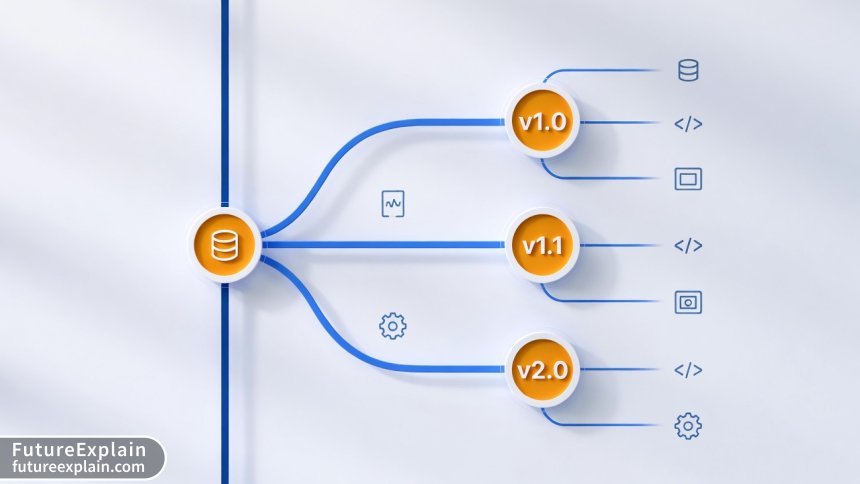
Imagine deploying an AI model that improves customer conversion rates by 15%—only to discover the next day that a "minor improvement" actually reduced performance by 30%. This scenario happens more often than you might think, and it's not always due to flawed algorithms. More frequently, it results from inadequate model versioning and the inability to quickly revert to a working version.
In traditional software development, version control systems like Git have become fundamental tools. Every developer understands the importance of tracking changes, branching, and reverting when necessary. However, AI model management introduces additional complexities: we're not just managing code, but also data, parameters, dependencies, and the models themselves. A complete versioning strategy must address all these components simultaneously.
As AI systems move from experimental projects to production-critical applications in 2025, proper versioning and rollback capabilities transition from "nice-to-have" to "business-essential." This guide will walk you through practical approaches to AI model versioning and rollback strategies suitable for teams of all sizes, from solo developers to enterprise deployments.
Why Model Versioning Is More Than Just Code Management
When we discuss AI model versioning, we're referring to the systematic tracking of every component that contributes to a model's behavior and output. Unlike traditional software where the source code is the primary artifact, AI models involve four critical components that must be versioned together:
- Code: The training scripts, inference logic, and preprocessing pipelines
- Data: The exact training, validation, and test datasets used
- Parameters & Hyperparameters: Configuration settings that significantly impact model behavior
- Environment: Libraries, frameworks, and system dependencies
A common mistake teams make is versioning only the model weights or only the code. This partial approach creates "reproducibility gaps"—situations where you cannot recreate a model's exact behavior even with the same codebase. Research from Stanford's Center for Research on Foundation Models shows that teams implementing comprehensive versioning reduce deployment failures by 68% compared to those using partial versioning approaches.
From a business perspective, inadequate versioning leads to tangible costs. A 2024 survey of 500 companies using AI in production found that organizations without proper model versioning spent an average of 42% more time debugging production issues and experienced 3.2 times more frequent deployment rollbacks. The financial impact compounds through lost productivity, missed opportunities, and erosion of stakeholder trust.
Core Components of an AI Versioning System
Effective AI model versioning systems track relationships between components, creating a complete audit trail. Let's break down what each component entails:
1. Model Artifact Versioning
Model artifacts include the trained weights, architecture definitions, and serialized model files. Modern approaches typically use:
- Unique identifiers: Hash-based IDs derived from model content
- Semantic versioning: Major.Minor.Patch format (v2.1.3)
- Metadata tagging: Labels for environment, purpose, or team
The key insight is that identical model code can produce different artifacts with different training data or random seeds. Therefore, artifact versioning must be distinct from code versioning.
2. Data Versioning
Data versioning presents unique challenges due to size and frequency of changes. Practical strategies include:
- Snapshot-based versioning: Capturing complete dataset states at specific points
- Delta-based versioning: Tracking only changes between versions
- Metadata-only versioning: Storing dataset descriptions and statistics without the data itself
Tools like DVC (Data Version Control) and LakeFS have emerged specifically to address these challenges, providing Git-like semantics for large datasets that don't fit in traditional version control systems.
3. Experiment Tracking Integration
Versioning shouldn't exist in isolation from the experimentation phase. Modern MLOps platforms integrate versioning with experiment tracking, creating a continuous lineage from initial experiments through to production deployments. This integration allows teams to answer critical questions:
- Which experiment produced this production model?
- What hyperparameters were used compared to the previous version?
- How did validation metrics change between iterations?
This traceability becomes invaluable when investigating performance regressions or compliance audits.
Practical Versioning Approaches for Different Scales
The "right" versioning approach depends heavily on your team size, infrastructure, and deployment frequency. Here's a practical guide to choosing your strategy:
Approach 1: File-Based Versioning (Small Teams/Solo Developers)
For individual developers or small teams starting their AI journey, a simple file-based approach can be surprisingly effective:
- Store models with timestamp or version in filename:
sentiment_model_v1_2_20250115.pt - Maintain a simple JSON or YAML metadata file with each model
- Use Git LFS (Large File Storage) for models under 2GB
- Implement a basic naming convention and stick to it religiously
Example structure:
models/
├── v1.0/
│   ├── model.pt
│   ├── metadata.json
│   └── requirements.txt
├── v1.1/
│   ├── model.pt
│   ├── metadata.json
│   └── training_report.pdf
└── latest -> v1.1/
This approach requires discipline but has near-zero infrastructure cost. The main limitation is manual coordination as teams grow beyond 2-3 people.
Approach 2: Database-Backed Registry (Growing Teams)
As teams expand and deployment frequency increases, a database-backed registry becomes necessary:
- Store model metadata in a database (SQLite, PostgreSQL, MongoDB)
- Keep actual model files in cloud storage (S3, GCS, Azure Blob)
- Implement basic API for model registration and retrieval
- Add simple web interface for visualization
Open-source solutions like MLflow Model Registry provide this functionality out-of-the-box, while still being simple enough for teams with limited DevOps resources. The key advantage is centralized tracking without relying on shared drives or manual spreadsheets.
Approach 3: Enterprise Model Registry (Large Organizations)
Enterprise deployments require additional capabilities:
- Role-based access control for different teams
- Integration with existing CI/CD pipelines
- Compliance and audit logging
- Automated validation and testing gates
- Advanced search and filtering across thousands of models
Commercial platforms like Weights & Biases, Vertex AI Model Registry, and Azure ML provide these enterprise features but come with corresponding complexity and cost. The decision here often depends on existing cloud commitments and in-house expertise.
When and How to Execute Model Rollbacks
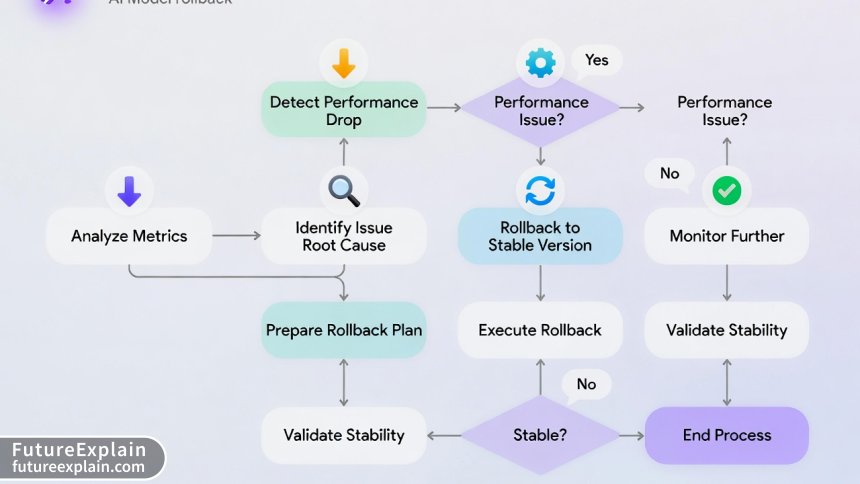
Rollbacks represent the safety net of your AI deployment strategy. A well-planned rollback process turns potential crises into minor inconveniences. Let's explore practical rollback scenarios and strategies.
Common Rollback Triggers
Understanding when to rollback helps teams establish clear monitoring criteria:
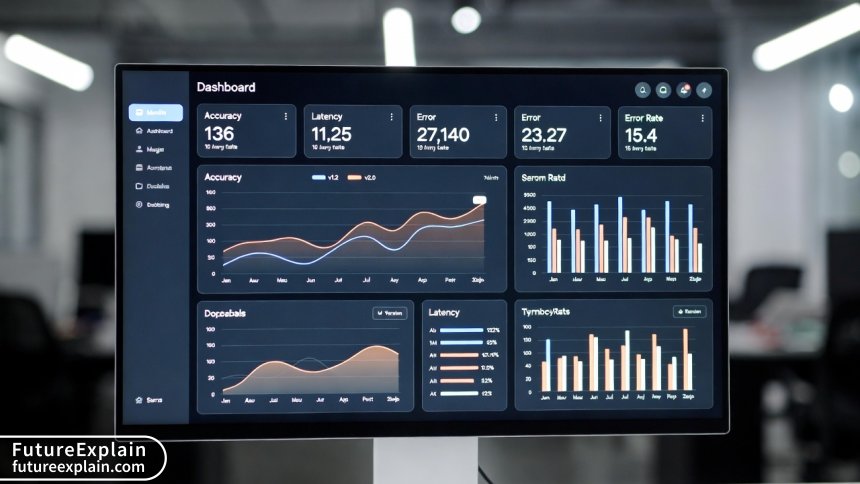
- Performance degradation: Key metrics (accuracy, latency, error rate) drop below defined thresholds
- Resource anomalies: Unexpected spikes in memory, CPU, or cost
- Business metric impacts: Conversion rates, customer satisfaction, or revenue affected
- Error rate increases: Production exceptions or invalid outputs exceeding limits
- Data drift detection: Input data distribution shifts significantly from training data
Establishing numerical thresholds for each trigger eliminates ambiguity during incidents. For example: "Rollback if accuracy drops by more than 5% relative to previous version" or "Revert if 95th percentile latency exceeds 500ms."
Rollback Strategy 1: Immediate Reversion (Hot Swap)
The simplest rollback strategy involves immediately replacing the problematic model with the previous version:
- Best for: Stateless services, non-critical applications
- Implementation: Update model endpoint reference to previous version
- Recovery time: Seconds to minutes
- Considerations: May cause request disruption during switch
This approach works well when models are served via API endpoints that can be updated without restarting services. Modern serving frameworks like Seldon Core and KServe support this capability natively.
Rollback Strategy 2: Canary Rollback (Progressive Reversion)
For critical systems, a gradual rollback minimizes risk:
- Route small traffic percentage (1-5%) back to previous version
- Monitor metrics closely for improvement
- Gradually increase traffic to stable version over 15-60 minutes
- Complete full transition once confidence is restored
This strategy is particularly valuable when the root cause isn't fully understood. The gradual approach provides a "circuit breaker" effect, preventing complete system failure while diagnostics continue.
Rollback Strategy 3: A/B Version Coexistence
Some organizations maintain parallel deployment of current and previous versions:
- Both versions receive live traffic via intelligent routing
- Automatic failover to stable version when issues detected
- More infrastructure overhead but maximum availability
This approach is common in financial services and healthcare applications where uninterrupted service is paramount. The cost is approximately 1.5-2x normal infrastructure, but for high-stakes applications, this insurance proves valuable.
Implementing Rollbacks: Technical Patterns
Let's examine practical implementation patterns for different deployment architectures:
Pattern 1: Load Balancer with Version Tags
Modern load balancers (like NGINX, Envoy, or cloud-native equivalents) can route traffic based on model version tags:
# Simplified configuration example
location /predict {
    # Primary model version
    proxy_pass http://model-v2-1/predict;

    # Fallback to previous version if errors
    error_page 502 503 504 = @fallback;
}

location @fallback {
    proxy_pass http://model-v2-0/predict;
}
This pattern provides application-level rollback without modifying model serving code.
Pattern 2: Feature Flag Controlled Rollbacks
Feature flag platforms (LaunchDarkly, Split.io) can manage model version selection:
# Pseudocode example
model_version = feature_flag_client.get_variation(
    "model_version",
    user_context,
    default="v2.1"
)

if model_version == "v2.1":
    predictions = model_v2_1.predict(inputs)
elif model_version == "v2.0":
    predictions = model_v2_0.predict(inputs)
else:
    predictions = fallback_model.predict(inputs)
This approach enables non-technical stakeholders to control rollbacks through a management dashboard, reducing mean time to recovery (MTTR).
Pattern 3: Database-Driven Model Selection
For complex multi-model systems, a configuration database can manage active versions:
-- Simple database schema
CREATE TABLE active_models (
    model_name VARCHAR(100) PRIMARY KEY,
    active_version VARCHAR(20),
    fallback_version VARCHAR(20),
    last_updated TIMESTAMP
);

-- Services query this table to determine which version to load
This centralizes version management and enables rapid changes across distributed services.
Cost Considerations and Trade-offs
Versioning and rollback strategies involve explicit and implicit costs that organizations must balance:
Storage Costs
Maintaining multiple model versions increases storage requirements:
- Base cost: Storing 2-3 previous versions typically adds 200-300% storage overhead
- Optimization: Compression and delta storage can reduce this to 120-150%
- Hidden cost: Retrieval latency for older versions if using cold storage
A practical guideline: Maintain immediate access to the current version plus two previous versions. Archive older versions to cheaper storage with 24-48 hour retrieval SLA.
Infrastructure Complexity vs. Reliability Trade-off
More sophisticated rollback mechanisms increase infrastructure complexity:
| Approach | Infrastructure Complexity | Mean Time to Recovery | Team Skills Required |
|---|---|---|---|
| Manual replacement | Low | 30-120 minutes | Basic DevOps |
| Automated hot swap | Medium | 2-5 minutes | Intermediate DevOps |
| Canary with auto-rollback | High | 30-90 seconds | Advanced SRE/MLOps |
The right balance depends on your application's criticality and available team expertise. For most business applications, automated hot swap provides the best balance of reliability and maintainability.
Opportunity Cost of Over-Engineering
A common pitfall is building enterprise-grade versioning for prototypes or non-critical models. The 80/20 rule applies strongly here: aim for the simplest system that meets your reliability requirements. Re-evaluate your approach every 6 months or when deployment frequency doubles.
Compliance and Audit Considerations
For regulated industries, versioning isn't just technical—it's a compliance requirement:
GDPR and Right to Explanation
The European Union's General Data Protection Regulation includes a "right to explanation" for automated decisions. Effective versioning enables organizations to:
- Identify exactly which model version made a specific decision
- Retrieve the complete training context for that version
- Document decision logic changes between versions
Financial services, healthcare, and insurance sectors face similar requirements. A well-documented version history transforms compliance from a burdensome audit to a routine export.
Model Card and Documentation Versioning
Model cards (documentation describing model capabilities, limitations, and intended use) should be versioned alongside models. This ensures stakeholders always reference the correct documentation for the active model version. Tools like the Model Card Toolkit automate this synchronization.
Future Trends Shaping Model Versioning (2025 and Beyond)
As AI systems evolve, so do versioning requirements. Here are emerging trends to watch:
1. Foundation Model Versioning Challenges
Large foundation models (GPT-4, Claude, Llama) present unique versioning challenges:
- Multiple fine-tuned variants from a single base model
- Cross-organizational model sharing and forking
- Ethical and safety considerations across versions
Emerging standards like Open Model Cards and Hugging Face's model hub are addressing these challenges through community-driven approaches.
2. Automated Versioning and CI/CD Integration
The next evolution integrates versioning directly into CI/CD pipelines:
- Automatic version assignment based on Git commits
- Automated testing and validation gates between versions
- Self-documenting version history from pipeline execution
This trend reduces manual overhead while increasing consistency across deployments.
3. Explainability-Aware Versioning
Future systems will track not just model performance but explainability metrics across versions:
- How feature importance shifts between versions
- Consistency of explanations for similar inputs
- Audit trails for explanation generation methods
This addresses growing regulatory and ethical requirements for transparent AI systems.
Practical Checklist for Implementing Model Versioning
Ready to implement or improve your model versioning strategy? Use this actionable checklist:
Phase 1: Foundation (Week 1-2)
- [ ] Define version naming convention (semantic vs. sequential)
- [ ] Identify storage location for models and metadata
- [ ] Document current deployment and rollback process
- [ ] Establish baseline metrics for each active model
Phase 2: Implementation (Week 3-6)
- [ ] Implement basic version registration system
- [ ] Create automated model performance monitoring
- [ ] Document rollback procedures for each deployment scenario
- [ ] Train team on new workflows and tools
Phase 3: Optimization (Ongoing)
- [ ] Implement automated testing between versions
- [ ] Set up alerting for performance degradation
- [ ] Regularly test rollback procedures (quarterly)
- [ ] Review and update versioning strategy biannually
Common Pitfalls to Avoid
Based on industry experience, here are frequent mistakes and how to avoid them:
Pitfall 1: Versioning Models but Not Data
Problem: Unable to reproduce model behavior due to data changes.
Solution: Implement data versioning alongside model versioning from day one.
Pitfall 2: Manual Rollback Procedures
Problem: During incidents, teams forget steps or execute incorrectly.
Solution: Automate rollbacks or at minimum create runbooks with exact commands.
Pitfall 3: Ignoring Business Metrics
Problem: Technical metrics stable but business impact negative.
Solution: Include business KPIs in monitoring dashboards and rollback criteria.
Pitfall 4: Over-Engineering for Current Needs
Problem: Building enterprise system for prototype phase.
Solution: Start simple, document pain points, iterate based on actual needs.
Conclusion
AI model versioning and rollback strategies form the foundation of reliable, scalable AI deployments. As we move through 2025, these practices transition from specialized MLOps concerns to core engineering competencies. The most successful organizations won't necessarily have the most sophisticated systems, but rather the most appropriate ones for their context—systems that balance reliability, maintainability, and cost.
Remember that versioning serves multiple purposes: technical reproducibility, business continuity, regulatory compliance, and team collaboration. By implementing thoughtful versioning and rollback strategies, you're not just preventing failures—you're enabling faster, more confident innovation. Each model version becomes a documented step in your organization's AI journey, creating institutional knowledge that compounds over time.
The journey toward robust model management begins with a single step: version your next deployment. Document what you deploy, establish a rollback plan, and iterate from there. In the rapidly evolving AI landscape, the ability to move forward confidently—knowing you can retreat safely when needed—may be your most valuable competitive advantage.
Visuals Produced by AI
Further Reading
Share
What's Your Reaction?
 Like
1420
Like
1420
 Dislike
15
Dislike
15
 Love
320
Love
320
 Funny
45
Funny
45
 Angry
8
Angry
8
 Sad
3
Sad
3
 Wow
210
Wow
210















This should be required reading for anyone deploying models beyond a Jupyter notebook. The transition from research to production fails without these practices.
Could the author expand on handling versioning for ensemble models? We have voting systems where each component model might update on different schedules.
Olga, we version each component individually and the ensemble configuration separately. The config specifies which component versions compose the ensemble. This lets us A/B test new components without rebuilding everything. Treat components like microservices!
Implementing the checklist from this article over the past month has transformed our deployment confidence. Phase 2 took longer than expected but was worth every hour.
The future trends section is insightful. Explainability-aware versioning is becoming crucial as regulations tighten in Japan. We're starting to track SHAP values across versions already.
Anyone else finding that their data scientists and engineers have different mental models of versioning? We're working on standardizing terminology across teams using concepts from this article.
Alistair, that's a common challenge! We found success by creating a shared glossary and running joint workshops where each team explains their workflow. Often the disconnect is in assumptions about what 'version' includes. Regular cross-team reviews of the versioning system help maintain alignment.
This article helped me convince my manager to allocate resources for proper versioning. The cost comparison between storage overhead and debugging time was the convincing argument.